Categories
B2B Email Marketing: Strategies and best practices

B2B email conversion rates: how to measure and improve them in concrete terms

TL;DR

In B2B email marketing, the conversion rate measures the percentage of recipients who have carried out the desired action after receiving an email: requesting a quote, downloading content, making an appointment. Unlike B2C, B2B conversion is part of a long sales cycle, where every interaction counts. To improve it, you need to work on the quality of your base, the relevance of your message, and optimize your campaigns iteratively rather than through classic A/B testing.

1. What “convert” really means in B2B emailing

In B2C, conversion is often binary: the recipient either buys or doesn’t buy. A promotional e-mail generates a sale within a few hours, and that’s it. Volumes make it possible to reason in terms of pure statistics.

In B2B, it’s a different story.

The purchasing cycle extends over weeks, sometimes months. Several people are involved in the decision. And above all, the act of buying is almost never done directly from an email. A small business owner is not going to order a software solution or sign a service contract at the click of a button.

As a result, the notion of conversion takes on very different forms depending on the objective of the campaign:

  • Request a quote or a callback
  • Download a white paper or case study
  • Webinar registration
  • An appointment with a sales representative
  • A simple visit to a strategic product page

All these actions are valid B2B conversions. They mark a step forward in the purchasing process, even if they don’t generate immediate sales.

This is where many companies go wrong. They measure their conversion rate by counting only direct sales. The result: desperately low figures that don’t reflect the real effectiveness of their campaigns.

A prospect who downloads your practical guide is not yet a customer. But they’ve just entered your radar. They’ve expressed an interest. And if your sales people do their job properly, this contact can turn into a signed deal a few weeks later.

The real question to ask yourself before launching a campaign is: what concrete action do you want your recipients to take? It’s this action that will define your conversion, and therefore your conversion rate.

2. How to calculate your conversion rate

The basic formula is simple: divide the number of conversions by the number of emails, then multiply by 100 to obtain a percentage.

But the real question is: what number of emails should be used as a basis for calculation?

Emails sent, delivered or clicked?

Let’s take a concrete example. You send 5,000 e-mails. 4,500 arrive in your inbox (the rest are bounces or end up as spam). 450 recipients click on your link. In the end, 45 people fill in your contact form.

Your conversion rate can therefore be :

  • 0.9% if you take the number of emails sent as a base (45 / 5,000)
  • 1% if you take emails delivered (45 / 4,500)
  • 10% if you take clickers (45 / 450)

Three very different figures for the same campaign. None of them are wrong, but they don’t measure the same thing.

The rate calculated on sends gives an overall view of performance, including deliverability problems. The rate based on emails delivered better isolates the effectiveness of the message itself. As for the rate calculated on clickers, it measures your landing page’s ability to transform interest into action.

What I recommend in B2B

To manage your campaigns on a day-to-day basis, it’s best to calculate the conversion rate for emails delivered. This allows you to compare campaigns with each other, without being affected by variations in basic quality.

On the other hand, keep an eye on the rate calculated from clickers. If many people click but few convert, the problem is on your landing page, not in your email. This is valuable information for knowing where to focus your optimization efforts.

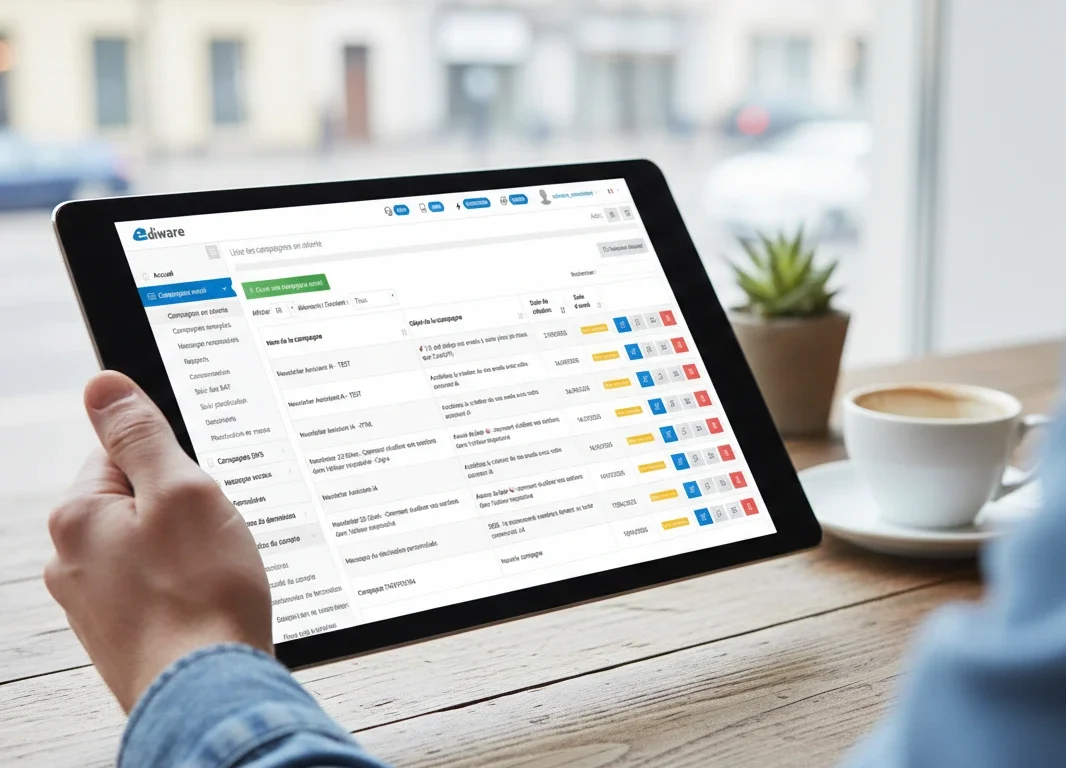
What’s more, some emailing platforms like Ediware enable you to track these different metrics separately, and cross-reference the data with your analytics tools to get a complete picture of the customer journey.

3. B2B benchmarks

When it comes to conversion rates in B2B emailing, the first question is always the same: what’s a good rate?

The honest answer: it depends.

Market averages

The studies available give fairly wide ranges. In B2B emailing, we generally observe conversion rates of between 1% and 5% on delivered emails. Some sectors, such as IT services or consulting, show lower averages, around 1 to 2%. Other activities with shorter decision cycles can reach 5% or more.

For cold prospecting campaigns on rented or purchased files, the rates are logically lower. Getting 0.5% of contact requests from a database of prospects who have never heard of you is already a respectable result.

Conversely, on a base of existing customers or newsletter subscribers, aiming for 3-5% conversion is realistic.

Why these figures mean so little

The problem with benchmarks is that they compare incomparable things.

A campaign offering a free download of a white paper has nothing to do with a campaign requesting a sales appointment. The former requires a minimal commitment. The latter requires the recipient to block time in their diary. Naturally, the rates are different.

Similarly, sending an email to 500 highly-qualified contacts your sales reps met at a trade show is nothing like sending a mass mailing to 50,000 addresses from a prospecting database. Volumes and rates are not in the same league.

The only valid comparison

Rather than measuring yourself against abstract averages, compare your campaigns with each other. Is your conversion rate on the September campaign better or worse than that of June? Do your e-mails with a “customer benefit” subject line convert better than those with a more descriptive subject line?

This iterative approach is the key to progress. External benchmarks give you an order of magnitude so that you’re not completely off the mark. But your real reference is your own track record.

4. The levers that really make a difference

Improving your conversion rate isn’t magic. It requires a methodical approach to a number of elements which, taken together, make the difference between a campaign that generates contacts and one that goes unnoticed.

The quality of the contact database

It’s the starting point for everything. You can have the best message in the world, but if you send it to the wrong people, it won’t convert.

In B2B, the quality of a database is measured by several criteria: are the addresses valid and up to date? Do the contacts correspond to your target? Are they decision-makers or influencers on your subject?

Sending an offer for accounting software to technical directors is a waste of time. The same applies if your file contains 30% obsolete addresses. Before trying to optimize your messages, make sure your database is clean and well-targeted.

Regular verification of email addresses via a dedicated service eliminates NPAI and mechanically improves your deliverability. And better deliverability means a greater chance of conversion.

Message and offer relevance

An email that converts is an email that responds to a concrete problem of its recipient. Not one that talks about you and your great products.

The question is: what’s in it for my recipient? What problem am I helping them solve? What tangible benefit will they gain by clicking?

A white paper entitled “Our innovative solutions” is of no interest to anyone. The same content presented as “How to reduce your invoice processing time by 30%” speaks directly to the concerns of your target audience.

Personalization plays an important role here. Mentioning the recipient’s sector of activity, their job title, or referring to a specific issue in their profession significantly increases the message’s impact. Emailing platforms allow you to integrate personalization variables in the body of the message, and even in the subject line.

The CTA and the landing page

Your recipient has opened the email. He has read your message. They’re interested. Now they need to take action.

The call to action must be clear, visible and inciting. “Click here” says nothing. “Download the guide” or “Book my slot” tells you exactly what’s going to happen.

And then there’s the landing page. Too many companies neglect this step. The recipient clicks, arrives on a confusing page with too much information, and gives up. The landing page should be a natural extension of the email message, with a simple form and a fluid conversion path. Every additional field in your form lowers the conversion rate. In B2B, asking for name, email and possibly company name is usually enough for a first contact.

Timing and recovery

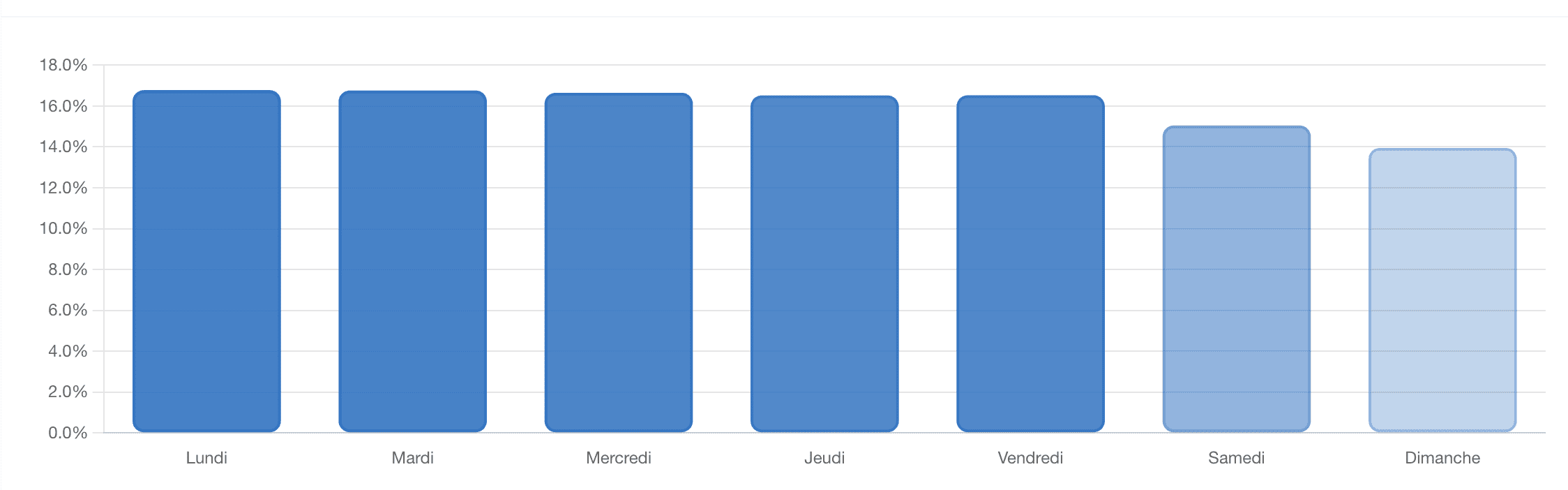
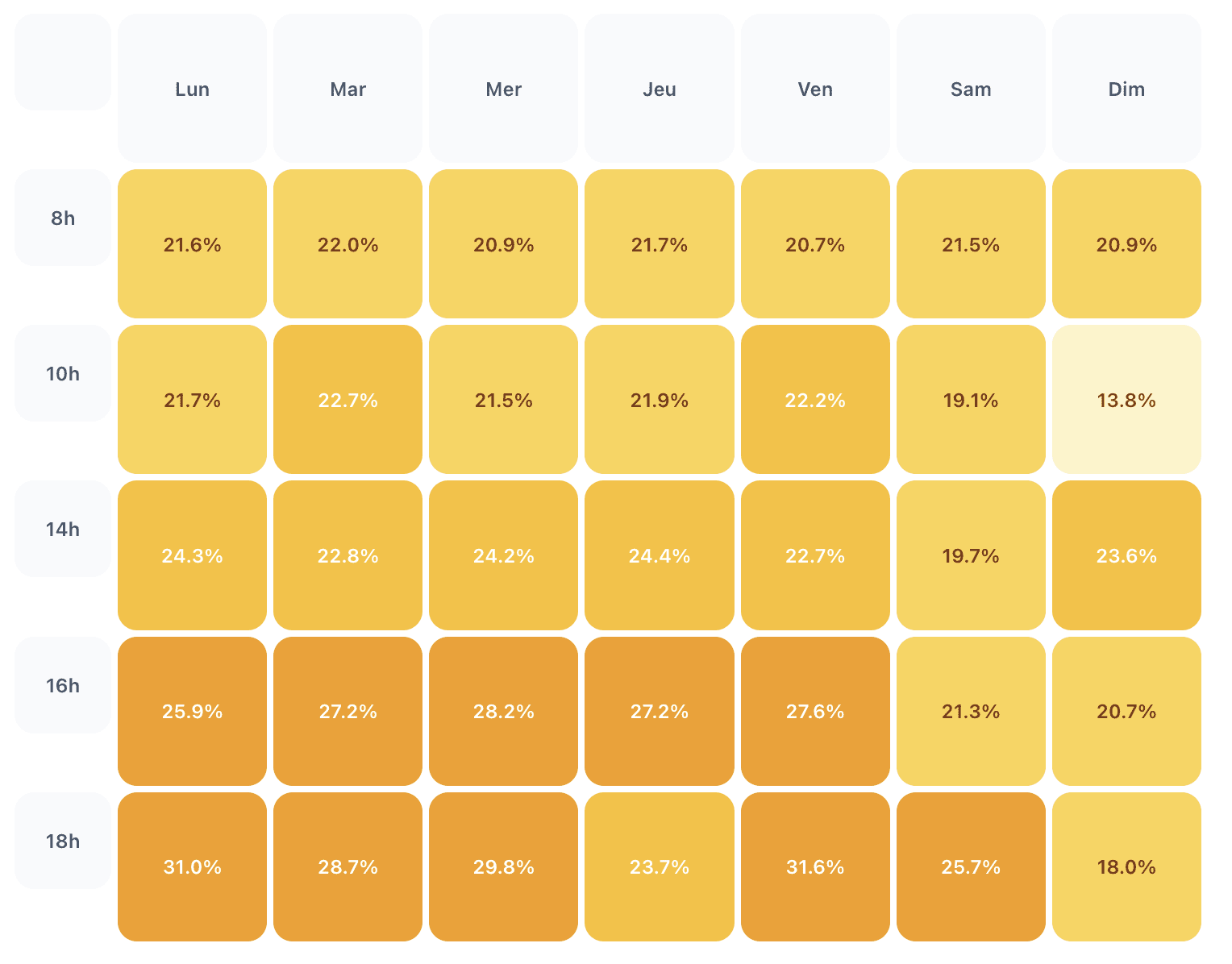
Timing matters, even if its impact is often overestimated. In B2B, mid-week mailings on Tuesday or Thursday mornings generally produce the best results. Avoid Mondays, when mailboxes are overflowing, and Friday afternoons, when people’s minds are already on the weekend.

But the real lever is the follow-up. A prospect who hasn’t reacted to your first email isn’t necessarily indifferent. Perhaps he was busy, distracted, or your message came at the wrong time. A well thought-out follow-up, a few days later, with a slightly different angle, often recovers conversions that would otherwise have been lost. For more on this subject, read our article on automatic follow-ups.

5. Test under real conditions rather than in the laboratory

In B2C, A/B testing is king. We send two versions of an email to samples of 10,000 people, measure which performs better, and generalize. The volumes involved mean that statistically reliable results can be obtained in a matter of hours.

In B2B, this approach rarely works.

Why classic A/B testing reaches its limits

The problem is mathematical. When you send a campaign to 2,000 contacts, dividing it into two groups of 1,000 people doesn’t give you enough volume to draw solid conclusions. If you get 12 conversions on one side and 15 on the other, is that a real difference or just statistical noise? It’s impossible to say.

And then there’s the reality of the field. In B2B, prospecting bases are not infinite. Your targeted contact files represent a limited number of companies. Using half of your base for a test campaign means that many prospects won’t receive your best message.

Not to mention long decision cycles. A recipient may convert three weeks after receiving your e-mail. Waiting for the final results of an A/B test before launching the rest of your campaign means wasting precious time.

The iterative approach: learning campaign after campaign

Rather than testing two versions in parallel, test on successive campaigns. Change one element at a time between two mailings, and observe how your results evolve over time.

For example, on your January campaign, you use an object focused on the customer problem. In February, you test a benefit-oriented object. In March, you try a more direct approach with a question. After a few months, you have a clear vision of what works with your target audience.

This method requires rigor. You need to document what you’re changing, note your assumptions, and track your metrics over time. But it’s in keeping with the reality of B2B: modest volumes, long cycles, and a fine-tuned knowledge of your target that builds up gradually.

What to test first

Not all elements have the same impact on conversion. Focus your tests on what really counts:

The subject line, because it determines whether the email is opened, and therefore everything else. The offer, because a white paper doesn’t generate the same commitment as an appointment request. The message format, whether short and punchy or more detailed and well-argued. And the landing page, which is often the weakest link in the chain.

On the other hand, spending hours testing the color of a button or the exact position of an image makes little sense when your volumes don’t allow you to measure subtle deviations.

6. Linking emailing to the B2B buying process

A B2B prospecting email almost never generates an immediate sale. That’s not its role. It’s part of a longer process, with several points of contact before signature.

Understanding where email marketing fits into this journey enables us to define realistic conversion targets and optimize each stage.

Email as a trigger, not a finisher

In B2B, the role of email is to open a door. Grab a prospect’s attention, arouse their interest, get them to take the first step towards you. The rest is up to your sales team, your content and your appointments.

A prospect who downloads your white paper following an email is not a customer. It’s a contact who has expressed an interest. They’ve entered your pipeline. All you have to do is move them on to the buying decision.

This distinction is important if you want to measure your conversion rate correctly. If you expect direct sales from your email campaigns, you’re bound to be disappointed. On the other hand, if you measure the leads generated and their progression through the sales tunnel, you’ll have a fair view of the effectiveness of your emails.

Nurturing: converting over time

Not all prospects are ready to buy the moment they receive your email. Some are on standby. Others have a medium-term project. Still others don’t yet know they have a need.

This is where nurturing comes in. The idea is to maintain contact with these prospects over time, by regularly sending them useful content, until they are ready to take action.

In concrete terms, this can take the form of a sequence of automated emails after an initial download. Or a monthly newsletter that adds value without being overly commercial. Or targeted reminders based on contact behavior, such as a specific email to those who have visited your rates page.

The conversion rate is no longer measured on the basis of a single campaign, but over the entire sales process. A prospect may receive five or six emails before finally requesting an appointment. This is normal in B2B. And it’s profitable, provided you have the resources.

Synchronize emailing with sales action

B2B emailing doesn’t work in a vacuum. The best results are achieved when it’s combined with the work of your sales team.

A classic example: you send an email to 2,000 prospects. 50 click on the link and visit your product page. Of these, 10 fill in the contact form. But the other 40? They showed an interest but didn’t follow through. Recovering the list of these clickers and passing it on to your sales team for a follow-up call can double or triple your final conversions.

Emailing platforms like Ediware can extract the list of openers and clickers in real time, along with their full contact details. Synchronized with your CRM, this data feeds directly into the work of your sales teams.

7. Measure and track conversions effectively

A good conversion rate is good. Knowing where it’s coming from and how it’s evolving is even better. Without rigorous monitoring, it’s impossible to identify what’s working and what needs improvement.

Essential tools

The first tool is your emailing platform. It gives you the basic metrics: emails delivered, opens, clicks, unsubscribes. At Ediware, these statistics are available in real time, with the option of extracting detailed files by campaign.

But the emailing platform only sees what happens up to the click. To measure real conversion, you need to track what happens afterwards, on your site.

This is where Google Analytics comes in. By adding UTM parameters to your links, you can precisely track visitors coming from your email campaigns and measure their actions: pages visited, forms filled in, downloads carried out. Most emailing platforms automatically add these tracking parameters to your links.

Finally, your CRM plays a central role in linking conversions to signed deals. A lead generated by e-mail in January becomes a customer in April – this is precious information. It enables you to calculate the true return on investment of your campaigns, beyond the simple immediate conversion rate.

Metrics to monitor

The gross conversion rate is not enough. To effectively manage your campaigns, track several complementary indicators.

First of all, the deliverability rate, because an email that doesn’t reach the inbox will never convert. If this rate drops, there’s no point looking elsewhere for the problem.

Then there’s the open rate, which measures the effectiveness of your subject line and your reputation as a sender. A low open rate indicates either a targeting problem, a subject that doesn’t catch on, or poor deliverability.

The click rate, which indicates whether your message makes people want to find out more. And the reactivity rate, which relates clicks to opens and measures the quality of your content independently of deliverability.

Finally, the conversion rate itself, calculated according to the method that makes sense for your business.

What the statistics don’t say

The figures give a partial view of reality. There are a few points to bear in mind.

Firstly, opening rates are becoming increasingly unreliable. The confidentiality protections of Apple Mail and certain webmails artificially inflate open rates by preloading images. Conversely, messaging systems that block images by default prevent the detection of certain real openings. Take this figure as a trend, not as an absolute truth.

Secondly, a click is not always a human click. Some companies’ spam filters analyze links in e-mails and generate automatic clicks. On B2B campaigns targeting large organizations, this phenomenon can significantly distort your statistics. Advanced platforms integrate mechanisms to filter out these robot clicks and give you figures that are closer to reality.

Thirdly, the final conversion may take place via another channel. A prospect receives your email, visits your site, then calls you directly without filling in a form. In your statistics, this campaign shows zero conversions. In reality, it has generated a lead. By cross-referencing emailing data with your sales reps’ field feedback, you can avoid missing out on these invisible conversions.

8. Frequently asked questions

WHAT IS A GOOD CONVERSION RATE IN B2B EMAILING?

In B2B prospecting, a rate of between 1% and 3% on delivered emails is considered correct. On a base of existing customers or committed subscribers, you can aim for 3% to 5%. These figures vary according to the sector, the type of offer and the level of commitment required from the recipient.

WHAT’S THE DIFFERENCE BETWEEN CONVERSION RATE AND CLICK-THROUGH RATE?

The click-through rate measures the percentage of recipients who clicked on a link in your e-mail. The conversion rate measures those who completed the desired final action after the click: form filled in, download carried out, appointment booked. A good click-through rate with a low conversion rate indicates a problem on the landing page.

HOW TO IMPROVE THE CONVERSION RATE WITHOUT CHANGING THE MESSAGE?

Work on your landing page. Simplify the form by reducing the number of fields. Make sure the page loads quickly and displays correctly on mobile. Make sure the page content naturally extends the email promise. These technical adjustments can significantly improve your results without affecting the message itself.

IS IT NECESSARY TO MEASURE CONVERSIONS ON EMAILS SENT OR DELIVERED?

Use delivered emails to compare your campaigns. This calculation isolates the effectiveness of your message without being affected by deliverability problems. On the other hand, keep an eye on the rate calculated since delivery to get an overall view, including the quality of your contact base.

WHY IS MY CONVERSION RATE LOW DESPITE A GOOD CLICK-THROUGH RATE?

The problem probably lies after the click. Your landing page may be too slow, poorly adapted to mobile, or too far removed from the email message. A long form also discourages conversions. Analyze the post-click user journey to identify the friction point.

HOW DO YOU TRACK CONVERSIONS VIA THE TELEPHONE?

Systematically ask your sales reps where incoming calls come from. You can also use a dedicated phone number for your email campaigns, or add a “How did you hear about us?” field to your forms. This manual data complements the automatic tracking for a more complete picture.

HOW OFTEN SHOULD YOU ANALYZE YOUR CONVERSION RATES?

Analyze each campaign individually in the days following dispatch, then review monthly or quarterly to observe trends. In B2B, conversions can occur several weeks after the mailing. Give prospects time to react before drawing definitive conclusions.

9. Things to remember

The conversion rate remains the ultimate indicator of the effectiveness of your email campaigns. But in B2B, it requires a reading adapted to the realities of the field.

Converting doesn’t necessarily mean selling. It’s about getting a prospect to take a step in their buying journey. Downloading content, requesting a callback, registering for an event. Every action counts and deserves to be measured.

Benchmarks give an order of magnitude, nothing more. Your real reference is your own history. Compare your campaigns with each other, identify what’s progressing and what’s regressing, and make ongoing adjustments.

The levers for improvement are well known: quality of the base, relevance of the message, clarity of the call to action, fluidity of the landing page. Nothing revolutionary, but methodical work on each of these points makes all the difference.

Forget about A/B testing as practiced in B2C. Your volumes don’t allow it. Test on successive campaigns, changing one element at a time, documenting what you learn. This iterative approach is in line with B2B reality.

Above all, don’t measure emailing in isolation. Articulate it with the work of your sales force, synchronize data with your CRM, and follow leads through to signature. That’s where the real return on investment comes in.

Email remains the most profitable outbound marketing channel in B2B. Provided you know what you’re measuring and why.

Categories
Premium B2B Email Marketing Platform France - Ediware

What is emailing? Definition and complete guide

In a nutshell

Emailing refers to the grouped sending of emails to a list of recipients for commercial or marketing purposes. The most profitable channel in digital marketing, with an average ROI of €36 for €1 invested, it remains a must for both B2B and B2C. Its success relies on a qualified base, relevant content, good deliverability and compliance with RGPD.

Introduction

Every day, billions of business e-mails are exchanged around the world. Order confirmations, newsletters, promotional offers, sales reminders. Email has been present in every employee’s inbox for over 20 years. And despite claims of its periodic demise, it’s not about to disappear – quite the contrary.

Every day, billions of business e-mails are exchanged around the world. Order confirmations, newsletters, promotional offers, sales reminders. Email has been present in every employee’s inbox for over 20 years. And despite claims of its periodic demise, it’s not about to disappear – quite the contrary.

Email remains the marketing communications channel that generates the highest returns for the lowest cost. This is proven every year by case studies: for every €1 spent, a well-crafted email campaign yields an average return of €36 (source: Statista). No other marketing lever can match this level of performance.

But what does emailing really mean? What are the different types of email campaigns? What are the best practices to adopt and the results you can expect? These are just some of the questions we’re going to try and answer. We’ll start by looking at what differentiates email marketing from other forms of digital communication, the best practices to follow if you want your email campaigns to succeed, and the main KPIs that every marketer needs to track in order to measure campaign performance.

Email remains the marketing communications channel that generates the highest returns for the lowest cost. This is proven every year by case studies: for every €1 spent, a well-crafted email campaign yields an average return of €36. No other marketing lever can match this level of performance.

But what does emailing really mean? What are the different types of current email campaigns? What are the best practices to adopt and the results you can expect? These are just some of the questions we’re going to try and answer. We’ll start by looking at what differentiates email marketing from other forms of digital communication, the best practices to follow if you want your email campaigns to succeed, and the main KPIs that every marketer needs to track in order to measure campaign performance.

Definition of emailing

Emailing consists of sending a single email to a group of recipients. It’s also known as email marketing or email campaign. The concept is simple: instead of writing an e-mail to a single person, you send the same message to several hundreds, thousands or even millions of contacts in just a few clicks.

At first glance, this may seem obvious. However, email marketing should not be confused with the individual email you send to a colleague or customer. An individual e-mail is a message that can be described as conversational or one-to-one. Emailing is a mass mailing that goes through a dedicated platform that orchestrates the sending, tracks statistics and makes sure that everything is done in accordance with the law.

And then, if you say to yourself “Well, why don’t I try sending an e-mail campaign via Outlook or Gmail? “and send a blind copy to 50, 100 or 300 people, that’s simply not a good idea. Mail services don’t like this kind of practice and will penalize you very quickly. Not to mention the fact that you won’t know whether your recipients have opened your message, clicked on any of the links contained in the e-mail, etc.

Why use an emailing platform? Because it provides you with additional tools for building your contact base, as well as enabling you to write your messages in HTML, personalize your content according to target, program your campaigns, and above all, track your statistics. Open rates, click-through rates, unsubscribe rates… all figures that will enable you to make progress over time.

Today, emailing is used in two main contexts. In B2C, brands use it to send emails to their customers: promotional offers, newsletters, loyalty programs… In B2B, emailing has become one of the most effective prospecting & nurturing techniques. Professionals consult their mailboxes several times a day. This means that a well-targeted e-mail, with content of high perceived value, has a high chance of being read.

The different types of emailing

There are many different types of email marketing. Depending on the purpose, the format, content and frequency of sending can be very different. Here are the main types you’ll come across.

Newsletter

Newsletters are undoubtedly the best-known form of emailing. Its purpose: to maintain a relationship with an audience, to inform them and build their loyalty. For example, a company that regularly publishes content on its blog could send out a monthly newsletter to relay the articles it has written during the month. An e-tailer could use this channel to highlight new products or product uses.

The newsletter is characterized above all by its regularity. It can be weekly, fortnightly or monthly, creating an appointment with its reader. To date, the content rarely contains commercial information. It’s often a question of informing and/or educating, adding value and positioning the magazine as an expert on a given topic. It’s not about making an immediate sale, but rather about helping to create a need/further the potential buyer’s thinking.

In BtoB, the newsletter is an excellent vehicle for disseminating content such as case studies, feedback and industry news. Professionals tend to appreciate any content that enables them to learn and/or progress in their field of activity.

Prospecting emails

This email has a 100% commercial objective. The primary aim of prospecting emails is to generate incoming requests, and therefore sales. The aim is to contact prospects who don’t know us yet, or who don’t know us very well, to present them with an offer that might interest them.

In BtoB, this type of email is subject to strict rules by the RGPD, but remains authorized under certain conditions. It’s perfectly possible to contact people for whom the offer you’re proposing is of interest, and to do so without having asked for their prior consent. For example, an accounting software publisher can canvass chartered accountants. On the other hand, he wouldn’t hurt these financial professionals by offering them a sports coaching program.

This type of mail works in BtoB. At Ediware, we see this every day with our customers. But it can’t be improvised. It requires upstream work: precise targeting, a message adapted to the target, and a clear sales argument. Sending a generic e-mail to a randomly purchased list of contacts is guaranteed to make the recipients hate you, and to ruin your reputation as a sender.

Promotional email

The aim of a promotional email is to directly trigger a sale. Private sales, sales, promotional offers such as “10% off your 1st order”, Christmas operations, Black Friday, Mother’s Day… You’ll see a whole host of offers sold through hard-hitting copywriting in “2 clicks 3€ Free Delivery” ” + call-to-action button to buy here! to take advantage of the offer!” … etc.

While it’s easy to believe that this form of email marketing is effective, it has to be used very sparingly. If you bombard your contacts daily with promotional campaigns, they’re bound to end up hating you. Their open rate will plummet and unsubscribe rates to your mailing lists will soar. It’s best to reserve these campaigns for dedicated times of the year (Mother’s Day, Black Friday, Christmas, product launches, end of stock,…) / Season and juxtaposed with a little value-added content!

Timing is another parameter not to be overlooked. A promotional campaign launched at the right time, to a contact who has recently shown an interest in your offer, will yield far more effective results than a campaign sent in haste, to an unsegmented base.

Transactional email

Transactional email has a special place. It doesn’t really fit into the “marketing” box in the strict sense of the word, but it’s inseparable from customer relations. This refers to all emails that are sent automatically following an action by the web user: order validation, delivery notification, password reset, invoice.

In most cases, these emails have exceptional open rates, often in excess of 80%. Normal: the recipient expects them. And yet, this is a target that we often tend to forget. An order confirmation may contain product recommendations in the footer. A delivery notice may end with a “Follow us on social networks”.

Sometimes it’s hard to draw the line between transactional email and marketing email. The key is to ensure that the promotional aspect does not take precedence over the information the recipient is looking for.

The follow-up email

The last type of email concerns reactivation. Over time, part of your contact base becomes inactive. People who, at one time, opened and responded to your emails, others who never completed their purchase journey after filling their shopping cart.

The follow-up email will try to rekindle the flame with these contacts. For inactive customers, you can send them an e-mail like “We miss you” with a promotional code to motivate them to come back. For abandoned shopping baskets, a reminder a few hours after abandonment, why not with a promotional code, is sometimes enough to trigger an order.

These automated emails, sent in response to contact actions, are among the most profitable marketing automation scenarios. They are aimed at people who have already expressed some form of interest. Half the work is already done.

Why should companies turn to emailing?

Despite the growing number of communication channels, emailing remains a popular lever for marketers for many reasons. Here’s a closer look.

Profitability among the best on the market

What does this mean in figures? According to studies by the Data and Marketing Association (DMA), email marketing has to be one of the most efficient, generating €38 in sales per euro invested. All this at an extremely low cost.

Sending an e-mail costs only a few cents or even less per hour. And it’s well-targeted, since recipients have either given their consent to receive your emails, or are a perfect match for your target. Email marketing is also highly personalizable, which boosts conversion rates.

In B2B, the feeling is the same. According to the e-router studies published each year by the DMA France, the email channel is still considered the most strategic by 91% of marketers, ahead of social networks at 83%.

A 100% controlled, 100% measurable channel

This is perhaps the biggest forgotten benefit of email marketing. If you work your audience on Facebook, Instagram or LinkedIn, you never own it. These platforms can change their algorithms overnight, reduce the organic reach of your publications, or even close your account. You’re at the mercy of their decisions.

With email, it’s different. Your contact list belongs to you, it’s part of your company’s heritage, just like your customer base in your CRM. No one can take it away from you, and no one can decide for you who will see your e-mails.

The other advantage is measurability. Each campaign enables us to collect a whole host of statistics: How many e-mailings were opened? How many recipients clicked? Which links were clicked? How many unsubscribes? etc. All this information enables you to measure what’s working (or not) and to look for ways to improve your results. Try to obtain the same level of detail for a poster campaign or a radio spot.

Ultra-affordable rates

Compared to other acquisition channels, email marketing is still very affordable. You don’t need to spend several thousand euros to get started. A small company can start campaigns for just a few hundred euros a year, platform included.

The business model for email marketing tools oscillates between a monthly subscription fee that depends on the size of the base, and a no-obligation credit system like Ediware. You pay for what you use, without a subscription that runs even when you’re not sending anything.

One of the reasons why emailing is often the first digital lever for small and medium-sized businesses? The entry ticket is very low, and the results visible very quickly. You can start small and build up as you go along.

How to run a successful email campaign?

Having an emailing platform isn’t enough. You need to know how to use it. Here are the basics you need to master to get results.

Build a qualified contact base

It all starts with the database. No recipients, no campaign. But beware: quantity isn’t everything. Better 1,000 well-targeted contacts than 50,000 randomly selected addresses.

In B2C, it’s simple: the person must give their explicit consent before you send them commercial emails. We call this opt-in. A registration form on your site, a box to tick when making a purchase… The contact must have taken a voluntary step.

In B2B, it’s a little different. The RGPD authorizes email prospecting to professionals without prior consent provided that the message is related to their business. This is known as legitimate interest. A medical equipment supplier can target doctors. A management software publisher can canvass CFOs.

But in any case, avoid buying e-mail databases from disreputable service providers. These files often contain partially obsolete addresses, spam traps or even contacts that never existed. The result: your reputation as a sender takes a hit, and your e-mails end up as spam, including those you send to your real customers.

In B2B, databases like DataProspects provide access to qualified contacts, which we update regularly, and which are RGPD-compliant. It’s a budget… but it’s the guarantee of working with reliable data.

Working on the object and preheader

The subject line is the first thing an e-mail recipient sees. In fractions of a second, they decide whether or not to read it. It’s at this moment that everything is decided.

The subject line should be short. Aim for a maximum of 50 characters so that it can be read in its entirety on a cell phone. It should make people want to know more… without saying everything. Avoid formulations that are too commercial, such as UPDATE, TOO MANY!!!!, exclamation marks, etc., all of which send signals to the filters. All the signals that make spam filters go into overdrive and exasperate recipients.

The preheader is the text that appears right next to the subject in the email list. On mobile, it’s often there before the email is even opened. Many marketers neglect it, even though it represents a 2nd chance to hook the recipient. Use it to complete the subject line… but not to repeat the same thing.

Test several versions. Emailing platforms allow A/B testing. Here’s how it works: you send 2 versions of the subject line to a sample of your database… then you choose whether to send everyone #1 or #2, depending on which has the best open rate.

Creating relevant, responsive content

Once the email has been opened, it’s time to remember. The content must meet the reader’s expectations. Something that interests them, informs them usefully, moves them forward, etc.

When it comes to content, it’s as much the content as the form that counts. On cell phones, emails that are too long… discourage reading. Get to the point. A clear hook, a visible call-to-action. Do you have a lot to say? Make several mailings, but don’t dilute them.

The design must be responsive, i.e. it must be able to adapt automatically to the size of the screen. More than half of all emails are now read on smartphones. If your message doesn’t display well on a mobile, it often ends up in the garbage can. Email marketing software like Ediware’s already offers you responsive templates, so there’s no need to spend hours looking for the perfect layout.

Also consider the balance between text and images. An all-image email would be fraught with problems. Some e-mail clients don’t display images by default. Spam filters don’t trust emails that have no text at all. What’s more, if the images don’t load, the message is simply unreadable.

Complying with the law (RGPD)

The RGPD very strictly frames the way personal data is collected and used, and that includes email addresses. And if you don’t comply with the rules, it can be very costly. So it’s best to be informed.

In B2C, you absolutely need the consent of the person before sending them commercial emails. And this consent needs to be more than just a box quickly ticked. It must be free, specific, informed and unambiguous. And you need to be able to prove that the contact has given you permission to solicit them.

In B2B, you can send prospecting e-mails without prior consent if you have a legitimate interest in doing so… but within certain clearly defined limits. The offer must correspond to the prospection activity of the person you are addressing. Every e-mail must include a link to unsubscribe. And data must not be kept indefinitely.

In any case, each email must allow the recipient to unsubscribe easily and simply. One click, without having to justify it. Sending platforms automatically manage unsubscribes and clean up the contact list.

Working on deliverability

Deliverability is the ability to ensure that your e-mails actually reach the recipients’ inboxes. Because between the moment you click “send” and the moment your message is read, a lot can go wrong. Spam filters, blocking by e-mail providers, invalid addresses…

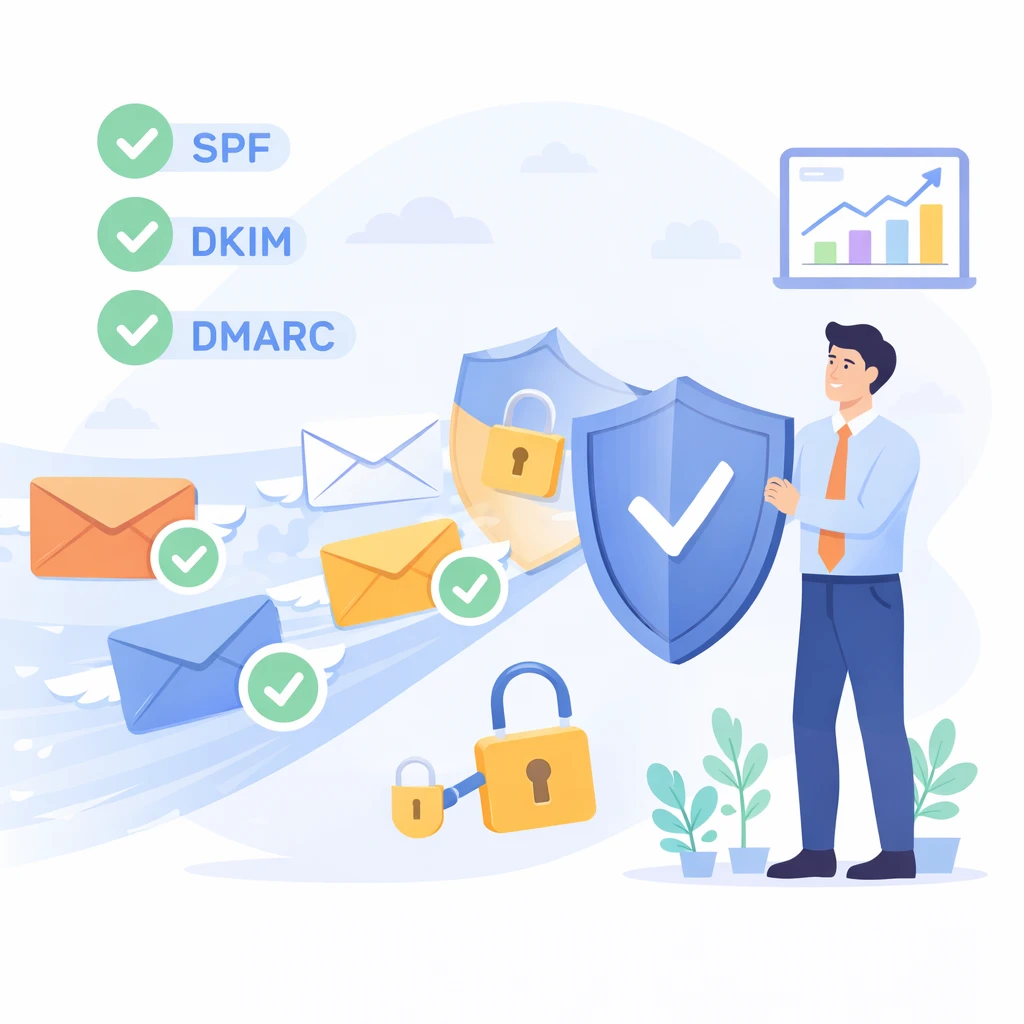
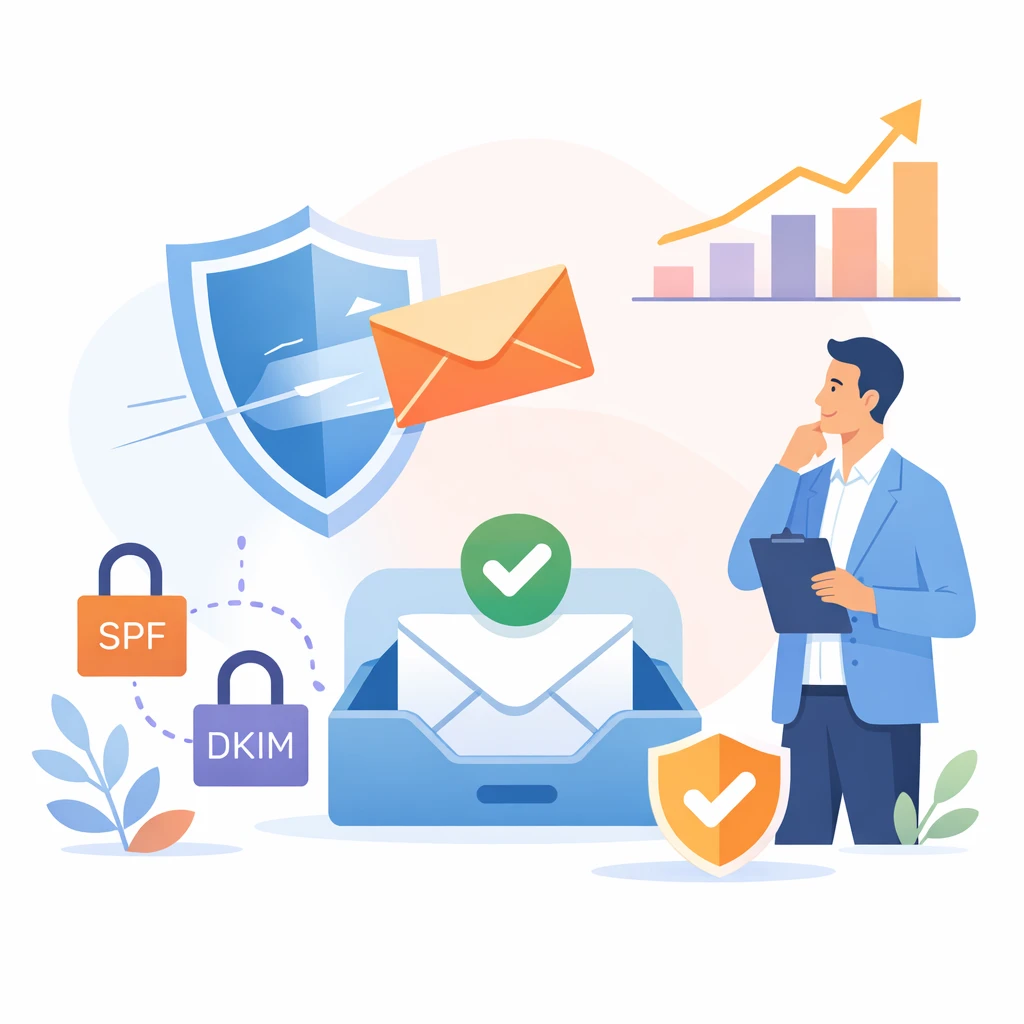
First point: technical authentication. The SPF, DKIM and DMARC protocols enable mail servers to verify that you are who you say you are, and that you have the right to send these e-mails. If you haven’t set this up, many will treat you as spam. Serious platforms do it automatically.

Second point: the sender’s reputation. Internet service providers such as Orange, e-mail services such as Gmail or Yahoo, assign a rating to each sender based on its history. Too many complaints, too many emails sent to addresses that don’t exist, and that rating plummets. Your emails end up in the spam box.

Third point: the quality of your database. Addresses that no longer exist, spam traps and contacts who haven’t opened one of your e-mails in years are never good for your sending statistics, and even less so for your reputation. So you need to clean up your database regularly. Tools like CleanMyList.email can help. They allow you to check that addresses are valid before sending them, and also to identify at-risk contacts.

Key indicators to track

One of the many advantages of email marketing is its amazing ability to measure everything.

Each campaign generates a wealth of data that can be used to analyze results and assess areas for improvement. It’s just a question of knowing what to look at!

Open rate

The open rate indicates the percentage of recipients who have opened your e-mail. For example, if you send out 1,000 e-mailings and 200 recipients open the e-mails received, your open rate is 20%. This is the most closely monitored metric, and often the first one we look at.

This rate largely reflects the quality of your subject and the trust/curiosity in your brand. A sender known to the recipient and a striking or intriguing subject generate opens. An unknown sender associated with a random subject generally goes unnoticed.

Averages vary from sector to sector. In B2B, an open rate of between 15% and 25% corresponds to acceptable performance. High-value newsletters can exceed 30%. Cold-prospecting e-mailings tend to hover around 10-15%. And here’s an important point: since 2021, openers on Apple email clients and other privacy-protecting solutions have had an impact on open rates. As a result, you may see open rates throughout the day, even though you haven’t necessarily sent any campaigns that day. The open rate is still relevant for comparing your different campaigns, but you now need a policeman with it.

Click-through rate

The click-through rate indicates the percentage of recipients who clicked at least once on one of the links in your e-mail. It’s a more reliable metric than the open rate, because it shows real commitment. In fact, anyone who clicks has not only opened the e-mail, but also found the content interesting enough to go further.

We can sometimes distinguish between the overall click rate, calculated on all recipients, and the reactivity rate, calculated only on openers. This latter indicator is used to assess content quality, independently of the object’s performance.

In B2B, a click-through rate of between 2% and 5% is normal. This rate depends very much on the nature of the message and the visibility of your call to action. The clearer and more visible your button, the more clicks you’ll get. An e-mail with a single, well-developed link will generally get more clicks than one with 10 scattered links.

Conversion rates

The conversion rate goes beyond the simple click. It will indicate the percentage of recipients who have carried out the expected action(s) following consultation of the page to which they were redirected after the click. The expected action may be a purchase, a quote request, a webinar registration, a document download…

This metric requires further traceability. You need to be able to link the click in the e-mail with the actual action taken on the website. Emailing platforms generally automate this by adding tracking parameters to URLs. Conversions can then be tracked in Google Analytics or other analysis tools.

The conversion rate is the indicator that will show the real return on investment of your action. Indeed, an e-mail may have a very good open and click rate, but if it doesn’t generate any conversions, then it’s legitimate to think that its only purpose was to serve a purpose.

Bounce rate and unsubscribe rate

Bounces are e-mails that could not be delivered. A distinction is made between “hard” bounces, caused by an invalid or non-existent e-mail address, and “soft” bounces, caused by a full mailbox or a momentarily unavailable server.

A high bounce rate is one of the alarm signals. Above 2-3%, the quality of your database is a problem. ISPs monitor this rate. Too many bounces and they start blocking your mailings.

The unsubscribe rate corresponds to the proportion of people who unsubscribe after receiving an e-mail. An unsubscribe rate of less than 0.5% is satisfactory. Anything higher and something is wrong. Either you’re sending too often, or the content doesn’t match expectations, or the base wasn’t qualified in the first place.

These two metrics are important to monitor, especially as they impact your reputation as a sender and therefore your future deliverability.

Emailing and marketing automation

So far, we’ve mainly been talking about single campaigns. You decide to launch a campaign, you create it, you program it, it goes out. But emailing can also be an automatic process, with no need for you to be prompted each time a campaign is sent.

Marketing automation is the ability to send emails automatically, based on the recipient’s situation or profile. Someone downloads a white paper from your site? They automatically receive a thank-you email, followed by a series of emails on the same subject. A prospect hasn’t opened your last 3 emails? A reactivation scenario is automatically triggered. A customer hasn’t ordered in 6 months? We’ll automatically send him an offer to reactivate him…

These scenarios, once set up, run non-stop. They work for you 24/7. The time saved is enormous, especially if you’re part of a small marketing team, and can’t do everything by hand.

The other advantage is that it’s ultra-relevant. An email sent automatically following a specific action is usually the right moment. The contact has just become interested in what you have to offer, and is receptive. It’s far more powerful than a mass mailing you might have thought of on a Tuesday morning…

There are plenty of scenarios that are the most basic, and very easy to set up. The welcome email, which is sent automatically following registration. The nurturing sequence, which allows you to support a prospect in his or her reflection phase with “educational” content. Abandoned cart follow-up for e-tailers. Birthday emails with personalized discounts.

There are more advanced scenarios that take things a step further. We can connect a scoring system that will take into account the contact’s engagement, then depending on the level of interest, either send sales proposals to warm prospects, or continue to send content to lukewarm prospects. And all this without the need for a salesperson to intervene.

At Ediware, our solution not only allows you to build these automatic reminder scenarios, but also to link them to other tools thanks to Zapier. We can connect over 1,000 applications to automate processes ranging from contact forms to synchronization with your CRM.

Why choose a French emailing platform?

The market for emailing platforms is far from saturated. American solutions such as Mailchimp, or European alternatives, share a good part of the market. And yet, choosing a made-in-France solution means real advantages, which many companies tend to underestimate.

First reason: proximity and quality of support. It’s Monday evening, and you’ve got a bug sending out your newsletter. Would you rather go through the headache of trying to make sense of it all with a robot / an unpleasant English-speaking support person? Or can we help you out in the language of Molière? With international platforms, you’re often offered help… by chat, by email, in English, within a timeframe that varies, and often boils down to “we’ll get back to you by email…”. At Ediware, it’s included in the subscription, it’s telephone troubleshooting with a real person… and it’s free!

Second reason: data. The RGPD is good, but it shouldn’t be a brake on your business and emailing strategy. Since the repeal of the Privacy Shield, transferring data outside the European Union has become more complicated. The problem is that your data… is sent to servers based in the United States. And until further notice, this country is a long way from the European Union in terms of data protection legislation. And then there’s the other reality: many of your recipients are indeed based in Europe, and you need to be able to respect that. With a French solution, your data, stored so that you can send emails, stays with us: in France, or at worst in Europe. Compliance is in our DNA.

Third reason: the local market. B2B isn’t an exact science, and even less so in France. Between the laws, best practices and expectations of the pros, there’s no arguing that our dear marketers have one more race to win: “How do I create a B2B email campaign that works with French decision-makers? “Well, from the outset, a platform designed and conceived for the French market will integrate natively and even by default that: “The French are sensitive to beautiful templates, but like to know the truth, the tutorials are in French, and then shit the marketers are going to give something else in jupytehébergé and say it clearly and precisely”, And that’s all the details that make French marketers feel more like subscribers to an English club, please!

So, at Ediware, we’ve been on the market since 2002. More than 20 years of experience in the B2B market, one of the best technical infrastructures for sending emails (dedicated IPs and a lot of processes for you), an Ediware team 100% based in France, who love their role of supporting their customers. And let’s not forget: an ecosystem included in the subscription, including the solution where we send the emailings, a B2B database to find contacts like DataProspects, and a solution to check the email of these contacts, CleanMyList. Everything you need for successful campaigns!

Frequently asked questions

What exactly is emailing?

Emailing refers to the grouped sending of emails to a list of recipients for commercial or marketing purposes. Unlike individual emails, it requires a specialized platform to manage mailings, track statistics and comply with regulations. It’s also known as email marketing.

What’s the difference between emailing and newsletters?

The newsletter is just one type of emailing. It aims to inform and build loyalty with regular editorial content. Emailing also encompasses promotional, transactional, prospecting and follow-up emails. Each format serves a different purpose.

Will emailing still be effective in 2026?

Yes, emailing remains the digital marketing channel with the best return on investment. Studies show an average ROI of €36 for every €1 invested. Open rates remain stable despite the over-solicitation of Internet users, provided that good practices are followed.

Is it possible to conduct B2B email prospecting?

Yes, the RGPD authorizes B2B prospecting without prior consent under certain conditions. The offer must be related to the recipient’s professional activity. An unsubscribe link must be included in every message. This is known as legitimate interest.

How can I prevent my e-mails from going to spam?

Many factors come into play. Authenticate your mailings with SPF, DKIM and DMARC. Keep your contact database clean by deleting invalid addresses. Avoid overly commercial objects and image-only content. Use a professional platform with a good sender reputation.

What opening rate should I aim for?

In B2B, an open rate of between 15% and 25% is considered correct. High-value-added newsletters can reach 30% or more. These averages vary according to the sector and the quality of the contact base. Above all, compare your campaigns with each other to measure your progress.

Should you buy email databases for prospecting?

Avoid databases sold at low prices by dubious sources. They often contain obsolete or booby-trapped addresses that ruin your deliverability. On the other hand, professional B2B databases like DataProspects offer qualified contacts, regularly updated and RGPD-compliant.

Which emailing platform should you choose?

The choice depends on your needs. For French B2B, choose a solution with French-language support, European data hosting and local market expertise. Also check customization features, integration capabilities with your existing tools and pricing model.

Key points to remember

Emailing is not dead. Despite all the predictions to the contrary, it remains by far the most cost-effective and reliable channel for communicating with customers and prospects. And the figures confirm this every year.

It owes its success to several factors. An almost negligible cost per mailing. An audience over which you have complete control, unlike social networks. Statistics in as much detail as possible to measure and optimize each campaign. The power of personalization, so you can send the right message to the right person at the right time.

That said, e-mailing should not be taken lightly. Results depend on the quality of your contact base, the perceived relevance of your messages to your recipients, compliance with deliverability rules and the rules of the game in terms of regulations. Gone are the days of mass-mailing, when you shoot from the hip. Now it’s quality that makes the difference.

Would you like to launch your first campaigns or work on improving your performance? Ediware has over 20 years’ experience serving French companies, backed by a comprehensive platform, attentive customer support and strong B2B marketing expertise. We’ll show you everything in a demo?

Categories
B2B Email Marketing: Strategies and best practices

Email marketing glossary: 80+ essential definitions

TL;DR

This glossary brings together over 80 essential B2B email marketing terms. From deliverability to authentication protocols (SPF, DKIM, DMARC), performance metrics and RGPD compliance, each definition is explained simply with concrete examples. A reference tool for marketing professionals who want to master the technical vocabulary and optimize their campaigns.

Introduction

E-mail marketing is a world full of technical terms that can confuse even the most seasoned of marketers. Between the acronyms linked to authentication, performance indicators and deliverability gobbledygook, it’s not always easy to find your way around.
Since 2002, Ediware has been helping French companies with their B2B e-mail marketing campaigns. Over the years, we’ve noticed that one thing often makes the difference between a successful campaign and one that ends up in the spam folder: mastery of technical vocabulary.
This glossary is designed to give you that mastery: it contains over 80 definitions, classified by theme. For each term, we try to explain it in simple terms, illustrate it with a concrete example and give you a best practice to remember. Whether you’re a marketing or sales manager, or the head of an SME, you’ll find here the keys to understanding and succeeding in your e-mail marketing campaigns.

Deliverability & Infrastructure

BLACKLIST

Definition: A blacklist is a list of IP addresses or domains identified as sources of spam. Email providers and spam filters consult these lists to decide whether or not to block an incoming email. There are dozens of blacklists, some of them highly influential, such as Spamhaus and Barracuda.

Example: Your email campaign suddenly shows a plummeting deliverability rate. Checking mxtoolbox.com, you discover that your sending IP has been blacklisted by Spamhaus following a spike in complaints.

Remember: regularly monitor your sending IPs with tools like MXToolbox. A blacklisted IP can ruin your performance in a matter of hours.

See also: Whitelist | Sender reputation | Spam trap

Further information The Backscatterer blacklist

BIMI

Definition: BIMI (Brand Indicators for Message Identification) is a standard that enables your company logo to be displayed next to your e-mails in the recipient’s inbox. To work, BIMI requires a strict DMARC policy and a VMC (Verified Mark Certificate) issued by a recognized authority.

Example: La Poste emails display their yellow and blue logo directly in Gmail. This immediate visibility reinforces the recipient’s trust and improves the open rate.

Remember: BIMI represents a substantial investment (certificate to be renewed every year) and is not suitable for email prospecting. In the event of spam alerts, the logo cannot be guaranteed to be displayed, particularly in Gmail.

See also: DMARC | DKIM | SPF

BOUNCE

Definition: A bounce is an e-mail that has failed to deliver and returns to the sender with an error message. There are two types of bounce: hard bounce (permanent failure) and soft bounce (temporary failure). The bounce rate is a key indicator of the quality of your database.

Example: You send a campaign to 10,000 contacts. 250 emails are returned in error, representing a bounce rate of 2.5%. Of these, 180 are hard bounces (invalid addresses) and 70 are soft bounces (full boxes).

To remember: A bounce rate above 2% indicates a list hygiene problem. Clean up your database regularly to preserve your reputation as a sender.

See also: Hard bounce | Soft bounce | NPAI

DELIVERY

Definition: Deliverability measures the ability of your emails to reach your recipients’ inboxes, not their spam folders or a complete block. It depends on many factors: sender reputation, technical authentication, content quality and recipient engagement.

Example: Your emailing platform reports 95% of emails delivered. But in reality, 20% of these emails end up as spam. Your actual inbox deliverability is therefore only 75%.

Remember: An email delivered is not necessarily an email seen. The true measure of success is arrival in the main inbox.

See also: Sender reputation | SPF | DKIM

To find out more : Deliverability in B2B emailing: how to stay in the inbox

DKIM

Definition: DKIM (DomainKeys Identified Mail) is an authentication protocol that adds a cryptographic signature to your e-mails. This signature enables the recipient server to verify that the message really does come from the domain displayed, and that it has not been altered in transit.

Example: You configure DKIM for your entreprise.fr domain. Every e-mail you send now contains a unique signature. Gmail checks this signature and displays a verification checkmark, improving your deliverability.

To remember: Since February 2024, DKIM has been mandatory for sending to Gmail and Yahoo. Without it, your e-mails risk ending up in the spam folder.

See also: SPF | DMARC | Deliverability

DMARC

Definition: DMARC (Domain-based Message Authentication, Reporting and Conformance) is a security policy that tells recipient servers how to handle emails that fail SPF and DKIM checks. DMARC also enables you to receive reports on attempts to spoof your domain.

Example: You configure a DMARC policy in “quarantine” mode for your domain. Emails that fail authentication are automatically placed in spam rather than delivered as normal.

Remember: Start with a DMARC policy in “none” mode to analyze reports, then gradually switch to “quarantine” and then “reject” once your configuration has stabilized.

See also: SPF | DKIM | BIMI

DNS

Definition: DNS (Domain Name System) is the Internet directory that translates domain names into IP addresses. In email marketing, your domain’s DNS records host authentication configurations (SPF, DKIM, DMARC) and tell servers where to deliver emails via MX records.

Example: When you send an email to contact@entreprise.fr, the sending server queries DNS to find the MX record for entreprise.fr and find out which mail server to route the message to.

Remember : Your DNS records must be correctly configured before sending. A DNS error can block the deliverability of all your campaigns.

See also: MX (Mail Exchanger) | SPF | DKIM

SHIPPING AREA

Definition: The sending domain is the domain name used in the sender address of your e-mails (the part after the @). This is the domain on which your sender reputation is based, and on which SPF, DKIM and DMARC authentication is configured.

Example: You send your campaigns from newsletter@votreentreprise.fr. The sending domain is yourcompany.com. The reputation of this domain largely determines your deliverability.

Remember: Avoid free addresses (gmail.com, orange.fr) for your professional campaigns: they systematically fail authentication checks. At Ediware, we offer a sender domain name dedicated to your account by default, to preserve the reputation of your main domain. We can also use your own domain name as sender, with the procedure for configuring SPF, DKIM and possibly DMARC.

See also: Sender reputation | DKIM | SPF

FEEDBACK LOOP (FBL)

Definition: A feedback loop is a mechanism by which e-mail providers (Orange, Microsoft, Yahoo…) notify the sender of e-mails marked as spam by their users. This feedback enables you to identify unhappy recipients and remove them from your mailing lists.

Example: A recipient clicks on “Report as spam” in Outlook. Thanks to Microsoft’s feedback loop, your emailing platform receives this information and automatically unsubscribes this contact from future campaigns.

Remember: sign up for feedback loops from major suppliers. It’s free and saves you from having to keep sending emails to contacts who no longer want to read you.

See also: Sender reputation | Blacklist | Deliverability

GREYLIST

Definition: Greylisting is an antispam technique that temporarily rejects an e-mail from an unknown sender. The recipient server sends back a message asking you to try again later. Legitimate servers retry and pass, while many spammers give up.

Example: Your first email to a new prospect is temporarily rejected with a code 451. Your emailing platform automatically retries the sending 15 minutes later and the email goes through without a hitch.

To remember: Greylisting can delay the delivery of your emails from a few minutes to a few hours during the first contact. A professional emailing platform automatically handles these retries.

See also: Soft bounce | Deliverability | Throttling

HARD BOUNCE

Definition: A hard bounce is an email that cannot be delivered permanently. The main causes are an invalid email address, a non-existent domain or a server that permanently rejects the message. Unlike a soft bounce, a hard bounce will never be resolved.

Example: You send an email to jean.dupont@entreprise-fermee.fr but the company has ceased trading and the domain no longer exists. Your server receives an error code 550 “User unknown”.

Remember: remove hard bounces from your list immediately. A bounce rate of more than 2% seriously damages your reputation as a sender and could get you blacklisted.

See also: Soft bounce | Bounce | NPAI

DEDICATED IP

Definition: A dedicated IP is an IP address reserved exclusively for sending your e-mails. Unlike a shared IP shared by several senders, you alone are responsible for its reputation. This is an advantage for companies sending large volumes of mail on a regular basis.

Example: Your company sends 200,000 emails a month. With a dedicated IP, your performance no longer depends on the practices of other platform users. You build your own reputation.

To remember: A dedicated IP requires a regular sending volume to maintain its reputation. Below 50,000 emails per month, a quality shared IP is often preferable. Ediware provides a pool of dedicated IPs for all accounts with a subscription.

See also: Shared IP | IP warming | Sender reputation

MUTUALIZED IP

Definition: A shared IP is an IP address shared by several senders on the same emailing platform. The reputation of this IP depends on the practices of all the users who use it. This is the standard solution for companies with moderate sending volumes.

Example: Your company sends 15,000 e-mails per month via a shared IP. The platform ensures that all users of this IP respect best practices to maintain a satisfactory collective reputation.

Remember: choose an emailing platform that is rigorous about the quality of its senders. A poorly managed shared IP can penalize your deliverability due to the bad practices of other users.

See also: Dedicated IP | Sender reputation | Deliverability

IP WARMING

Definition: IP warming is the process of gradually increasing the volume of mail sent from a new IP address. This gradual increase in volume helps to build a reputation with e-mail providers and avoid being identified as a spammer.

Example: You migrate to a new platform with a dedicated IP. Instead of immediately sending your 100,000 emails, you start with 5,000 the first week, then 15,000, then 30,000, until you reach your usual volume in 4 to 6 weeks.

Remember: Never rush the warm-up for a new IP. During this period, give priority to your most committed contacts to maximize openings and build a good reputation.

See also: Dedicated IP | Sender reputation | Deliverability

MX (MAIL EXCHANGER)

Definition: An MX (Mail Exchanger) record is a DNS entry that indicates which server is responsible for receiving e-mails for a given domain. When you send an e-mail, the sending server consults the MX records of the destination domain to find out where to deliver the message.

Example: The MX record of entreprise.fr points to mail.entreprise.fr with priority 10. All emails sent to @entreprise.fr are routed to this mail server.

Remember: A domain without a valid MX record cannot receive e-mails. When validating addresses, MX records are used to detect non-existent domains.

See also: DNS | Hard bounce | Deliverability

NPAI

Definition: NPAI stands for “N’habite Pas à l’Adresse Indiquée”. In email marketing, this term refers to invalid email addresses that generate a permanent error return. NPAIs include hard bounces: deleted accounts, non-existent domains, misspelled addresses.

Example: After a campaign, your emailing platform identifies 150 undeliverable addresses. These addresses are automatically marked as invalid and excluded from future mailings to preserve your reputation.

Remember: Extract and delete your NPAIs regularly. At Ediware, NPAI processing is automatic: addresses in permanent error are removed from your next mailings without any intervention on your part.

See also: Hard bounce | Bounce | Deliverability

SENDER REPUTATION

Definition: Sender reputation is a score assigned by email providers to your domain and sending IPs. This score, calculated from your complaint rates, bounces, recipient engagement and sending history, determines whether your emails arrive inbox or spam.

Example: Your campaigns generate a complaint rate of 0.05%, a bounce rate of 1% and a good open rate. Gmail considers you a reliable sender and places your emails in the main mailbox.

To remember: Reputations are built over the long term, but can be destroyed in a few messages. Prioritize the quality of your lists and the relevance of your messages over volume.

See also: Deliverability | Blacklist | Feedback loop

To find out more : Deliverability in B2B emailing: how to stay in the inbox

SOFT BOUNCE

Definition: A soft bounce is an e-mail that has temporarily failed to deliver. The main causes are a full inbox, a momentarily unavailable server or a message that is too large. Unlike a hard bounce, a soft bounce can be resolved on a subsequent attempt.

Example: You send an email to marie.martin@entreprise.fr, but his mailbox is full (quota exceeded). Your emailing platform receives an error code 452 and automatically retries the sending a few hours later.

Remember: Don’t immediately remove soft bounces from your list. On the other hand, an address that generates repeated soft bounces over several campaigns should be considered inactive and removed.

See also: Hard bounce | Bounce | Greylist

SPF

Definition: SPF (Sender Policy Framework) is an authentication protocol that lists the servers authorized to send e-mail for your domain. This list is published in a DNS record. The receiving server checks that the e-mail has come from an authorized server before accepting it.

Example: You set up an SPF record for yourcompany.com that authorizes Ediware servers. When Gmail receives an e-mail from your domain, it checks that the sending server is listed in your SPF before delivering it.

Remember: SPF has been mandatory since February 2024 for sending to Gmail and Yahoo. Check that your SPF registration includes all services that send emails on your behalf (emailing platform, CRM, etc.).

See also: DKIM | DMARC | DNS

SPAM TRAP

Definition: A spam trap is an e-mail address created specifically to detect spammers. These addresses do not belong to any real user and cannot receive legitimate e-mails. Sending an e-mail to a spam trap signals to e-mail providers that you are using low-quality lists.

Example: You purchase an unverified database containing a spam trap address from Spamhaus. As soon as you send the first message, your IP is identified and your reputation falls drastically.

To remember: Spam traps can be found in purchased lists, old uncleaned databases and addresses collected by scraping. The only effective protection is to send only to contacts who have explicitly given their consent.

See also: Blacklist | Sender reputation | Deliverability

THROTTLING

Definition: Throttling is a technique for limiting the rate at which emails are sent. It consists in spacing out messages rather than sending them all at once. This avoids saturating recipient servers and triggering temporary blockages.

Example: You need to send 50,000 emails. Instead of sending everything in 10 minutes, your emailing platform spreads the sending out over 2 hours at a rate of 400 emails per minute, thus avoiding rejection by Microsoft or Google servers.

To remember: Throttling is particularly important for high volumes and new IPs. A professional emailing platform automatically adjusts throughput according to the responses of the destination servers.

See also: IP warming | Deliverability | Greylist

WHITELIST

Definition: A whitelist is a list of senders considered reliable and whose emails are automatically accepted. A recipient can add your address to their personal whitelist to ensure they receive your messages. Some e-mail providers also manage whitelists as part of their infrastructure.

Example: Your customer adds newsletter@votreentreprise.fr to his Outlook contacts. Your next emails escape spam filters and arrive directly in your main inbox.

Remember: Encourage your recipients to add your address to their contacts. A simple message in your welcome email can considerably improve your deliverability in the long term.

See also: Blacklist | Deliverability | Sender reputation

Here’s the second theme: Compliance & Legal (8 terms).

CAN-SPAM

Definition: The CAN-SPAM Act is the American law that has governed the sending of commercial e-mails since 2003. It imposes rules such as clear identification of the sender, the presence of a physical address, a non-misleading subject line and a functional unsubscribe mechanism within 10 days.

Example: You’re sending campaigns to American prospects. Your emails must contain your postal address and a visible unsubscribe link, or you’ll be fined up to $50,000 for each email in breach.

To remember: CAN-SPAM applies as soon as you send emails to the United States, even from France. In practice, complying with the RGPD puts you in line with most of CAN-SPAM’s requirements.

See also: RGPD emailing | Opt-out | LCEN

EXPLICIT CONSENT

Definition: Explicit consent is a clear and unambiguous authorization given by a person to receive commercial communications. Consent must be free, specific, informed and unambiguous. A pre-ticked box or silence does not constitute valid consent.

Example: On your registration form, the Internet user voluntarily checks a box with the text: “I agree to receive commercial offers from company X by e-mail”. This action constitutes explicit consent.

Remember: in B2C, explicit consent is required before any commercial message is sent. In B2B, legitimate interest may suffice if the message relates to the recipient’s professional activity.

See also: Opt-in | Double opt-in | RGPD emailing

DOUBLE OPT-IN

Definition: Double opt-in is a two-step registration process. After filling in a form, the user receives a confirmation e-mail containing a link that must be clicked to definitively validate the registration. This method guarantees that the e-mail address is valid and belongs to the person concerned.

Example: A visitor subscribes to your newsletter. He immediately receives an e-mail asking him to confirm his subscription by clicking on a link. Until he clicks, he is not added to your mailing list.

To remember: Double opt-in reduces the number of subscribers, but considerably improves the quality of your list. You avoid incorrect addresses, spam traps and malicious registrations.

See also: Single opt-in | Opt-in | Explicit consent

LCEN

Definition: The LCEN (Loi pour la Confiance dans l’Économie Numérique – Law for Confidence in the Digital Economy) is the French law of 2004 that transposes the European directive on e-commerce. In particular, it requires that the sender be identified, that the commercial nature of the message be mentioned and that it be easy to unsubscribe.

Example: Your commercial e-mails must clearly identify your company (name, address, SIREN number) and provide a functional unsubscribe link. Failure to comply with these obligations may result in sanctions by the CNIL.

To remember: The LCEN applies to all commercial emails sent from France or to French recipients. It complements the RGPD on aspects specific to electronic prospecting.

See also: RGPD emailing | CAN-SPAM | Opt-out

OPT-IN

Definition: Opt-in refers to an Internet user’s agreement to receive commercial communications. This is the fundamental principle of permission marketing: you can only send emails to people who have agreed to receive them.

Example: A visitor fills in the contact form on your site and ticks the “I’d like to receive your news by email” box. He has just made an opt-in and you can legitimately add him to your mailing list.

Remember: in B2B, opt-in is not always compulsory if you can justify a legitimate interest. But a base built on opt-in will always generate better performance than a cold prospecting base.

See also: Opt-out | Double opt-in | Explicit consent

To find out more : Emailing and data protection: it’s easy to understand

OPT-OUT

Definition: The opt-out is the mechanism that allows a recipient to unsubscribe from a mailing list. All commercial e-mails must contain a functional unsubscribe link. The unsubscribe request must be processed quickly, without conditions or obstacles.

Example: A recipient clicks on the “Unsubscribe” link at the bottom of your newsletter. They are immediately removed from your list and will no longer receive future campaigns sent to this address.

Remember: Never make it difficult to unsubscribe (no login required, no excessive delay). Difficult opt-outs generate spam complaints that are far more damaging to your reputation than a clean unsubscribe.

See also: Opt-in | Feedback loop | RGPD emailing

RGPD EMAILING

Definition: The GDPR (General Data Protection Regulation) is the European regulation that has governed the collection and processing of personal data since 2018. In email marketing, it imposes consent or legitimate interest, the right of access and rectification, and the possibility of deleting data.

Example: A contact asks you what data you hold on him and demands that it be deleted. You must be able to provide him with this information and delete his data from all your systems within a reasonable period of time.

To remember: In B2B, the RGPD authorizes prospecting without prior consent if the message is related to the recipient’s professional function. But the right to object must always be respected from the first request.

See also: Explicit consent | Opt-in | LCEN

To find out more : Emailing and data protection: it’s easy to understand

SINGLE OPT-IN

Definition: Single opt-in is a one-step registration process. The Internet user fills in a form and is immediately added to the mailing list, without a confirmation e-mail. This method is simpler, but offers fewer guarantees as to the validity of the addresses collected.

Example: A visitor enters his email address in your white paper download form. They are added directly to your database and receive the document without any additional confirmation step.

To remember: Single opt-in maximizes the number of subscribers, but exposes more people to invalid or misspelled addresses. In B2B prospecting, this is often the mode used because friction must be kept to a minimum.

See also: Double opt-in | Opt-in | Explicit consent

CTR (CLICK-THROUGH RATE)

Definition: CTR (Click-Through Rate) measures the percentage of recipients who clicked on at least one link in your e-mail, in relation to the total number of e-mails delivered. It’s a key indicator of the engagement and relevance of your content.

Example: You send a campaign to 10,000 contacts. 9,500 emails are delivered and 475 recipients click on a link. Your CTR is 5% (475 / 9,500).

Remember: In B2B, a CTR between 2% and 5% is considered correct. Above 5%, your campaign is performing well. Below 1%, review your content or targeting.

See also: CTOR | Opening rate | Conversion

CTOR (CLICK-TO-OPEN RATE)

Definition: CTOR (Click-To-Open Rate) measures the percentage of people who clicked among those who opened the email. Unlike CTR calculated on delivered emails, CTOR specifically evaluates content performance with engaged readers.

Example: Your campaign generates 1,000 opens and 150 clicks. Your CTOR is 15% (150 / 1,000). This ratio indicates that your content is converting readers into clickers.

To remember: CTOR isolates the performance of the content from that of the object. A good open rate with a low CTOR indicates disappointing content in relation to the object’s promise.

See also: CTR | Opening rate | Conversion

CONVERSION

Definition: In email marketing, a conversion is the desired action a recipient takes after clicking on your email. This action varies according to your objectives: purchase, quote request, webinar registration, document download, appointment booking.

Example: Your email campaign offers to download a white paper. Out of 200 clickers, 85 complete the form and download the document. You’ve generated 85 conversions, i.e. a conversion rate of 42.5%.

Remember: Conversion is the ultimate goal of your campaign. A good click-through rate without conversion indicates a problem on your landing page, or a mismatch between the email promise and the actual offer.

See also: CTR | Conversion rate | ROI emailing

Further information : Definition of email marketing conversion

DISASSEMBLY

Definition: Unsubscribing is the action whereby a recipient requests to no longer receive your emails. The unsubscribe rate measures the percentage of contacts who unsubscribe after a campaign. It is an indicator of the satisfaction and perceived relevance of your communications.

Example: Out of 10,000 emails delivered, 25 people click on the unsubscribe link. Your unsubscribe rate is 0.25%.

Remember: A churn rate of less than 0.5% is normal. Above 1%, you should question the frequency of sending, the relevance of content or the quality of targeting. Unsubscribing is always preferable to a spam complaint.

See also: Opt-out | Feedback loop | Opening rate

SINGLE OPENING

Definition: A single open counts each recipient who opens your e-mail, regardless of how many times they consult it. If a contact opens your email three times, this counts as one single open, but three total opens.

Example: Your campaign recorded 1,500 total opens, but only 1,200 unique opens. This means that some recipients have opened your email several times, a sign of strong interest.

Remember : Give priority to one-time opens when calculating your open rate. The ratio between total opens and unique opens can reveal particularly interesting e-mails that recipients read again.

See also: Opening rate | Tracking pixel | CTR

TRACKING PIXEL

Definition: The tracking pixel is an invisible image (usually 1×1 pixel) embedded in the HTML code of your e-mail. When the recipient opens the e-mail and loads the images, the pixel is downloaded from the server, making it possible to record the opening.

Example: Your emailing platform automatically inserts a tracking pixel in each campaign. When Marie opens your email on her computer with image display enabled, the server records this opening along with the time and IP address.

To remember: The tracking pixel only works if the recipient displays the images. With Apple Mail Privacy Protection (MPP), openings may be overestimated. At Ediware, our robot filtering system provides more reliable statistics.

See also: Opening rate | One-time opening | CTR

To find out more : Opening rates can be misleading

ROI EMAILING

Definition: ROI (Return On Investment) measures the return on investment of your email campaigns. It is calculated by comparing the revenue generated by your emails with the costs incurred (platform, creation, time spent). Emailing remains the digital marketing channel with the best average ROI.

Example: Your email campaign cost 500 euros (platform + creation). It generated 15,000 euros in sales. Your ROI is 2,900% ((15,000 – 500) / 500 x 100).

To remember: The average ROI for emailing is estimated at between 30 and 40 euros for every 1 euro invested. It’s the most profitable direct marketing channel, provided you work with a quality base.

See also: Conversion | Conversion rate | CTR

OPENING RATE

Definition: The open rate measures the percentage of recipients who opened your e-mail in relation to the number of e-mails delivered. It’s an indicator of the performance of your subject line, sender name and timing.

Example: You send a campaign to 5,000 contacts. 4,800 emails are delivered and 960 recipients open the message. Your open rate is 20% (960 / 4,800).

To remember: Since iOS 15, Apple has been preloading email images, which skews open statistics upwards. At Ediware, our filtering of bots and false opens enables us to obtain rates that are more representative of real engagement.

See also: Single aperture | Tracking pixel | CTR

To find out more : Clicking robots and false openings: the scourge that distorts your statistics

CLIC RATE

Definition: Click-through rate is synonymous with CTR. It measures the percentage of recipients who clicked on at least one link in your e-mail, in relation to the number of e-mails delivered. It’s the main indicator of the engagement generated by your content.

Example: Out of 8,000 emails delivered, 320 recipients click on a link. Your click rate is 4%.

Things to remember: The click rate is more reliable than the open rate for measuring real engagement. A click represents a voluntary action on the part of the recipient, unlike an open, which may be automatic.

See also: CTR | CTOR | Open rate

CONVERSION RATE

Definition: The conversion rate measures the percentage of recipients who have carried out the desired action (purchase, registration, download) in relation to the number of emails delivered or the number of clickers, depending on the calculation method chosen.

Example: Your campaign generates 200 clicks to your landing page. 30 visitors fill in the quote request form. Your conversion rate is 15% (30 / 200).

Remember: Clearly define your conversion objective before each campaign. Without a measurable objective, you won’t be able to assess the real performance of your e-mails beyond simple engagement metrics.

See also: Conversion | CTR | ROI emailing

DELIVERABILITY RATE

Definition: The deliverability rate measures the percentage of emails that have been accepted by recipient servers, relative to the total number of emails sent. It indicates the proportion of messages that have not generated a bounce, without guaranteeing that they will reach the inbox.

Example: You send 10,000 emails. 9,700 are accepted by the recipient servers and 300 bounce back. Your deliverability rate is 97%.

To remember: A deliverability rate of 97% or more is expected on a quality basis. Warning: a delivered e-mail may end up as spam. The deliverability rate does not measure arrival in the inbox.

See also: Deliverability | Bounce | Hard bounce

REBOUND RATE

Definition: The bounce rate measures the percentage of emails that could not be delivered in relation to the total number of emails sent. It is the inverse of the deliverability rate. A high bounce rate indicates basic quality or reputation problems.

Example: Out of 10,000 emails sent, 350 come back in error. Your bounce rate is 3.5%, which is above the acceptable threshold and requires you to clean up your database.

Remember: Keep your bounce rate below 2%. Beyond that, your reputation as a sender deteriorates. Clean up your database regularly and use an email validation service before sending.

See also: Bounce | Hard bounce | Soft bounce

A/B TESTING

Definition: A/B testing is the process of sending two different versions of an email to samples of your list to identify which performs better. The elements tested can be the subject, sender name, content, call-to-action or time of sending.

Example: You test two objects on 20% of your list (10% receive version A, 10% version B). After 2 hours, item A has been opened 25% times, compared with 18% for item B. You send version A to the remaining 80%.

Remember: test only one element at a time to clearly identify what makes the difference. A reliable A/B test requires a sufficient sample size: at least 1,000 contacts per version to obtain statistically significant results. In B2B, where volumes are lower, the use of a 1/B test is rarely wise. It’s better to send out several variants of a campaign and optimize them over time.

See also: Open rate | CTR | Object

MARKETING AUTOMATION

Definition: Marketing automation refers to the automation of repetitive marketing actions using predefined scenarios. In email marketing, this translates into emails triggered automatically according to the behavior or profile of the recipient, without manual intervention.

Example: A prospect downloads your white paper. He automatically receives a thank-you email, then 3 days later an email presenting a case study, then 7 days later a meeting proposal.

To remember: Automation enables you to maintain contact with your prospects at the right time, without mobilizing your teams. Start with simple scenarios (welcome, follow-up) before considering complex workflows.

See also: Workflow | Automated scenarios | Trigger email

DRIP CAMPAIGN

Definition: A drip campaign is a series of automated emails sent at regular intervals according to a predefined schedule. Unlike action-triggered emails, drip emails follow a fixed time sequence after an initial entry point.

Example: A new contact subscribes to your newsletter. They receive a welcome email on D+0, a presentation of your services on D+3, a customer testimonial on D+7, then a discovery offer on D+14.

To remember: Drip campaigns are effective for gradually educating your prospects. Space your mailings sufficiently to avoid saturating the recipient: an email every 3 to 7 days is a good rhythm in B2B.

See also: Email sequence | Lead nurturing | Automation

COLD EMAILING

Definition: Cold emailing involves sending an email to a prospect with whom you’ve had no prior contact. It’s a B2B prospecting technique designed to initiate a commercial relationship with companies that don’t yet know you.

Example: You identify 500 sales managers in your target sector via LinkedIn. You send them a personalized email presenting a problem they’re facing and proposing a 15-minute discussion.

To remember: B2B cold emailing is authorized in France if the message relates to the recipient’s professional function. Personalization and relevance are essential: a generic cold email always ends up in spam or the trash.

See also : Emailing B2B | RGPD emailing | Prospecting file

WELCOME EMAIL

Definition: The welcome email is the first message sent to a new contact after they’ve subscribed to your list. It’s a strategic email that lays the foundations of the relationship: it confirms registration, presents what the contact will receive and may propose an immediate action.

Example: A visitor subscribes to your B2B newsletter. He immediately receives an email thanking him, telling him how often you’ll send it, suggesting he add your address to his contacts and offering him a free guide to download.

To remember: The welcome email has the best open rates (often over 50%). Take advantage of this attention to make a good impression and encourage a first action.

See also: Automation | Trigger email | Email sequence

TRANSACTIONAL EMAIL

Definition: A transactional email is an automatic message sent following a specific action by the recipient: order confirmation, password reset, shipping notification, invoice. Unlike marketing emails, it does not require prior consent.

Example: A customer places an order on your site. He automatically receives a confirmation email with a summary of his order, then a notification email when the package is dispatched.

To remember: Transactional emails have very high open rates (60% to 80%). They represent an opportunity to reinforce your brand image and can include discreet marketing elements (complementary products, customer reviews).

See also: Trigger email | Automation | Deliverability

B2B EMAILING

Definition: B2B emailing refers to email campaigns aimed at professionals in a business-to-business context. It differs from B2C in its targets (decision-makers, professional buyers), content (more informative, ROI-oriented) and legal framework (legitimate interest possible without opt-in).

Example: You send a campaign to the CFOs of SMEs in your region to present your cash management solution. The message highlights the concrete benefits: time savings, error reduction, increased visibility.

Remember: In B2B, targeting quality takes precedence over volume. A relevant message sent to 500 good contacts generates more results than a generic email sent to 10,000 poorly qualified addresses.

See also: Cold emailing | Lead nurturing | Prospecting file

Further information Complete B2B email marketing guide

LEAD NURTURING

Definition: Lead nurturing is a strategy that involves maintaining a relationship with prospects who are not yet ready to buy, by sending them relevant content over time. The aim is to support them in their thinking until they are ripe for a sales approach.

Example: A prospect downloads a solution comparison from your website. Over the following weeks, he receives emails with case studies, customer testimonials and articles going into greater depth on the criteria for choice, right up to a demonstration proposal.

To remember: Lead nurturing is particularly effective in B2B, where decision cycles are long. Segment your prospects by maturity level and adapt content to each stage of their journey.

See also: Drip campaign | Email sequence | Scoring

NEWSLETTER

Definition: A newsletter is a periodic e-mail sent to a list of subscribers to share news, informative content or advice. It’s a loyalty-building tool that maintains the link with your audience between commercial solicitations.

Example: Every month, you send a newsletter to your 3,000 subscribers with the latest trends in your sector, a feature article from your blog and a selection of useful resources.

To remember: A good newsletter provides value before asking for something. Find the right balance between informative content and promotion. Stick to a regular frequency to create a habit among your readers.

See also: Open rate | Unsubscribe | Segmentation

AUTOMATIC RELAUNCH

Definition: An autoresponder is an email sent automatically to recipients who have not responded to a previous campaign (non-openers or non-clickers). It maximizes the impact of a message by giving it a second chance with a different subject line.

Example: You send a campaign on Tuesday. On Thursday, the contacts who didn’t open it automatically receive the same email with a new subject: “Did you miss our latest news?

To remember: Reminding non-openers can significantly increase the reach of your campaigns. Change the subject and, if necessary, the time of sending to test other approaches. Limit yourself to one reminder to avoid harassing your contacts.

See also: Automation | Opening rate | Automated scenario

To find out more : The art of automatic dunning

AUTOMATED SCENARIO

Definition: An automated scenario is a series of marketing actions (emails, SMS, tasks) that are triggered automatically according to predefined conditions: contact behavior, date, score, or segment membership. This is the heart of marketing automation.

Example: A contact clicks on a “rates” link in your newsletter. This click triggers a scenario: a pricing brochure is sent on D+1, an alert is sent to the sales rep on D+3 if there is no opening, then an appointment is proposed on D+7.

Remember: Start with simple, linear scenarios before adding conditional branches. A scenario that is too complex becomes difficult to maintain and optimize.

See also: Automation | Workflow | Trigger email

EMAIL SEQUENCE

Definition: An email sequence is a series of emails sent in a defined order, usually a few days apart. It can be temporal (drip) or behavioral (triggered by actions). Sequences structure the communication path with your contacts.

Example: Your onboarding sequence includes 5 emails: welcome (D+0), presentation of the platform (D+2), advice on getting started (D+5), case study (D+10), support proposal (D+15).

Remember: each email in the sequence must have a clear objective and provide value. Analyze the open and click-through rates of each email to identify weak links for optimization.

See also: Drip campaigns | Lead nurturing | Automation

TRIGGER EMAIL

Definition: An email trigger is a message sent automatically following a specific action or event: registration, click, cart abandonment, birthday, inactivity. The trigger can be behavioral, temporal or linked to profile data.

Example: A prospect consults the presentation page of your premium offer three times without requesting a demo. This behavior triggers the automatic sending of an email proposing an exchange with an advisor.

To remember: Trigger emails are sent when the contact is most receptive, which explains their excellent performance. Identify your prospects’ key behaviors and create appropriate triggers.

See also: Automation | Automated scenario | Transactional email

DOMAIN WARM-UP

Definition: Domain warm-up is the process of gradually establishing the reputation of a new sending domain with e-mail providers. As with IP warming, it involves gradually increasing volumes to build up a reliable sender image.

Example: You create a new newsletter.votreentreprise.fr domain for your campaigns. For the first few weeks, you send to your most committed contacts, in increasing volumes, before expanding to your entire base.

Remember: A new domain with no history is considered suspicious by spam filters. Warm-up is essential to prevent your first mailings from ending up as spam.

See also: IP warming | Sending domain | Sender reputation

WORKFLOW

Definition: In marketing automation, a workflow is a sequence of automated actions represented visually in the form of a diagram. It defines triggering conditions, actions to be executed, waiting times and conditional branches based on contact behavior.

Example: Your lead qualification workflow includes: enter by downloading content → wait 3 days → test “opened the email?” → if yes, send webinar invitation → if no, send reminder with new angle.

To remember: A good workflow must have a clear input, simple conditions and a defined output. Document your workflows and review them regularly to adapt them to your changing objectives.

See also: Automation | Automated scenarios | Lead nurturing

ALT TEXT

Definition: alt text is a textual description associated with an image in the HTML code of your e-mail. This text is displayed when images are blocked by the e-mail client, enabling readers to understand the image content without seeing it.

Example: Your email contains an image of your new product. You add the alt text “New inventory management solution – Simplified interface”. If images are disabled, the recipient will see this text instead of the image.

Things to remember : Many e-mail clients block images by default. A well-written alt text encourages the recipient to display images and improves the accessibility of your emails for the visually impaired.

See also: HTML email | Responsive email | Call-to-action

CALL-TO-ACTION (CTA)

Definition: The call-to-action (or CTA) is the element in your email that prompts the recipient to perform an action: click on a button, download a document, request a quote, register. It’s the conversion point of your message, the one to which all the content should lead.

Example: At the end of your email introducing a new feature, an orange button reads “Request a demo”. This CTA is visible, self-explanatory and clearly indicates what will happen on click.

Remember: An effective email contains only one main CTA. Use an action verb, create a visual contrast with the rest of the message and place your CTA above the waterline so that it’s visible without scrolling.

See also: Conversion | CTR | Click-through rate

RESPONSIVE EMAIL

Definition: A responsive email is a message whose layout automatically adapts to the size of the screen on which it is viewed. Whether the recipient opens the email on a computer, tablet or smartphone, the content remains legible and the buttons clickable.

Example: Your newsletter displays two columns on the computer. On mobile, these columns are automatically stacked into a single one to make reading easier and avoid the recipient having to zoom or scroll horizontally.

Worth remembering: More than half of all emails are opened on mobile devices. A non-responsive email generates immediate deletions and damages your image. Ediware offers over 120 ready-to-use French responsive templates.

See also: HTML email | Template email | Preheader

To find out more : Responsive emailing: the essential advantages of our software

HEADER

Definition: The header of an e-mail is the upper part of the message, generally visible before scrolling. It typically contains the company logo, a link to the web version of the message and sometimes a navigation menu. It’s the first visual element the recipient sees.

Example: Your newsletter header displays your logo on the left, the issue date in the center and a “View in Browser” link on the right. This zone remains identical from one campaign to the next, to create a recognizable visual identity.

Remember: Keep your header compact so that the main content appears quickly. Avoid headers that are too high and force the recipient to scroll before seeing your message.

See also: Footer | Template email | Preheader

Definition: The footer is the area at the bottom of your email containing mandatory information and utility links: company contact details, unsubscribe link, link to privacy policy and possibly links to social networks.

Example: Your footer displays your company name, postal address, an “Unsubscribe” link, a “Manage my preferences” link and your company’s LinkedIn and Twitter icons.

To remember: The footer is not only a legal obligation, it’s also a reassuring space. A physical address and complete contact details reinforce the recipient’s confidence and improve your deliverability.

See also: Header | Opt-out | LCEN

HTML EMAIL

Definition: An HTML email is a message formatted using HTML language, allowing the integration of elaborate layouts, images, colors and clickable buttons. It is the standard format for marketing emails, as opposed to plain text emails.

Example: Your promotional campaign uses an HTML template with your graphic charter: header logo, product images, colored buttons for CTAs and structured footer.

To remember: HTML email has its constraints: not all email clients interpret the code in the same way. Use an editor that generates code compatible with the main webmails and e-mail programs to avoid display problems.

See also: Plain text | Email responsive | Template email

SUBJECT LINE

Definition: The subject of an e-mail is the line of text that appears in the inbox before the message is opened. It’s the decisive element in the open rate: in a few words, it must capture attention and make you want to read the rest.

Example: To announce a new feature, rather than a generic “June Newsletter” object, you opt for “Save 2 hours a week with our new dashboard”.

To remember: A good subject line is short (40 to 50 characters to be visible on mobile), specific and benefit-oriented. Avoid spam words (free, urgent, promotion) and A/B test several versions to identify what works with your audience.

See also: Opening rate | Preheader | A/B testing

To find out more : How to write high-impact, high-performance email subject lines

PERSONALIZATION

Definition: Personalization consists in adapting the content of an email according to known data about the recipient: name, company, business sector, purchase history, behavior. It ranges from a simple first name in the subject line to fully dynamic content based on the profile.

Example: Your email starts with “Hello Jean-Pierre” and reads “As Sales Director at Dupont SA, you are undoubtedly confronted with…”. These elements are inserted automatically thanks to the personalization variables.

To remember: Personalization significantly improves open and click rates. With Ediware, you have standard variables (%name%, %firstname%) and 24 free variables to personalize your messages in the body, subject, URLs and sender name.

See also: Segmentation | Object | A/B testing

PLAIN TEXT

Definition: A plain text email is a message with no HTML formatting: no images, no colors, no buttons. It resembles a manually typed email and is displayed identically on all email clients.

Example: Your prospecting email is deliberately plain text: a few short paragraphs, a simple signature and a link to your calendar. This format gives the impression of a personal message rather than mass communication.

To remember: Plain text is particularly effective in B2B prospecting, where it passes spam filters better and appears more authentic. Previously, it was recommended to include a plain text version of your HTML emails for email clients that did not display HTML. Ediware’s emailing software manages this functionality, although it is no longer essential.

See also: HTML email | Cold emailing | Deliverability

PREHEADER

Definition: The preheader is the text that appears next to or below the object in the inbox. It’s an extension of the subject line that adds context and encourages opening. Without a preheader, the email client displays the first few words of the email content.

Example: Your subject is “Your invitation to the March 15th webinar”. Your complete preheader: “Places limited – Reserve your free access now”. The recipient sees these two elements before even opening the email.

Remember: Don’t leave the preheader to chance. A well-written preheader can increase your open rate by 10-15%. Limit it to 40-70 characters so that it displays fully on mobile.

See also: Object | Opening rate | Header

To find out more : Beyond the object: why the pre-header makes all the difference

TEMPLATE EMAIL

Definition: An email template is a reusable layout model that defines the visual structure of your campaigns: logo placement, content zones, button style, footer. It guarantees the consistency of your visual identity from one campaign to the next.

Example: You create a template for your monthly newsletters with a fixed header, three flexible content zones and a standard footer. Each month, you simply replace the content without redesigning the layout.

To remember: A good template is responsive, compatible with all major email clients and easy to modify. At Ediware, our editor offers over 120 French responsive templates and lets you create your own customized templates.

See also: Responsive email | HTML email | Header

PREVIEW TEXT

Definition: Preview text is synonymous with preheader. It refers to the short snippet of text visible in the inbox before the email is opened, just after the subject line. The term is sometimes used to refer specifically to what the recipient sees, as opposed to the preheader’s technical code.

Example: In the Gmail inbox, the recipient sees: “Ediware – Your invitation to the webinar… Places are limited – Reserve now”. The first part is the subject line, the second is the preview text.

Remember: Always optimize your preview text to complement the subject line. These two elements form a duo that determines whether the recipient opens or ignores your email.

See also: Preheader | Object | Opening rate

Here’s the sixth and final theme: List Management & Data (13 terms).

EMAIL DATABASE

Definition: An email database is the set of email addresses and associated information (name, company, function, history) that you use for your campaigns. It’s the most valuable asset in your email marketing strategy: its quality directly determines your performance.

Example: Your database contains 15,000 B2B contacts, each with email address, surname, first name, company, job title, sector of activity, registration date and engagement history (opens, clicks).

To remember : A database naturally degrades by 20 to 30% per year (job changes, company closures). Maintain it regularly by deleting inactive persons and validating addresses before sending them out.

See also: List hygiene | Cleaning | Segmentation

CLEANING (LIST CLEANING)

Definition: List cleaning consists of removing invalid, inactive or high-risk addresses from your database: hard bounces, obsolete addresses, potential spam traps, contacts that have been inactive for a long time. It’s an essential hygiene operation to maintain your deliverability.

Example: Before a major campaign, you run your database of 20,000 contacts through a validation tool. Result: 1,500 invalid addresses are identified and removed, saving you from a catastrophic bounce rate.

Remember: Clean up your database at least once a year, and systematically before using an old or purchased list. At Ediware, our CleanMyList service allows you to validate your addresses and obtain a quality score for each contact.

See also: Email validation | List hygiene | Hard bounce

DEDOUBLING

Definition: Deduplication is the process of identifying and removing duplicate email addresses from your database. The same contact, present several times, receives your duplicate campaigns, generating annoyance and unsubscribes.

Example: You merge two prospect files from different trade shows. The deduplication identifies 450 contacts present in the two files and retains only one occurrence of each address.

Remember : Deduplication must be performed each time new contacts are imported. At Ediware, duplicates are automatically detected when CSV files are imported into the platform.

See also: Importing contacts | Email database | List hygiene

DATA ENRICHMENT

Definition: Data enrichment consists of filling in the missing information on your contacts from external sources: adding telephone number, job title, sector of activity, company size. This additional data enables better segmentation and personalization.

Example: Your database contains only the emails of your contacts. By using an enrichment service, you can retrieve the following information for 70% of them: company name, workforce, NAF code, telephone number and LinkedIn profile.

To remember : Enrichment improves your targeting and personalization capabilities. At Ediware, our DataProspectsdatabase enablesyou to enrich your files with French company data, updated daily.

See also: Segmentation | Personalization | Prospecting file

PROSPECTING FILE

Definition: A prospecting file is a list of contacts you haven’t collected yourself, purchased or rented from a B2B data provider. It enables you to reach new targets who don’t yet know you, and to feed your sales pipeline.

Example: You’d like to prospect the IT managers of industrial SMEs in the Paris region. You purchase a file of 2,000 qualified contacts with email, telephone and company details.

Remember : The quality of your prospecting file determines your results. Check data freshness, collection sources and RGPD compliance.

See also: Cold emailing | B2B emailing | Email validation

LIST HYGIENE

Definition: List hygiene refers to all practices aimed at maintaining a clean, high-performance email database: bounce removal, inactive removal, deduplication, address validation. Good list hygiene preserves your reputation as a sender.

Example: Every quarter, you review your database, deleting hard bounces, deactivating contacts inactive for 12 months, and checking questionable addresses via a validation service.

To remember: List hygiene is not a one-off chore, but an ongoing discipline. Integrate these practices into your routine: automatic processing of bounces, reactivation campaigns for inactives, validation before each important mailing.

See also: Cleaning | Email validation | Sender reputation

IMPORT CONTACTS

Definition: Importing contacts is the process of loading a recipient file into your emailing platform. This stage generally includes column mapping (correspondence between the fields in the file and those in the platform), format validation and duplicate detection.

Example: You export 500 new leads from your CRM in CSV format. You import this file into Ediware, indicating that column A corresponds to the email address, column B to the name, column C to the company name, and so on.

Remember : Always check your file format before importing (UTF-8 encoding, semicolon separator for French CSVs). With Ediware, import automatically validates addresses and detects duplicates with your existing database.

See also: Deduplication | Email database | Email validation

MAILING LIST

Definition: A mailing list is a group of contacts grouped together to receive the same communication. You can create several lists to suit your needs: customers, prospects, partners, newsletter subscribers. Each contact can belong to one or more lists.

Example: You manage three separate lists: “Active customers” (2,000 contacts), “Qualified prospects” (5,000 contacts) and “Webinar subscribers” (800 contacts). Some contacts belong to more than one list, depending on their history with your company.

Remember: Structure your lists logically and keep them up to date. Too many lists becomes unmanageable, too few prevents fine-tuning. Find the right balance according to your activity and types of communication.

See also: Segmentation | Email database | Contact import

SCORING

Definition: Scoring is a technique that assigns a score to each contact in your database, based on their profile and behavior. This score reflects the contact’s level of interest or maturity, and enables you to prioritize sales actions or adapt communications.

Example: Your scoring system assigns points according to actions: +10 for an email open, +25 for a click, +50 for a white paper download, +100 for a contact request. Leads exceeding 150 points are passed on to sales.

To remember: Scoring is particularly useful in B2B, where sales cycles are long. It enables you to focus sales efforts on the most committed contacts, and automate the nurturing of others.

See also: Lead nurturing | Segmentation | Automation

SEGMENTATION

Definition: Segmentation consists of dividing your contact base into homogeneous groups according to defined criteria: demographic data, business sector, purchasing behavior, email engagement. This enables you to send more targeted, and therefore more effective, messages.

Example: Rather than sending a single email to your entire database, you create three segments: “SME industry” (message focused on productivity), “ETI services” (message focused on ROI), “Key accounts” (message focused on personalization). Each segment receives tailored content.

To remember: A segmented email generates on average 50% more clicks than a mass email. Start with simple segmentations (sector, size, commitment) before refining with behavioral criteria.

See also: Customization | Mailing list | Scoring

To find out more : Segmentation in marketing: capitalizing on the advantages and mitigating the drawbacks

SUPPRESSION LIST

Definition: A suppression list (also known as a “push list”) groups together email addresses to be systematically excluded from your mailings: unsubscribers, spam complaints, RGPD requests, hard bounces, forbidden contacts. This list is automatically consulted before each campaign to avoid sending to these addresses.

Example: A contact requests the deletion of his data in accordance with the RGPD. His address is added to your push list. Even if this address reappears in a prospecting file, it will automatically be excluded from your mailings.

To remember : The opt-out list is an essential legal and technical protection. It prevents you from sending to contacts who have explicitly refused your communications or who would harm your deliverability.

See also: Opt-out | RGPD emailing | Hard bounce

EMAIL VALIDATION

Definition: Email validation is the process of checking whether an email address is valid, active and capable of receiving messages. It comprises several levels of control: syntax, domain existence, MX server verification, detection of disposable addresses and spam traps.

Example: Before sending a campaign to a new file of 5,000 contacts, you run the addresses through a validation service. Result: 4650 valid addresses, 200 invalid, 100 at risk and 50 disposable addresses to exclude.

Remember: Email validation is a worthwhile investment: it prevents bounces that damage your reputation. At Ediware, our CleanMyList.email service exploits the history of billions of mailings to assign a quality score (0-100) to each address.

See also: Email verification | Cleaning | Hard bounce

EMAIL VERIFICATION

Definition: Email verification is synonymous with email validation. It refers to all the checks carried out to ensure that an e-mail address is valid and can receive messages. The term “verification” is sometimes used to designate real-time checks during form entry.

Example: On your registration form, real-time email verification immediately detects typing errors. If a visitor types “jean.dupont@gmial.com”, the system suggests the correction “gmail.com” before validation.

Remember: Integrate email verification into your forms to avoid collecting incorrect addresses from the outset. It’s more efficient than cleaning up your database after the fact. Our CleanMyList service offers a real-time verification API.

See also: Email validation | Cleaning | Importing contacts

Categories
Premium B2B Email Marketing Platform France - Ediware

Robot clickers and false opens: the silent scourge that distorts your emailing statistics

TL;DR

Clicking robots (antivirus, firewalls, spam filters) generate false clicks and opens in your email campaigns, artificially inflating your statistics. In B2B, this phenomenon has a particular impact because volumes are smaller. Since 2021, Apple Mail Privacy Protection has amplified the problem on the open side. To find reliable metrics, Ediware offers an optional filter combining a temporal rule and an IP database of identified robots.

Introduction

You’re analyzing the performance of your latest email campaign and notice an unusually high click-through rate. Good news? Not so fast. These clicks don’t necessarily come from your recipients.

For several years now, email marketing professionals have been dealing with a little-publicized phenomenon with very real consequences: bot-generated interactions. These automated programs, integrated into corporate security solutions, click on links in your messages to verify their legitimacy. The result: your statistics are artificially inflated, and no longer reflect the real engagement of your contacts.

In September 2021, Apple launched a feature that turned the measurement of email opens on its head: Mail Privacy Protection, integrated into iOS 15, iPadOS 15 and macOS Monterey.

The principle is simple. When a user activates this option, Apple automatically downloads the email content, including images and tracking pixels, to its own proxy servers. This download takes place in the background, whether or not the recipient actually opens the email.

In concrete terms, for the sender, this means that virtually all emails sent to Apple Mail users with MPP enabled appear as “opened”. According to an Omeda study of 2 billion emails, unique open rates rose from 15% to 29% in the six months following the launch of MPP, almost doubling.

And the phenomenon is not limited to iCloud addresses. MPP affects all email accounts (Gmail, Yahoo, business addresses) as soon as they are accessed via the Apple Mail application. With around 50% of emails opened on Apple clients, according to Litmus, the impact on global statistics is considerable.

1.3 WHY B2B IS PARTICULARLY AFFECTED

If you’re sending out B2B campaigns, you’re on the front line of this problem. And for two main reasons.
The first is volume. In B2C, a campaign can reach tens of thousands of recipients, most of them on mass-market mailboxes like Gmail or Outlook. However, the algorithms of these e-mail providers are advanced enough that it is not necessary to click on links: they have other sources of information to assess the legitimacy of a message.

In B2B, volumes are much smaller. Your campaigns target a few hundred or even a few thousand contacts, spread across a multitude of different domains. And these different domains, these companies, use email security solutions on a massive scale, which check the links every time.

The second reason is mathematical. Two false clicks out of 100 emails sent is a far more aberrant statistic than 10 false clicks out of 10,000 emails. In B2B, every robot interaction has a much greater impact on your KPIs.
As a result, where a B2C marketer might think that bots don’t have that much impact on his overall stats, a B2B marketer might think that his stats are bound to be impacted, and not just a little. And so are the decisions they make on the basis of this data.

2. Practical implications for your marketing strategy

2.1 METRICS THAT HAVE BECOME UNRELIABLE

The open rate has long been the flagship indicator of email marketing. Easy to understand, simple to track, it was used to judge the attractiveness of a subject line or to measure the commitment of a contact base. Since the arrival of Mail Privacy Protection and the appearance of click bots, this indicator has lost much of its value.

When Apple becomes Mail Privacy Protection, we’ll never know who really opened an e-mail, or who won’t care, by automating the process of preloading images from incoming e-mails. When anti-spam software forces all the links in an e-mail to ensure that there is no risk, the e-mail sender’s click rate will no longer reflect the recipients’ real interest in the content he has sent.

It’s not just that the figures are inflated. The reliability of your behavioral data can be called into question. A contact may be considered “active” when he never takes part in a conversation. Another may seem very involved when only a bot has clicked on their behalf.

2.2 DISTORTED MARKETING DECISIONS

Inaccurate statistics inevitably lead to bad decisions. And the problem is multi-faceted.

Your segmentation first. If you segment your contacts by degree of engagement: active, lukewarm, inactive, fraudulent clicks tend to blur the boundaries between these different segments. Truly disinterested contacts end up in your “engaged” segments, but you keep sending them emails they never open.

Your automation scenarios, too. A workflow that is triggered by clicking on a specific link can sometimes be launched when it doesn’t need to be. Your prospect receives a follow-up email or even a phone call, even though he hasn’t shown the slightest interest in your offer. This doesn’t waste your teams’ time, but it doesn’t do you any favors either…

Last but not least, the measurement of your campaigns is skewed. How do you know if a new email subject is more effective than another when some of the “open” emails are fictitious? How can you identify content that really creates engagement when robots click on all your links indiscriminately?

2.3 IMPACT ON BASIC MANAGEMENT

Beyond these day-to-day marketing decisions, click bots also impact the management of your contact base over the long term.

One of the most frequently cited best practices in email marketing is to regularly clean up your database by removing inactive contacts (those who haven’t opened or clicked on your emails for several months). This has several virtues: firstly, it improves your deliverability, and secondly, it concentrates your mailings on genuinely interested contacts.

But how do you define true inactives if robots are clicking in their place? A contact who should have been removed from your database is still considered active and continues to receive your campaigns. Your database ends up being populated by phantom contacts, your real engagement rates are diluted, and your deliverability can take a hit.

Unsubscribing is another example. Some mailing platforms offered one-click unsubscription, with no confirmation step. Useful for the user, but problematic if a robot clicked on the link by mistake. Recipients could find themselves unsubscribed without having wanted to be. This is also why many routers now include a confirmation step to ensure that the recipient really wants to unsubscribe.

3. How to detect non-human interactions

3.1 TELLTALE SIGNS

Whatever their degree of sophistication, robots leave traces. Some of their behaviors betray the fact that they are automated and not human. Detecting them allows you to identify false clicks and opens in your statistics.

The first clue is speed. Most of the time, a human being won’t click on a link within a minute of receiving a newsletter. First, the e-mail has to arrive, the notification has to appear, we have to find the message in question, take a look at the subject, decide to open it, scroll down or even hover over it to enter its content, and then finally click. In the vast majority of cases, this would take a minimum of several seconds, or even several minutes or hours. A click that occurs just a few milliseconds after the newsletter has been delivered is undoubtedly the work of a robot.

The second clue lies in the way clicks are made. A real newsletter reader generally clicks on one or two links that interest him, and never on all the links in the same e-mail. They click on what interests them, often the most visible/impactful call-to-action button. A robot, on the other hand, may click on all the links, often in the order in which they appear in the HTML code of the e-mail. This exhaustive sequential behavior is a very good indication of automation.

Third clue: a click without opening before the click. Logically, to click on a link in a newsletter, you must first receive and open it. If your tool tells you that there has been a click but no associated open, this is dubious, to say the least. However, you should bear in mind that this third clue isn’t always 100% reliable, as some messaging systems may block the loading of images (including those used for tracking) while still allowing links to be clicked.

3.2 TECHNICAL FOOTPRINTS

Beyond the way they consume email campaigns, bots leave technical traces that your favorite emailing platforms can exploit to try and identify them.

The first fingerprint is the user-agent fingerprint. This is a character string that identifies the browser or application used to get from point A (on the Internet) to point B (a url to visit). Security solutions such as Barracuda, Proofpoint or Cisco sometimes use specific user-agents to identify them. When these specific user-agents can be identified, they can be filtered to exclude the resulting clicks.

The second fingerprint is the IP address. Security bots often use the same servers, and therefore the same IPs or IP ranges. By identifying these sources over time, it becomes possible to have a repository and filter interactions originating from these IPs.

The problem is that bots evolve. Anti-spam editors have realized that their bots are being identified and circumvented, even by malicious actors. So they have tightened up their methods. Today, many bots no longer announce themselves via their user-agent. They imitate the behavior of a conventional browser, change identity with each request, and become much harder to detect.

3.3 TRAPPING TACTICS

Faced with robots posing as humans, some platforms have developed tactics to unmask them.

One of the most common is to place an invisible link in the e-mail, such as a transparent pixel containing a clickable link. This link is not visible to the naked eye, so there’s no reason for a human recipient to click on it. However, a robot analyzing the HTML code of the message will detect it and click on it. Any click on this trap link reveals the presence of a robot, and excludes all its interactions.

Another technique relies on detecting URL modifications. Some anti-spam software modifies the parameters of tracking links before checking them. These modifications generate errors or inconsistencies that platforms can detect and use to identify automated clicks.

These methods work, but they have their limits. The latest robots have learned to avoid the pitfalls. They ignore links on elements that are too small or transparent, and they no longer modify URLs. The race between security bots and detection systems is ongoing, and no solution is 100% infallible.

4. Solutions for recovering reliable statistics

4.1 WHAT EMAILING PLATFORMS DO

Most emailing platforms have set up filtering mechanisms, given the scale of the threat. Each provider has its own recipes, but they all aim to detect clicks and opens made by robots or scripts, in order to exclude them from counters for more realistic statistics.

From user-agents looking for robot and script signatures, to lists of IP addresses used by email security platforms, to hourly behaviors or technical fingerprints: there are many ways for emailing platforms to set up filters for potentially fraudulent clicks and opens.

It’s interesting to note that Mailchimp initially announced that they wouldn’t be looking to filter robot clicks and opens: too complicated to implement. Since then, they’ve changed their mind and are now part of the trend. If we’re not talking about it, it’s because everyone else is… 🙂

Not everyone is on an equal footing. Some platforms make a point of being ultra-transparent about their methods. Others talk about it on the sly in an FAQ section, without putting much thought into it. So it’s a good idea to ask the question directly before signing up: which service provider uses filtering methods to clean up click statistics and robot openings? And the answer will undoubtedly enlighten you as to the seriousness (or otherwise!) of the solution.

4.2 THE EDIWARE SOLUTION

At Ediware, we couldn’t turn a blind eye to this issue. Our platform incorporates a filter which, by combining two approaches, enables us to detect and exclude non-human clicks and openings from our statistics.

The first approach is temporal. By default, we filter out clicks and openings made within six seconds of receiving the message. Six seconds is the minimum it takes for a human being to hear a ringtone or a vibration, decide to check their inbox, open the email in question, browse the email in question and finally click on a link… and even then, six seconds is really the minimum you can expect! If someone asks you the six-second question: don’t feel obliged to let them know that most of the time it’s not real humans who are trying to make you understand things, but robots of a very sad kind.

The second approach is source-based. We maintain a list of several hundred thousand IP addresses and domain names (403,000 in December 2022 and growing) which we use to identify the source of clicks and opens. These sources correspond to robots or scripts that we want to detect and exclude from our statistics: IPs supplied by email security solutions and email delivery platforms, but also IPs located at hotels, cafés or airports where Ediware service customers log on and click in their emails…

We offer this filter as an option, as some users prefer to have access to the full raw data. But for users looking for reliable, usable engagement statistics, this filter allows them to find them 🙂

Our aim is not to do what others do and artificially boost open and click rates to please our customers. Our aim is simply to provide our customers with indicators they can rely on to make the right marketing choices.

4.3 ADOPTING OTHER PERFORMANCE INDICATORS

Beyond the selection filter, the rise of click bots and Mail Privacy Protection should lead us to rethink the way we measure the effectiveness of email campaigns.

The open rate, a vanity metric, should now be put into perspective. It’s still useful for comparing campaigns on the same basis, but it no longer means much in absolute terms. It’s better to focus on engagement metrics that are less subject to automated interactions.

The click-through rate is still relevant, but only if your platform is capable of effectively filtering robot clicks. But the most reliable indicator is conversion: how many recipients have actually taken the desired action as a result of an email campaign? Visiting your site, downloading a white paper, requesting a quote, making a purchase: these are concrete actions that a robot can’t simulate.

To track conversions linked to your email campaigns, don’t forget to add UTM parameters to your links. This will enable you, in your analytics tool, to identify traffic from your email campaigns and track its behavior through to conversion.

Finally, don’t forget the qualitative indicators: direct responses to your emails, inbound requests that refer to your campaign, feedback from your sales reps. These weak signals are sometimes more revealing of the real impact of your messages than any click-through rate.

5. Practical recommendations

Here are a number of avenues to explore to get back to readable, reliable statistics.
Ask your service provider. If you’re using an emailing solution, ask the support team: what methods are used to filter clicks or robot openings? You can quote user-agents to filter, IP databases, temporal reminders… or no question at all. A detailed answer is reassuring. A vague answer that evades the question should tip you off.
Look at your figures the right way. What’s the normal click-through rate on a B2B mailing? You find it significantly higher on one of your campaigns, so start asking yourself questions. Look a little further: are there companies whose email domains get hit by bots? Are interactions taking place at logical times? Were all links supposed to get the same number of clicks? Or perhaps there are lots of different unique users and curiosity, each of them clicked on all the links in the mail. All this might suggest robotic pollution.
Don’t just rely on open rates: if you’ve been through Mail Privacy Protection, you may have realized that this indicator is losing some of its meaning. Think of it more as a standard for comparison between different campaigns, but not as a completely objective measure of recipient engagement.
Focus on conversions What happened after a recipient clicked on one of the links in my mailing? Update: How many visits to my digital site were generated as a result of clicking on a link in my e-mail? And out of these visits, how many different visitors contacted me, asked to be contacted again, requested a quote, etc.? Here are some indicators that are more likely to be linked to your success, and that you can use to monitor your campaigns.
If you’re with Ediware and you’re doing B2B emailing: remember to activate robot interaction filtering to benefit from usable statistics.
Don’t just look at the statistics for your email campaigns. They only tell part of the story. Compare them with what’s happening on your site, in your CRM, and with the feelings of your sales reps. This will give you a better understanding of what’s really working.

Frequently asked questions

WHAT IS A CLICKER ROBOT IN EMAIL MARKETING?

A clicker bot is an automated program that interacts with e-mails before or instead of the human recipient. These robots are generally integrated into corporate security solutions (antivirus, antispam, firewalls) and click on links to check that they do not lead to malicious sites.

WHY DOES ANTI-SPAM CLICK ON THE LINKS IN MY EMAILS?

To protect users. By clicking on links before the recipient does, security solutions check that URLs don’t lead to phishing sites, virus-infected pages or scams. This is a legitimate protection measure, but has the side-effect of distorting sender statistics.

WHAT IS APPLE MAIL PRIVACY PROTECTION AND WHAT IS ITS IMPACT?

Mail Privacy Protection (MPP) is a feature launched by Apple in September 2021. It automatically pre-loads email content, including images and tracking pixels, onto Apple’s servers, whether or not the recipient opens the message. As a result, emails appear as “opened” even if they have never been read, artificially inflating open rates.

HOW DO I KNOW IF MY STATISTICS ARE BEING FALSIFIED BY ROBOTS?

Several clues can alert you: abnormally high click-through rates, clicks recorded only a few seconds after sending, all links in an email being clicked uniformly, or clicks coming massively from certain company domains. If your platform allows, analyze the timing and sources of interactions to spot anomalies.

IS THE OPEN RATE STILL A RELIABLE INDICATOR?

Its reliability has declined sharply since the launch of Mail Privacy Protection. It’s still useful for comparing similar campaigns, but its absolute value no longer has much meaning. It’s better to supplement or even replace it with filtered clicks and, above all, conversion indicators.

HOW DOES EDIWARE FILTER OUT FALSE CLICKS?

Ediware offers an optional filter that combines two mechanisms. The first is temporal: clicks and opens recorded within six seconds of receipt are automatically ignored. The second is based on a database of several hundred IP addresses and hostnames of identified robots, whose interactions are excluded from the statistics.

DO CLICK BOTS HARM MY DELIVERABILITY?

No, not directly. Click bots aren’t there to penalize you, but to protect recipients. If you respect good emailing practices, their presence won’t affect your reputation as a sender. On the other hand, they do distort your statistics, which can lead you to make poor decisions, and these poor decisions in turn can affect your deliverability in the long term.

WHICH METRICS SHOULD BE USED INSTEAD OF THE OPENING RATE?

Concentrate on click-through rates (provided they’re filtered out by robots), and above all on conversions: visits to your site, downloads, contact requests, sales. These indicators measure real actions that bots can’t simulate. UTM parameters will enable you to track these conversions in your analytics tool.

Conclusion

Clicking robots and privacy protection mechanisms like Apple MPP are not threats to email marketing. They are logical developments, driven by legitimate concerns for security and confidentiality. But they do have one direct consequence: open and click statistics can no longer be taken at face value.

For B2B professionals, where volumes are limited and every interaction counts, this reality calls for adaptation. This means choosing emailing software that takes the problem seriously, activating the filters available, and moving towards more reliable conversion metrics.

At Ediware, we’ve opted for transparency. Our optional filter enables our users to retrieve statistics that are close to reality, without any artifice. Because good marketing decisions are always based on reliable data.

Categories
B2B Email Marketing: Strategies and best practices

Bilan 2025 – what has changed in email marketing this year?

The year 2025 will be remembered as the year when email marketing had to reinvent itself under regulatory and technical pressure. After years of warnings and recommendations, email providers took action. Google and Yahoo imposed their new requirements in February 2024, with Microsoft joining them in April 2025. In June, the French CNIL launched a public consultation on tracking pixels, which could revolutionize audience measurement practices.

Some immediately cried death to emailing. Others have adapted their practices and continue to achieve excellent results. Contrary to what the doomsayers predicted, the DMA France statistics remain stable: 18.15% average open rate, 5.35% click-through rate. Emailing isn’t dead, it’s just become more professional.

Here’s a factual review of what really changed in email marketing in 2025, and above all what we need to remember to tackle 2026 in the best possible conditions. No doom and gloom, no double talk. Just the facts, their concrete impacts, and the actions to be taken.

En 2025, l'email-marketing s'est professionnalisé sous la pression technique et réglementaire. Authentication SPF/DKIM/DMARC obligatoire chez Google, Yahoo et Microsoft. Projet CNIL sur les pixels de suivi nécessitant probablement un consentement explicite. La réputation de domaine supplante celle de l'IP. Les statistiques restent stables (18,15% d'ouverture) : seules les mauvaises pratiques sont pénalisées.

New requirements from Google, Yahoo and Microsoft have become the norm

February 2024 marks a turning point. Google and Yahoo, who for months had been announcing the arrival of new requirements for email senders, are now implementing them. Not abruptly, but gradually. First, temporary errors on a small percentage of non-compliant emails. Then, from April 2024, increasingly systematic rejections. In June 2024, the one-click unsubscribe obligation becomes effective.

In April 2025, Microsoft officially joins the movement with similar requirements for Outlook.com, Hotmail and Live.com. The message is clear: what used to be considered best practice is now mandatory. Email authentication is no longer a “nice to have”, it’s a prerequisite for reaching inboxes.

The requirements are simple to state but technical to implement. SPF, DKIM and DMARC must be correctly configured. One-click unsubscribe must be present in all marketing emails. The complaint rate must remain below 0.3%. And it must be strictly forbidden to use @gmail.com or @yahoo.com as the sender address, failing which messages will be systematically rejected.

These new rules officially concern bulk senders, i.e. those who send more than 5,000 emails per day to Gmail or Yahoo. But in reality, all senders are affected. What is mandatory today for high-volume senders will become mandatory tomorrow for everyone.

The impact on the field was immediate and brutal for some. Companies using generalist platforms without appropriate technical configuration saw their deliverability rates plummet. Emails arrived as spam, or were simply blocked. The platforms themselves had to adapt their infrastructures as a matter of urgency.

Platforms specializing in B2B prospecting, such as Ediware, which already offered dedicated IPs with SPF, DKIM and DMARC configuration by default, enjoyed a considerable advantage. Their customers didn’t have to take any action – everything was already in place. No account suspension, no drop in deliverability, no panic.

Another major change goes almost unnoticed: domain reputation becomes more important than IP reputation. Messaging providers have realized that shared IPs, especially in the cloud, make IP reputation unreliable. The domain, on the other hand, is linked to brand identity. It is stable, traceable and verifiable. It becomes the main indicator of trust.

For 2026, three actions are essential. Check your DMARC configuration with Google Postmaster Tools. If you’re still using a shared IP on a general-purpose platform, seriously consider migrating to a dedicated infrastructure. And keep an eye on your complaint rate: above 0.3%, you’re entering the red zone.

The year 2025 separated those who did emailing professionally from those who improvised. The latter paid a high price. The former are quietly going about their business, with the same results as before, if not better, thanks to the elimination of some of the competition.

CNIL’s draft recommendation on tracking pixels turns practices upside down

On June 12, 2025, the French CNIL launched a public consultation that sent shockwaves through the email marketing ecosystem. Its draft recommendation on tracking pixels in e-mails proposes applying the same consent rules as for web cookies. In other words: explicit consent required to track who opens your e-mails.

The consultation closes on July 24, 2025. The CNIL is currently examining the contributions received, and should adopt a final version of its recommendation by the end of the year or early 2026. This approach is not an administrative whim. It is a response to the growing number of complaints from citizens who feel “spied on” by the emails they receive.

As a reminder, a tracking pixel is an invisible 1 by 1 pixel image embedded in an e-mail. When the recipient opens the message, this image is loaded from a remote server. This loading makes it possible to know that the e-mail has been opened, at what time, on what device, from what location. This is the basis of the open rate as we have known it for the past twenty years.

The CNIL’s draft recommendation is clear: these pixels are tracers, in the same way as cookies. They are therefore subject to Article 82 of the French Data Protection Act. In concrete terms, this means that the explicit consent of the recipient must be obtained before using a pixel to find out whether he or she has opened your e-mail.

Prior information is now mandatory. The recipient must know that a tracker is present in the e-mail, what it is used for, and who has access to it. The option to refuse must be as simple as the option to accept. And the recipient’s choice must be recorded, so that he or she is not solicited again in subsequent e-mails.

The CNIL does, however, provide for exceptions. Pixels strictly necessary for deliverability, security or a service explicitly requested by the user would not require consent. The debate concerns the definition of “strictly necessary”. Is a global deliverability statistic necessary? Probably yes. Is it necessary to know precisely who opened a mail at what time in order to score a prospect? That’s less obvious.

The potential economic impact is considerable. That’s why the CNIL has launched a complementary questionnaire to assess the impact on business models. For decades, the open rate has been the benchmark metric in email marketing. Campaigns are optimized on this basis, automated scenarios are triggered by opens, and lead scores incorporate this data.

The B2B sector is particularly concerned. Unlike B2C, where opt-in to receive emails has been generalized since the RGPD, B2B prospecting has historically operated on an opt-out basis. Professionals are contacted on their professional email, they can unsubscribe if they’re not interested. Adding consent for the tracking pixel introduces an additional layer of complexity into practices that are already framed.

What’s likely to change in the coming months: nominative tracking will require consent. Knowing that “John Smith from company X opened my email on Tuesday at 2:37 pm” will require explicit consent. On the other hand, aggregated and anonymized statistics will probably remain authorized without consent. Knowing that “my campaign generated 18% of opens” doesn’t pose the same privacy problem.

The method proposed by the CNIL for gathering consent is pragmatic: send an initial e-mail without tracking pixels, containing a link to a page where the recipient can explicitly choose to accept or refuse tracking. Failure to respond will be considered as a refusal. This first email could also integrate this choice into a larger preference center.

For companies involved in email marketing, now is the time to think ahead. Start now to get your contacts used to the idea of choice. Include preference forms in your emails. Explicitly offer your recipients to choose what they receive and how you track their interactions.

Develop alternative KPIs to the opening rate. The click-through rate is much more reliable and less affected by these trends. Conversions, sales generated and customer lifetime value are far more relevant business indicators than simply knowing whether an email has been opened.

Make greater use of declarative data. Preference centers, surveys and forms allow you to collect information with explicit consent. It’s better quality data than invisible tracking, and will always be authorized.

In B2B prospecting, overall campaign statistics will probably remain your main tool. You’ll always know that a campaign generated 22% opens and 6% clicks. You’ll still be able to identify clickers and follow them up. It’s systematic individual tracking that’s likely to require consent.

The CNIL’s final recommendation has not yet been adopted. Discussions are ongoing. But one thing is certain: invisible, systematic e-mail tracking is a thing of the past. The year 2026 will be the year of transparency and explicit consent. We might as well get ready for it now.

Domain reputation supersedes IP reputation

The new requirements from Google and Yahoo send a message that goes far beyond simple technical authentication. They mark a paradigm shift in the way e-mail providers assess a sender’s reliability. IP reputation, which has reigned supreme for twenty years, is gradually giving way to domain reputation.

This switchover is no whim. It responds to an inescapable technical reality: shared IPs, especially those of cloud services, have made IP reputation less and less reliable as an isolated indicator. Your deliverability depends on the behavior of thousands of other users sharing the same IP. One spammer in the bunch, and the whole IP is penalized.

The domain is directly linked to brand identity. It’s stable, verifiable and traceable. When you send an e-mail from contact@votreentreprise.com, the domain “yourcompany.com” becomes your signature. Email providers can build a lasting reputation around this domain, regardless of the IPs used to send it.

This evolution is profoundly changing deliverability strategy. Improving domain reputation mechanically improves all other indicators: inbox placement rate, visibility in priority tabs, treatment by anti-spam filters. This is the most powerful leverage effect in modern email marketing.

DMARC, one of the three pillars of mandatory authentication, places the domain at the heart of the system. This policy allows domain owners to define how email providers should handle emails that fail SPF or DKIM checks. It’s a public statement: “Here’s how to authenticate emails sent from my domain, and here’s what to do with emails that don’t comply with these rules.”

Technical configuration therefore becomes strategic. Your SPF record must list the servers authorized to send from your domain. Your DKIM signature must be correctly configured on your sending server. Your DMARC policy must clearly indicate your intentions. All this takes place at domain level, in your DNS records.

Consistency between sending domain and tracking domain takes on new importance. If you send from contact@votreentreprise.com but all your links point to a generic tracking domain provided by your platform, you’re creating an inconsistency. Messaging providers are paying increasing attention to these details. A personalized tracking domain, consistent with your sending domain, strengthens your credibility.

Another practice to avoid is the multiplication of sub-domains. Each subdomain builds its own reputation. If you send from newsletter@votreentreprise.com, marketing@votreentreprise.com or info@votreentreprise.com, you’re fragmenting your reputation. It’s better to concentrate on a limited number of domains and methodically build up their reputation.

A dedicated IP remains important, contrary to what some may have understood from these developments. It gives you total control over your sending reputation. But it’s no longer enough. The IP and the domain work together. The IP provides technical stability, the domain provides brand identity. The two are complementary.

Building a domain reputation takes time. Six to twelve months minimum to establish a solid reputation. You need regular mailings, quality practices and consistent authentication. It’s an asset that’s built up gradually, campaign after campaign.

Google Postmaster Tools is your best ally in this process. This free tool lets you track your domain’s reputation as perceived by Google. You’ll see your spam rate, overall reputation, authentication problems and IP reputation. It’s the essential dashboard for managing your deliverability in 2025.

For 2026, remember these three principles. Your domain is your signature; invest in its reputation as you would invest in your brand. Ensure consistency between all your sending and tracking domains. And build that reputation over time, with impeccable practices, month after month.

IP’s reputation remains important, but she’s no longer the star of the show. It has become the supporting role, while the domain takes center stage. Companies that have understood this by 2025 are already several months ahead of the game. The others will have to catch up by 2026.

Eco-responsibility in email marketing

An unexpected trend emerged in 2025 in the world of email marketing: ecological awareness. Email marketing, long perceived as a virtually free channel with no environmental impact, is now under the spotlight for its energy consumption. Every email sent, stored, transmitted and read consumes energy. Multiplied by the billions of emails exchanged daily, the impact becomes significant.

The most advanced companies have begun to integrate this dimension into their emailing strategy. Not out of pure altruism, but because eco-responsible practices often go hand in hand with good deliverability and sales efficiency. Sending less but better is both ecological and profitable.

Templates are getting lighter. No more 500 Kb emails with ten high-resolution images. Companies are optimizing the weight of their messages to reduce the bandwidth required for transmission.

In fact, using emojis in your email subject lines is a great way to capture attention without weighing down your messages.

An e-mail of 80 Kb instead of 300 Kb means four times less data to transmit, and four times less energy consumed by the network. And, incidentally, faster loading on cell phones and fewer rejections by mail servers.

Images are compressed and resized to their actual display size.

Beware also of animated GIFs, which pose specific problems with Outlook and can considerably weigh down your e-mails.

Why send an image 2000 pixels wide that will be displayed at 600 pixels? Modern formats such as WebP enable far greater compression than traditional JPEGs. Emails become lighter without losing visual quality.

Regular cleaning of contact databases is becoming standard practice. Addresses that have been inactive for six months, those that have never opened a single email or those that systematically generate bounces are deleted or quarantined. The result: fewer emails sent in a vacuum, fewer servers solicited unnecessarily, less wasted energy.

This practice has a dual advantage. It certainly reduces environmental impact. But above all, it drastically improves deliverability. Mail providers penalize senders who continue to send to disengaged contacts. Cleaning up your database protects your reputation as a sender.

Some companies are going one step further and experimenting with emails with expiry dates. The message contains a mechanism that automatically deletes it after a certain period. A promotion valid for one week no longer needs to be stored for years on mail servers. This practice remains marginal in 2025, but it illustrates the current thinking on infinite data storage.

Segmentation becomes an ecological argument. Sending 10,000 untargeted emails, 9,000 of which will be deleted unread, is a waste. Sending 1,000 perfectly targeted emails with a high engagement rate is more effective commercially and more environmentally responsible. Quality versus quantity, again and again.

The marketing argument is beginning to bear fruit. A few pioneering companies are communicating their eco-responsible email practices. “We optimize our emails to reduce their carbon impact.” “We regularly clean up our lists to contact only the people who are really interested.” This communication resonates with a segment of the public that is sensitive to environmental issues.

For 2026, four concrete actions emerge. Optimize the weight of your templates, with a target of less than 100 Kb per email. Clean up your databases every six months by removing chronic inactives. Segment your mailings to reduce overall volume while improving relevance. And if it fits in with your positioning, communicate your eco-responsible approach.

Eco-responsibility in email marketing is not a communication gimmick. It’s the convergence of environmental awareness and good business practice. Lightweight emails load better, clean databases deliver better, segmentation converts better. Ecology meets sales efficiency.

Will this trend remain marginal or become widespread? Difficult to predict. But one thing is certain: companies that reduce their volume of mailings to focus on quality achieve better results. Whether out of ecological conviction or commercial pragmatism, the result is the same. Fewer emails, better targeted, more effective.

Back to basics: quality and relevance

In the midst of all these technical and regulatory changes, one thing becomes clear when looking at the 2025 statistics: email marketing has not suffered. The figures published by the DMA France remain remarkably stable. Average open rate 18.15%, click rate 5.35%. Virtually identical to previous years.

This stability is all the more remarkable given that the number of emails sent continues to rise. 139.87 billion emails routed in France in 2021, an increase of over 12% on the previous year. Internet users receive an average of 7.44 emails per day. Solicitation is increasing, but performance remains stable. Why is this?

The answer can be summed up in one word: professionalization. The new technical and regulatory requirements have not penalized good practices. They have eliminated bad practices. Companies that were already doing quality emailing continue to achieve the same or even better results, thanks to the reduction in spam competition.

Those who abused untargeted mass-mailing, who bought low-quality files, who never cleaned their databases, who didn’t configure their authentication correctly, saw their performance plummet. Their emails stopped arriving in their inboxes. Their accounts are suspended. Their reputation was destroyed.

The market has cleaned up. Successful companies in 2025 will be those that understand one obvious fact: quality always beats quantity. Sending 1,000 perfectly targeted emails generates more results than 10,000 random emails. This truth was true before, but new constraints have made it inescapable.

Value-added content remains the best performance lever. A white paper, an industry study or a practical guide generate incomparably higher engagement rates than a direct sales message. This practice hasn’t changed in 2025, it’s just become more widespread. Companies that persist in sending “Discover our offer, contact us” get mediocre results.

Fine segmentation has never been so important. It’s one of the fundamentals of deliverability in B2B emailing, which guarantees that your messages reach the inbox. Sending the same message to your entire base was already ineffective five years ago. It has become suicidal in 2025. Messaging providers analyze engagement by segment. If you systematically send to contacts who never open, your reputation deteriorates. Segmentation is no longer a luxury, it’s a technical necessity.

Real personalization makes all the difference. Not the simple insertion of a first name in the object, which no longer fools anyone. Real personalization: adapting content to the sector of activity, the specific issue, the history of interaction. Data enriched with quality files (such as those from DataProspects) enable this large-scale personalization.

Tracking clicks and conversions is becoming more important than the obsession with open rates. With Apple Mail Privacy Protection distorting open statistics since 2021, and the forthcoming CNIL recommendation potentially complicating tracking, open rates are becoming an increasingly unreliable metric. Clicks, on the other hand, remain trackable and relevant. Conversions even more so.

Successful companies change their logic. They no longer measure the success of a campaign by the number of opens, but by the sales generated, the number of qualified leads created, and the final conversion rate. These business indicators are infinitely more relevant than vanity metrics.

The use of behavioral data is becoming more systematic. Identify clickers, downloaders, multiple openers, and organize their escalation to sales teams. This practice existed before 2025, but is becoming more widespread. Companies that leave their hot prospects in the platform without exploiting them are losing a considerable competitive advantage.

Behavioral scoring makes it possible to continuously refine targeting. A contact who opens regularly but never clicks doesn’t have the same potential as one who clicks systematically. A contact who downloads a white paper and then visits your site is much hotter than a simple opener. These nuances enable you to prioritize your sales efforts.

New technical and regulatory constraints have forced us to go back to basics. File quality, relevance of content, fine-tuned segmentation, exploitation of behavioral data. These practices are not new, they’ve just become mandatory to survive.

For 2026, four priorities stand out. Prioritize conversion KPIs over vanity metrics. Invest in the production of high value-added content. Implement behavioral scoring to target more and more precisely. Organize systematic exploitation of clickers rather than passively waiting for conversions.

The lesson of 2025 is clear: email marketing no longer rewards improvisation. It rewards method, quality and relevance. Companies that have understood this continue to achieve excellent results. The others are gradually disappearing from inboxes, eliminated by spam filters and new technical requirements.

Emailing isn’t dead. It’s just got rid of those who were doing it wrong.

Frequently asked questions about changes in email marketing in 2025

WHAT ARE THE NEW MANDATORY REQUIREMENTS FOR GOOGLE AND YAHOO IN 2025?

SPF, DKIM and DMARC must be configured for all senders of more than 5,000 emails per day. One-click unsubscribe has been mandatory since June 2024. The complaint rate must remain below 0.3%. Microsoft joined these requirements in April 2025 for Outlook, Hotmail and Live.

WHAT DOES THE DRAFT CNIL RECOMMENDATION ON TRACKING PIXELS PROVIDE FOR?

The CNIL proposes applying the same rules to tracking pixels as to cookies: explicit consent is required to track by name who opens your e-mails. Aggregated and anonymized statistics would probably remain authorized without consent. The final recommendation is expected in late 2025 or early 2026.

DOES DOMAIN REPUTATION REPLACE IP REPUTATION?

Domain reputation is becoming more important than IP reputation, but the two remain complementary. The domain is linked to brand identity and enables e-mail providers to assess long-term reliability. A dedicated IP is still recommended to keep control of your sending reputation.

HOW TO PREPARE FOR THE CHANGES IN 2026?

Check your DMARC configuration with Google Postmaster Tools. Develop alternative KPIs to the opening rate (clicks, conversions, sales generated). Set up preference centers to collect tracking consent. Regularly clean up your inactive contact databases.

WILL EMAIL MARKETING PERFORMANCE DECLINE IN 2025?

No. DMA France 2021 figures show stability: 18.15% average open rate and 5.35% click-through rate. The volume of mailings is even increasing by 12% a year. The new constraints only penalize bad practices, not quality email marketing.

WHAT IS A TRACKING PIXEL IN AN EMAIL?

A tracking pixel is an invisible 1×1 pixel image embedded in an e-mail. When loaded from a remote server, it shows whether the e-mail has been opened, at what time, on what device and from what location. This is the technical basis of the open rate.

DOES ECO-RESPONSIBILITY HAVE A REAL IMPACT ON EMAILING?

Yes, optimizing email size (target less than 100 Kb) improves deliverability and reduces energy consumption. Cleaning up inactive databases protects sender reputation. Fine segmentation reduces overall volume while improving results. Ecology and efficiency converge.

Should we abandon the open rate as a metric?

Not totally, but it has to be put into perspective. Apple Mail Privacy Protection has been distorting statistics since 2021. The future CNIL framework could complicate nominative tracking. Give priority to clicks, conversions and sales generated: these are more reliable and sustainable business indicators.

To conclude

The year 2025 will be remembered as a pivotal one for email marketing. Mandatory authentication with Google, Yahoo and Microsoft. Draft CNIL recommendation on tracking pixels. Switch from IP reputation to domain reputation. The emergence of ecological awareness. So many changes that have reshaped the emailing landscape in just a few months.

And yet, despite these upheavals, email marketing is still going strong. The statistics bear this out: open and click rates are stable, the volume of mailings continues to rise, and companies are still investing massively in this channel. The prevailing doom and gloom was unfounded. Email isn’t dying, it’s becoming more professional.

To tackle 2026 in the best possible conditions, there are four priorities. Technical compliance is no longer optional. SPF, DKIM, DMARC properly configured, dedicated IP if you send more than a few thousand emails a month, monitoring of your complaint rate. These technical elements condition your ability to reach inboxes.

The CNIL recommendation on tracking pixels will arrive in the next few months. Anticipate it now. Develop alternative KPIs to the opening rate: clicks, conversions, sales generated. Make greater use of declarative data via preference centers. Get your contacts used to choosing how you track them. Invisible tracking is out, transparency is in.

A domain’s reputation is built over the long term. It takes a minimum of six to twelve months to build a solid reputation. Invest in building it as you would invest in your brand. Ensure consistency between your sending and tracking domains. Monitor your reputation via Google Postmaster Tools. Your domain is your signature, treat it as such.

Back to basics is not a slogan, it’s a necessity. File quality, content relevance, fine-tuned segmentation and the use of behavioral data. These practices were already recommended before 2025. Now they’ve become mandatory to get results. The new constraints have only eliminated those who did not apply them.

The Ediware ecosystem, with DataProspects for cleaned and enriched files, CleanMyList for validation, and the Ediware platform for routing with dedicated IP and technical support, is perfectly aligned with these evolutions. Customers using this integrated ecosystem did not have to undergo the upheavals of 2025. Everything was already in place: authentication configured, domain reputation built, quality files, proactive technical support.

The year 2026 will be no simpler than 2025. The CNIL recommendation on pixels will be adopted and will have to be applied. Messaging providers will continue to tighten their requirements. Regulatory pressure will not decrease, it will increase. But these changes will only penalize bad practices.

Companies that do quality email marketing will continue to achieve excellent results. Those who invest in clean files, who produce value-added content, who segment finely, who exploit behavioral data intelligently, have nothing to worry about. Their channels work, their campaigns perform, their leads convert.

Email marketing is not dying. It gradually eliminates those who do it badly. 2025 accelerated this natural selection. 2026 will continue it. Companies that have understood this evolution are already several steps ahead. The others still have a few months to catch up.

The message is simple: professionalize your approach or disappear from inboxes. There is no longer a third way.

Categories
B2B Email Marketing: Strategies and best practices

B2B email prospecting: 15 techniques that really generate leads

B2B email prospecting is going through a paradoxical period. On the one hand, professionals are more solicited than ever and are developing a natural resistance to commercial messages. On the other hand, email remains the preferred business communication channel, and continues to deliver the highest return on investment of all marketing levers.

This situation is creating a growing gap between companies that have mastered email prospecting and those that are suffering from its alleged ineffectiveness. Contrary to popular belief, B2B email marketing is not in decline. Figures from the Data Marketing Association confirm this year after year: despite the constant increase in the number of messages received by Internet users, open rates remain stable at around 18%, and click-through rates are holding steady at 5.3%.

The secret lies in the application of tried-and-tested techniques, far removed from the haphazard mass-mailing that damages the image of this channel. Companies that achieve remarkable results in B2B prospecting apply precise, tested and optimized methods. They understand that effectiveness comes not from the volume of mailings, but from the relevance of each message sent to the right person, at the right time, with the right content.

Here are 15 concrete techniques to turn your email prospecting campaigns into real machines for generating qualified leads. These methods are based on years of field experience and thousands of analyzed campaigns. Each of them can significantly improve your performance, but their intelligent combination will make all the difference.

I. The basics before prospecting

1. Build a qualified database

The success of a B2B prospecting campaign begins long before the first email is written. It starts with building a relevant, up-to-date prospect base. Too many companies neglect this fundamental step, and end up sending messages to obsolete or inappropriate contacts.

A qualified database is based on several precise criteria. Firstly, the freshness of the data: contact information in B2B evolves rapidly, with an annual renewal rate that can reach 30% in certain sectors. Secondly, precise targeting: having the name, exact job title, company and sector of activity available enables effective personalization.

The source of data largely determines its quality. Databases built from public data such as INSEE, enriched with information from company websites and professional social networks, generally offer greater reliability than opaquely compiled files. Daily updates and classification by NAF codes enable precise targeting by sector and company size.

The classic mistake is to buy prospect files without understanding how they are put together. Always prioritize quality over quantity: 1,000 perfectly targeted contacts will generate more results than 10,000 approximate addresses.

2. Validate email addresses to optimize deliverability

Email address validation is an often underestimated technical prerequisite. Yet it has a direct influence on the success of your campaigns on several levels: deliverability, sender reputation and return on investment.

Beyond basic syntax validation, an advanced validation system verifies the actual existence of the mailbox, detects temporary or disposable addresses, and identifies spam traps. These technical checks are ideally enhanced with behavioral data: activity history, probability of engagement, reactivity scoring.

An email that fails to reach the inbox represents a dry cost with no possible return. But beyond this direct loss, invalid addresses gradually degrade the reputation of your sending domain with e-mail providers. This deterioration affects the deliverability of all your campaigns, creating a vicious circle that’s hard to break.

Investment in a quality validation service pays for itself quickly. A bounce rate reduced from 15% to 2% mechanically improves all your performance indicators and preserves your future sending capacity. The most effective tools offer predictive scoring of potential engagement, enabling you to prioritize the most responsive contacts.

An email verification tool like Cleanmylist lets you manage this aspect in just a few clicks.

3. Segment your target according to personas

Segmentation transforms a prospect base into specific audiences, each requiring a tailored approach. This step determines the relevance of your messages, and therefore their effectiveness.

Effective segmentation combines several complementary criteria. First, demographic criteria: company size, business sector, geographic location. This information guides the tone and references used in your messages. Next, functional criteria: position held, hierarchical level, responsibilities. A technical director will not react to the same arguments as a financial director.

Behavioral criteria complete this approach: maturity in the buying cycle, issues identified, history of interactions with your company. These elements enable us to adapt the level of technical detail and urgency of the message.

Relevant segmentation leads to the creation of precise personas, each representing a segment of your market. For each persona, define the main issues, potential obstacles, level of technical knowledge and decision criteria. This mapping then guides the personalization of your messages and sequences.

A common mistake is to multiply segments to the point of complexity. Start with 3 to 5 well-defined personas, rather than creating a segmentation that’s too fine-grained and difficult to use operationally.

II. The art of first contact

4. Customize object to maximize aperture

The subject of an e-mail largely determines its fate: whether it is opened or deleted immediately. Faced with an overloaded inbox, professionals spend an average of 3 seconds examining the subject line before making their decision. This fraction of a second represents your only opportunity to grab attention.

Personalizing an object goes far beyond inserting a first or last name. Effective personalization refers to an element specific to the recipient: sector of activity, company news, identified business issue. For example, “Logistics solutions for [sector]” will have more impact than “Logistics solutions for Mr. Martin”.

High-performance objects adhere to several tried-and-tested principles. First, conciseness: 50 characters maximum to avoid truncation on cell phones. Clarity: the recipient must immediately understand the message’s interest. Finally, intrigue: arouse enough curiosity to trigger an opening without falling into the clickbait trap.

Avoid terms that trigger spam filters: “free”, “urgent”, “promotion”, or the accumulation of exclamation marks. Use professional, direct language. Subject lines in the form of questions often generate good open rates: “How does [company] reduce its IT costs?” creates natural engagement.

Consistency between the subject line and the content of the message is fundamental. A catchy subject line that doesn’t match the message disappoints the reader and damages your credibility. This disappointment mechanically translates into a higher unsubscribe rate and a deterioration in your future performance.

5. Adopting the right tone: between professional and human

The tone of your prospecting emails directly influences the perception of your company and the commitment of your recipients. Too formal, and your message will sound like mass communication. Too familiar, and it will seem out of place in a professional context.

The ideal tone varies according to your sector and target audience, but always respects a delicate balance. It should reflect your expertise without creating distance, show your professionalism without sounding robotic. This nuance is achieved through word choice, sentence structure and language level.

Formulas of politeness deserve special attention. Avoid expressions that are too rigid (“I have the honor to…”) or too casual (“Hi!”). Prefer direct, warm approaches: “Hello [First name]” works in most B2B contexts.

The use of “vous” remains the norm in French B2B prospecting, even with younger contacts. In certain innovative or creative sectors, the use of “tutoiement” may be considered, but only if it corresponds to the culture of the target company.

Humanize your messages by sharing concrete elements: “I noticed that [company] has just opened a new site” shows that you’re genuinely interested in your interlocutor. This personalized approach generates a significantly higher response rate than generic messages.

6. Structure your message to capture attention

The structure of your email determines its readability and impact. Professionals scan their emails diagonally, stopping only on the elements that catch their attention. An optimized structure guides this rapid reading towards your key points.

Start with a personalized teaser that immediately establishes the relevance of your message. Avoid generic preambles (“I hope you’re well”) in favor of a direct introduction linked to the recipient’s current situation or sector.

The body of the message follows a pyramid logic: the most important information first, then the details. Limit yourself to one main idea per e-mail. A message that covers too many subjects dilutes its impact and makes it more difficult for the recipient to respond.

Short paragraphs make it easy to read on all media, especially mobile. Three to four lines maximum per paragraph, with visual spaces to air out the content. Bullets help prioritize information and improve legibility.

End with a clear and unique call to action. Avoid offering multiple options that complicate your caller’s decision. A simple “Would you like to discuss this over the phone for 15 minutes?” generates more responses than a list of possibilities.

7. Offer value from the very first email

The “give before you receive” approach radically transforms the effectiveness of your prospecting emails. Instead of immediately presenting your services, start by bringing concrete value to your recipient.

This value can take many forms, depending on your area of expertise. A recent sector analysis, a performance benchmark, a practical checklist, or even personalized advice based on company news. The aim is to demonstrate your expertise while really helping your interlocutor.

High-value-added content naturally positions your company as an expert in its field. This credibility facilitates subsequent exchanges and speeds up the decision-making process. A prospect who has benefited from your free expertise will be more inclined to consider your sales proposals.

The value proposed must be immediately usable, without the need for registration or complex procedures. A link to a detailed article, the direct inclusion of useful information in the email, or the sending of a practical document as an attachment create an immediate impact.

This approach also generates more internal sharing. An email that provides real value will often be forwarded to relevant colleagues, multiplying your exposure to potential decision-makers you hadn’t initially identified.

III. Sequences that convert

8. Design a progressive recovery sequence

Effective B2B prospecting rarely relies on a single email. Statistics show that it takes an average of 7 to 8 contact points to trigger a response from a B2B prospect. This reality calls for structured, progressive follow-up sequences.

A successful sequence is generally spread over 4 to 6 weeks, with increasing intervals between mailings. First email, then follow-up after 3 days, second follow-up after one week, third after two weeks. This progression respects the professional rhythm while maintaining a regular presence.

Each email in the sequence should bring something new to the table: a different angle of approach, additional information, or value-added content. The classic mistake is to repeat the same message with slightly modified wording. This approach quickly tires the recipient and can even damage your image.

The length of the messages also changes in sequence. The first email, more developed, presents your proposal. The follow-up messages are shorter and more direct, reminding you of the essentials and making it easier to respond. The last message of the sequence can adopt a “closing” tone: “This is my last message on this subject…”.

Automating these sequences frees up sales time while guaranteeing regular follow-up. Email marketing platforms make it possible to program these mailings and personalize each message according to the prospect’s data. This approach industrializes prospecting without losing its personal character.

9. Vary approach angles with each contact

Diversifying the angles of approach maintains your prospects’ interest throughout the sequence. Each email should approach your proposition from a different prism, revealing new aspects of your added value.

The first email can focus on presenting your solution and its main benefits. The second will address a use case specific to the prospect’s sector. The third will feature a customer testimonial or case study. The fourth will evoke an industry news item related to your expertise.

This thematic variation avoids weariness while touching on different areas of interest. A financial director will be sensitive to ROI arguments, while a technical director will be more interested in functional aspects. Adapting the angle according to the recipient’s profile maximizes the impact of each message.

Formats can also vary: traditional email, invitation to a webinar, sharing a blog article, offering a free audit. This diversity maintains attention and offers your prospect several opportunities for engagement.

Company or sector news provides natural angles for relaunching. A fund-raising event, a change of management or a new regulation are all relevant opportunities to recontact your prospects with a message adapted to the context.

10. Using social proof and case studies

Social proof is one of the most powerful psychological levers in B2B prospecting. Decision-makers seek to minimize the risks of their choices by drawing inspiration from the successes of their peers. Cleverly incorporating these elements into your emails considerably enhances your credibility.

Customer testimonials are still the most effective form of social proof, especially when they come from companies in the same sector or of a similar size. A specific testimonial with quantified results will have more impact than a general recommendation. “Thanks to [solution], we have reduced our costs by 23% in 6 months” carries more weight than “We are very satisfied”.

Detailed case studies take you a step further by explaining your methodology and the results you’ve achieved. They demonstrate your ability to solve concrete problems and give a clear vision of what the prospect can expect. Structure your case studies according to the situation-action-result model to maximize their impact.

Customer references, even if simply mentioned, reinforce your legitimacy. “We already help [well-known company] and [other reference] optimize their processes” immediately positions your level of intervention. However, be sure to obtain your customers’ agreement before quoting them.

Global performance indicators complement this approach: number of customers, years of experience, volume handled. These elements reassure you of your solidity and expertise. Be careful, however, to remain factual and verifiable: any exaggeration will backfire.

11. Create urgency without being aggressive

Well-controlled urgency speeds up decision-making without appearing artificial or aggressive. B2B professionals are accustomed to sales techniques and are quick to detect crude attempts at manipulation. The art lies in creating legitimate urgency that benefits the prospect.

Time urgency works when it corresponds to a business reality. “Our free audit ends on March 31st” will only have an impact if this limitation is justified. On the other hand, “New regulations come into force in September, it’s time to anticipate” is based on an indisputable factual element.

Situational urgency exploits the company or market context. “Your competitors are massively adopting this technology” or “The market is evolving rapidly, early adopters are getting ahead” create natural competitive pressure.

Scarcity is another lever for urgency, particularly for customized services. “We only support 3 new companies per quarter” or “Our expert in [field] has an opening in April” justifies swift action without sounding artificial.

The urgency of inaction can also be a motivating factor: present the costs of inaction or the risks of delay. This more subtle approach makes prospects aware of the consequences of not taking action.

IV. Technical optimization to maximize results

12. Optimize mailing times according to target group

Sending timing has a significant influence on the performance of your prospecting campaigns. Professionals consult their emails according to precise habits, which vary according to their sector, function and organization. Understanding these rhythms helps optimize the visibility of your messages.

General statistics show peak opening times in the early morning (8am-10am) and mid-afternoon (2pm-4pm). However, these averages mask significant disparities between profiles. Executives often check their e-mail very early in the morning or late in the evening, while middle managers prefer traditional office hours.

The sector in which we work also modifies these habits. Financial professionals read their emails as soon as the markets open, at around 7:30 am. Restaurant and retail professionals tend to check their messages at the end of the shift. Adapting your sending times to these sector-specific habits will automatically improve your open rates.

The recipient’s function influences his or her consultation rhythm. A technical manager swamped with urgent tickets will prefer quiet slots to deal with sales emails. A sales manager, more accustomed to this type of solicitation, will react differently according to his or her appointment schedule.

Avoiding saturated periods is a strategy that pays off. Monday mornings and the return from vacations concentrate a high volume of emails, reducing the chances of visibility. Scheduling your mailings mid-week, particularly on Tuesdays and Wednesdays, often generates better results.

13. Track and analyze performance in detail

Precise performance tracking turns your campaigns into a continuous optimization laboratory. Each indicator reveals actionable insights to improve your next mailings. This analysis goes far beyond basic metrics to explore the detailed behaviors of your prospects.

The deliverability rate is your first health indicator. A rate below 95% indicates technical or reputational problems that need to be corrected immediately. Hard bounces (invalid addresses) and soft bounces (full boxes, servers temporarily unavailable) require different actions.

Open rates provide information on the effectiveness of your objects and the relevance of your targeting. Significant variations between segments reveal differences in receptivity that need to be analyzed. A segment with an open rate of 30% deserves special attention and can inspire the approach of other segments.

Click-through rates measure the actual engagement of your prospects. Analysis of hot zones (click heatmap) reveals which elements of your message are attracting attention. This data guides the optimization of your future emails: repositioning calls to action, modifying structure, adapting content.

The geolocation of opens and clicks provides insights into the geographical distribution of your audience. This information guides your territorial targeting strategies, and sometimes reveals unexpected opportunities in certain regions.

14. Customize with behavioral data

Your prospects’ interaction history provides a wealth of information for refining your approach. Open and click data reveal the preferences and level of engagement of each contact, enabling advanced behavioral personalization.

A prospect who systematically opens your emails but never clicks reveals a potential interest dampened by your calls to action. Adapt your approach by offering less binding commitments: downloading content rather than making an appointment, taking part in a webinar rather than making a direct sales call.

Regular openers deserve special attention and can receive more advanced content. These hot prospects warrant a more direct approach and targeted sales proposals. Their behavior indicates a high level of receptiveness that needs to be exploited quickly.

Active customers demonstrate a high level of commitment and are close to making a purchasing decision. These qualified prospects require personalized sales follow-up and can benefit from specific offers or preferential conditions.

Prolonged inactivity signals disinterest or a change of situation. These contacts justify a reactivation approach: new content, a different angle, or a message confirming their interest. This behavioral segmentation optimizes the allocation of your sales efforts.

15. Integrate multi-channel to amplify impact

Email marketing reaches its limits when it remains isolated. Integration with other communication channels considerably amplifies the impact of your prospecting campaigns. This multi-channel approach respects the varied preferences of your prospects while multiplying contact points.

SMS is a natural complement to email for relaunching the most responsive prospects. This less cluttered channel generates open rates in excess of 90%, and is particularly suitable for short, urgent messages. To avoid intrusion, reserve SMS for prospects who have already expressed an interest by email.

Although expensive, postal mail has a remarkable impact on B2B. Professionals are receiving far less mail than in the past, which ensures that your mailings receive the attention they deserve. Personalized mail sent quickly after an email interaction creates a highly effective surprise effect.

LinkedIn allows you to extend the relationship initiated by email. Consulting your prospects’ profile after sending an email often generates a notification that reinforces your presence. More informal LinkedIn messages can facilitate initial exchanges with prospects who are reluctant to send a commercial email.

Advertising retargeting uses data from your email campaigns to deliver targeted ads. Prospects who have opened your emails without clicking can be re-solicited via display banners or social ads, maintaining your visibility in their digital journey.

Conclusion

These 15 B2B email prospecting techniques form a complete arsenal for transforming your campaigns into genuine generators of qualified leads. Their coherent, methodical application makes the difference between an underdeveloped prospecting strategy and a mastered acquisition strategy.

Efficiency comes not from the isolated application of each of these techniques, but from their intelligent combination. Building up a qualified database feeds personalization, which in turn optimizes follow-up sequences. Performance analysis guides continuous improvement, creating a virtuous circle of optimization.

Consistency is the key factor that is often overlooked. A sporadic campaign, even if perfectly executed, generates fewer results than a consistent, methodical approach. B2B prospects make their decisions over long cycles, requiring a regular presence to stay on their radar at the right moment.

By systematically measuring your performance, you can quickly identify the most effective levers for your sector and target audience. Each company has its own specificities that influence the relative effectiveness of these techniques. Only the analysis of your own data will reveal your optimal mix.

B2B email marketing has never been so effective for companies that have mastered its codes. In an increasingly saturated digital environment, quality of execution is becoming the major differentiating factor. These 15 techniques will give you the keys to mastering them.

Categories
B2B Email Marketing: Strategies and best practices

The complete guide to B2B email marketing in 2025

Since 2007, people have been predicting the death of email marketing. Facebook would replace it. Then Slack. Then WhatsApp. And yet, in 2025, email remains the most profitable marketing channel for companies selling B2B. The figures are clear: a return on investment of 36 to 42 euros for every euro spent.

Why this guide now? Because 2025 marks a turning point. Artificial intelligence is transforming personalization. Microsoft imposes drastic new authentication rules. The RGPD is getting tougher. French professionals receive an average of 20 to 29 emails a day, a figure that climbs to 40 for managers and 80 for executives, according to a study by the Observatoire de l’Infobésité et de la Collaboration Numérique (OICN) in 2024. Making a difference has never been so difficult… or so profitable for those who know how.

This guide is aimed at companies who want to turn their email marketing campaigns into a machine for generating qualified B2B leads. We’ll look at how to build a solid strategy, create campaigns that convert, intelligently automate your sends and measure your return on investment. All with concrete examples and immediately applicable advice.

Ready to make email your best sales tool? Let’s get started.

1. The fundamentals of B2B email marketing

B2B email marketing is not simply a professional version of consumer email marketing. It’s a world in its own right, with its own codes, constraints and specific opportunities. Understanding these nuances makes all the difference between a campaign that generates qualified leads and one that ends up in the inbox.

The fundamental difference between B2B and B2C

In B2C, you’re selling to a person who decides on his or her own, often on a whim. In B2B, you’re talking to a decision-making committee. The sales person wants features, the financial person looks at ROI, the technical person checks integration, and the executive thinks strategy. Your email needs to speak to all these profiles, sometimes simultaneously.

The sales cycle illustrates this difference perfectly. Where a consumer can buy within a few clicks of receiving your promotional email, a B2B sale takes an average of 84 days. Some cycles extend over 6 to 18 months for complex solutions. This means that your email strategy needs to accompany the prospect over time, not just trigger an impulse purchase.

The financial stakes are also changing. The average B2C shopping basket is around 50-100 euros. In B2B, we’re talking thousands, even hundreds of thousands of euros. This difference in scale calls for a more thoughtful, documented and reassuring approach. Your e-mails must gradually build trust.

The three pillars of a successful B2B email strategy

First pillar: the qualified base. In B2B, quantity does not equal quality. Better 1,000 perfectly targeted contacts than 100,000 generic addresses. A qualified database starts with complete data: surname, first name, company, function, business sector. But above all, it’s behavioral information: what content have they downloaded? Which pages did they visit? Which webinars did they attend?

Qualification also involves technical validation. A bounce rate of over 5% destroys your reputation as a sender. Messaging providers such as Microsoft and Google penalize negligent senders. Regularly cleaning up your database, checking addresses before importing, deleting inactives: these basic actions make the difference between a campaign that reaches the inbox and one that ends up as spam.

Second pillar: the relevant message. Relevance in B2B isn’t just about personalizing with the recipient’s first name. It means adapting the content to the sector of activity, the size of the company, the hierarchical level and the stage in the purchasing process. The CFO of an industrial SME has different concerns than the marketing manager of a tech startup.

Content must provide immediate value. Professionals don’t have time to waste. Every email must answer a question, solve a problem, or shed new light. Case studies, white papers, webinars, ROI calculators: this is the type of content that works in B2B. Pure promotion has little place, except at the end of the sales cycle.

Third pillar: the right timing. Sending the right message at the right time multiplies your chances of success. This starts with respecting business habits: avoiding busy Monday mornings, deserted Friday afternoons and vacation periods. But the real timing is the one that corresponds to your prospect’s career path.

The classic mistake: thinking volume instead of value

Many companies fall into the trap of “always more”. More mailings, more recipients, more messages. This quantitative approach is counter-productive in B2B. Professionals already receive too many emails. Adding to the ambient noise only degrades your image.

The value approach is to send less, but better. Finely segment your base to offer ultra-relevant content. Space out mailings to allow time for the information to digest. Prioritize editorial quality over frequency. This “less but better” philosophy paradoxically generates more results.

The figures confirm it: companies that send 2-3 targeted emails a month have engagement rates 3 times higher than those who bombard their base with 2-3 emails a week. Over-solicitation leads to unsubscribing, or even worse: spamming, which ruins your reputation as a sender.

Here is the second part of the strategy:

2. Build your email marketing strategy

An effective B2B email marketing strategy can’t be improvised. It’s built methodically, aligning every decision with precise business objectives. Too many companies embark on email marketing without a clear vision, sending out random messages in the hope that something will work. This scattered approach generates frustration and wasted resources.

Defining your objectives: the compass of your strategy

Before writing any email, ask yourself the fundamental question: what do I want from email marketing? The answers will vary according to your situation. For a start-up, the objective will be to generate qualified leads to feed the sales team. For an established company, it’s more a question of nurturing: maintaining contact with lukewarm prospects until they’re ready to buy. For a SaaS software publisher, the focus will be on retaining existing customers, with onboarding, training and upsell campaigns.

Each objective calls for a different approach. Lead generation requires high-value educational content: how-to guides, industry studies, expert webinars. Nurturing requires patience and subtlety: regular newsletters, invitations to events, sharing of success stories. Loyalty building relies on proximity: personalized tutorials, alerts on new features, referral programs.

Systematically quantify your objectives. “Generating more leads” is not enough. Instead, aim for “50 qualified leads per month with a score above 70/100”. This precision will enable you to measure your progress and adjust your strategy accordingly. A good objective is SMART: Specific, Measurable, Attainable, Realistic and Time-bound.

Intelligent segmentation: the art of talking to everyone

Segmentation transforms an anonymous database into groups of people with similar needs. In B2B, segmentation criteria are multiple and need to be intelligently combined. Firmographic segmentation remains the basis: business sector, company size, sales, geographical location. A manufacturer of industrial machinery doesn’t have the same needs as a communications agency.

Behavioral segmentation adds a dynamic dimension. It classifies your contacts according to their actions: opening emails, clicking on links, downloading content, visiting the website. A prospect who has downloaded three white papers in one month shows strong interest. He deserves a more direct sales approach than a contact who only occasionally opens your newsletters.

Persona segmentation goes even further. It creates typical profiles based on function, responsibilities and daily challenges. The persona “IT Director of a medium-sized company” is looking for robust, secure solutions. The persona “Marketing manager of a start-up” favors agility and value for money. Each persona receives messages tailored to its specific concerns.

Don’t forget segmentation by stage of the customer journey. A prospect in the discovery phase needs general information about your sector. A prospect in the evaluation phase compares solutions and wants detailed demonstrations. A prospect in the decision phase needs ROI arguments and customer references. Adapting your message to each stage multiplies your chances of conversion.

Scoring: prioritize for better conversion

Lead scoring assigns a score to each contact according to its conversion potential. This approach enables you to concentrate your efforts on the most promising prospects. An effective scoring system combines explicit data (declared information) and implicit data (observed behavior).

Explicit data includes company size (the larger the company, the higher the score), sector of activity (certain sectors convert better), contact function (a decision-maker is worth more than a performer), declared budget. Implicit data tracks engagement: number of emails opened, links clicked, pages visited, forms filled in, content downloaded.

A good scoring system is evolutionary. A prospect who was lukewarm six months ago may become warm after a change in situation: a new budget, a new project, a new manager. Conversely, a promising prospect may become cold if he no longer shows any activity. Scoring must reflect these changes in real time.

Year-round planning: the long-term vision

B2B email marketing is a long-term process. Annual planning helps you anticipate highlights, balance mailings and maintain editorial consistency. Start by identifying the key moments in your sector: trade shows, budget periods, accounting year ends. These events punctuate your prospects’ year, and should be reflected in your editorial calendar.

Plan quarterly themed campaigns. For example: “Process optimization” in Q1 when companies are defining their annual projects, “Cost reduction” in Q2 before the summer budget arbitration, “Innovation and transformation” in Q3 to prepare for the following year, “Review and outlook” in Q4 to capitalize on the past year.

Take into account the seasonal nature of your business. Some sectors have predictable peaks and troughs. The construction industry slows down in August and December. Accounting software publishers are overwhelmed in January-February. Adapting your marketing pressure to these realities improves your relevance and effectiveness.

3. The art of creating campaigns that convert (500+ words)

Creating a B2B email that generates results is as much science as it is art. Every element counts, from the subject line that determines opening to the call-to-action that triggers conversion. To stand out from the crowd, your message must be immediately recognizable, relevant and actionable.

Email subject lines: the decisive 50-character battle

The subject of your email determines its fate in a fraction of a second. On cell phones, only the first 30 to 50 characters are visible. This constraint imposes a ruthless editorial discipline. Every word must earn its place. The formulas that work in B2B rely on concrete value rather than sensationalist hooks.

High-performance objects follow several proven patterns. The promise of direct value: “Reduce your production costs by 23% in 6 months”. The provocative question: “Why do 67% of CRM projects fail (and how can you avoid this pitfall)? The immediate benefit: “Free guide : 15 techniques to optimize your supply chain”. The justified urgency: “Last places left for our March 15 masterclass”.

Absolutely avoid the classic traps. Spam words like “free”, “promo”, “urgent” trigger filters. Excessive capitalization screams amateurism. Multiple exclamation marks betray desperation. Emojis may work in B2C, but are risky in B2B, where professionalism takes precedence.

Personalizing the subject line increases open rates by an average of 26%. But remember: personalization doesn’t just mean inserting your first name. Mentioning the recipient’s company, business sector or an industry-specific challenge creates a stronger connection. For example, “How Schneider Electric reduced its delivery times” will speak more to an industrialist than a generic “Optimize your logistics”.

Engaging content: added value vs. self-promotion

The body of your email must deliver on the promise of the subject line. B2B professionals don’t tolerate disappointment. If you promise a guide to cost reduction, deliver actionable advice, not a sales brochure in disguise. The 80/20 rule applies: 80% added value, 20% maximum self-promotion.

The winning structure follows the AIDA principle adapted to B2B. Attention: a hook that poses the business problem. “Are late deliveries costing you customers?”. Tip: develop the problem with sector-specific data. “73% of B2B buyers change supplier because of repeated delays”. Desire: present your unique approach. “Our JIT 2.0 method has enabled 150 companies to achieve 98% on-time delivery”. Action: a clear, motivating CTA. “Discover the method in our detailed guide”.

B2B storytelling is different from B2C. Forget emotional stories. Instead, focus on documented customer cases, numerical case studies and testimonials from peers. A logistics manager will be more convinced by “How Valeo saved €2.3M thanks to our solution” than by marketing superlatives. Social proof works particularly well: customer logos, certifications, years of experience, number of companies supported.

The optimal length varies according to the objective. For a cold prospecting email, stay under 150 words. For a newsletter, 300-500 words is enough to develop a subject. For a nurturing email with educational content, you can go up to 800 words if the value follows. The important thing is to maintain a fluid reading rhythm with short paragraphs, headings and bulleted lists.

Responsive: the absolute must for 2025

In 2025, ignoring mobile is tantamount to scuttling your campaign. 68% of professionals consult their emails on smartphones, often in transit or between meetings. An email that isn’t responsive instantly loses all credibility. Worse: it risks immediate deletion, or even spamming out of frustration.

Responsive goes beyond technical adaptation. It means rethinking the very design of your emails. Buttons must be at least 44×44 pixels to be clickable with the thumb. Fonts smaller than 14px become illegible. Multiple columns become chaos on a small screen. The solution: adopt a single-column structure with stackable blocks.

Images deserve special attention. Many email clients block images by default. Your message must remain comprehensible without them. Use the alt attribute to describe each image. Limit the total weight to 1 MB to ensure fast loading, even on 4G. Use optimized web formats: JPEG for photos, PNG for graphics, and avoid heavy animated GIFs.

The preheader, the text that appears after the subject line in the email list, becomes crucial on mobile. These extra 75-100 characters should complete the subject line, not repeat it. If the subject line asks a question, the preheader initiates the answer. If the subject announces a benefit, the preheader details how to obtain it.

Advanced personalization: beyond the first name

True B2B personalization transcends basic variables. It adapts the entire message to the context of the recipient. An email sent to the head of an industrial SME will speak of flexibility and rapid ROI. The same email to a purchasing director of a large group will evoke scalability and compliance with corporate processes.

Behavioral data enables dynamic personalization. A prospect who has visited your rates page three times receives a free trial offer. A prospect who has downloaded a technical white paper receives an invitation to an in-depth webinar. This contextual relevance multiplies conversion rates by 5 to 10.

Personalization extends to timing. Analyzing the opening habits of each segment helps optimize sending times. Executives often consult their emails early in the morning (7am-8am) or late in the evening (8pm-10pm). Operational managers prefer late mornings (10-11am), once urgent matters have been dealt with. Support functions are more available in the afternoon (2pm-4pm).

This advanced personalization requires adapted tools. Modern platforms integrate artificial intelligence to predict the best time to send, the most relevant content, even the most eye-catching subject for each recipient. The investment is well worth it: hyper-personalized campaigns generate 6 times more transactions than generic mailings.

4. Automation and multi-channel

Marketing automation has revolutionized B2B email, making it possible to send the right message at the right time without human intervention. Gone are the days when you had to manually schedule each mailing. Automated scenarios now accompany your prospects throughout their buying journey, multiplying contact points while reducing workload.

Nurturing scenarios that really work

Nurturing is the art of maintaining a relationship with a prospect who is not yet ready to buy. In B2B, 73% of leads generated are not immediately mature. Abandoning them would be a waste. A good nurturing scenario patiently accompanies them to commercial maturity.

The welcome scenario remains the most effective. Triggered on registration, it generates 4 times more opens and 5 times more clicks than a standard email. The ideal sequence is spread over 3 to 5 emails. First email: thank you and immediate delivery of the promised resource. Second email (D+3): presentation of your company and expertise. Third email (D+7): customer case in the same sector. Fourth email (D+14): invitation to a webinar or demo. Fifth email (D+21): offer of a telephone conversation with an expert.

The re-engagement scenario targets contacts who have become inactive. After 3 months without opening, a specific sequence attempts to rekindle interest. A straightforward approach works: “We’ve noticed that you don’t open our emails anymore…”. Suggest changing the frequency of sending, changing the themes, or simply unsubscribing cleanly. 45% of re-engaged contacts become permanently active again.

Event-driven scenarios capitalize on key dates. Anniversary of registration, end of trial period, contract renewal: each stage justifies personalized communication. A customer whose contract expires in 60 days automatically receives a renewal sequence: reminder of the benefits obtained, new features available, preferential conditions for loyal customers.

Email + SMS + post: the winning multi-channel triptych

Email alone is no longer enough. Professionals are overwhelmed, inboxes saturated. Multi-channel marketing allows you to reach your targets via different channels, drastically increasing your chances of engagement. Each channel has its own strengths and special moments.

Professional SMS is enjoying a renaissance in B2B. With an open rate of 98% and a response rate of 45% within 3 minutes, it far surpasses email for urgent or important messages. Whether it’s an appointment reminder, delivery confirmation or alert about a limited offer, SMS is guaranteed to be read almost immediately. Beware, however, of the strict legal framework and the higher cost (from €0.040 per SMS at Ediware).

Postal mail, thought dead by many, is making a remarkable comeback in B2B. In a digital world, paper stands out. A manager receives 80 advertising emails a day, but only 2-3 commercial letters a week. A beautiful brochure, a premium invitation to an event, an end-of-year gift: mail creates a lasting impression. The cost (€2-5 per mailing) requires a drastic selection of recipients, ideally scored and qualified.

Synchronizing channels multiplies impact. A prospect receives an email announcing a white paper. Two days later, an SMS reminds him of the opportunity to download it. A week later, the most committed (those who downloaded it) receive a premium printed version in the mail, with a personalized letter from the executive. This orchestrated approach generates 3 times more sales appointments than a single channel.

CRM integration: the brain of your system

Without CRM, marketing automation remains one-eyed. CRM centralizes all interactions, providing a 360° view of every contact. Email opened, link clicked, page visited, form filled in, call made, appointment booked: each action enriches the profile and refines the strategy.

Two-way integration is crucial. Marketing data feeds the CRM: a prospect who downloads 3 white papers sees his score increase, triggering an alert for the sales rep. Conversely, sales actions have an impact on marketing: a prospect in negotiation automatically leaves prospecting campaigns to receive decision-support content.

Modern CRMs natively integrate automation functions. Salesforce with Pardot, HubSpot with its Marketing Hub, Microsoft Dynamics with its Marketing module: these unified suites simplify implementation. For tighter budgets, solutions such as Pipedrive or Zoho CRM offer sufficient automation functionality to get you started.

Zapier and APIs: automation accessible to all

Automation is no longer reserved for large companies with technical teams. Zapier has democratized the connection between applications. In just a few clicks, you can link your emailing platform to over 3,000 tools: CRM, forms, calendars, accounting, customer support…

The use cases are endless. A new contact in Google Forms triggers its addition to your emailing database and the sending of a welcome email. An order in your e-commerce system triggers an onboarding sequence. An appointment booked in Calendly generates a personalized confirmation email. These simple automations save hours every week.

APIs go a step further for specific needs. Real-time data synchronization, complex triggers based on multiple conditions, extensive workflow customization: APIs enable the creation of tailor-made automations. Most modern email platforms offer well-documented REST APIs, accessible even to junior developers.

Intelligent automation combines business rules and artificial intelligence. Predictive algorithms identify the optimal moments to follow-up with a prospect. Machine learning automatically adjusts scenarios according to performance. This adaptive automation far outperforms rigid workflows, with conversion gains of 20-50%.

5. Measure and optimize performance

Measuring your email marketing performance is not an option in B2B, it’s a vital necessity. Without reliable data, you’re sailing blindly, wasting budget and opportunities. But beware: not all metrics are created equal. Some flatter the ego without adding business value. Others reveal the real levers of growth.

KPIs that really count in B2B

The open rate remains the basic metric, but its reliability is eroding. Apple Mail Privacy Protection and other privacy protections distort the figures by preloading images. An open rate of 40% may hide a reality of 25%. Use this metric for trends, not absolutes. A rate that drops from 40% to 30% signals a problem, even if the exact figures are debatable.

The click-through rate reveals real commitment. A prospect who clicks shows active interest. In B2B, aim for a 2.5% to 3.5% click-through rate. Below this, your content lacks relevance. Above that, you’re doing great. Analyze the CTR (Click-Through Rate) in relation to opens: a click/open ratio of 15-20% indicates good alignment between promise (subject) and content.

The conversion rate remains the ultimate judge of success. How many recipients complete the desired action? Downloading a white paper, registering for a webinar, requesting a demo: every campaign must have a measurable objective. Rates vary according to the type of commitment requested: 10-15% for a simple download, 2-5% for a webinar registration, 0.5-2% for a sales contact request.

Long-term engagement metrics outperform one-off indicators. The monthly churn rate should not exceed 0.5% in B2B. A higher rate indicates a targeting or frequency problem. The spam rate should remain below 0.1%. Beyond that, your deliverability collapses. ISPs blacklist senders who regularly exceed this threshold.

Email ROI transcends all other metrics. Calculate it precisely: (Revenue generated – Total costs) / Total costs x 100. Include all costs: platform, content creation, human time. In B2B, an ROI of 200-300% is realistic. Top performers reach 400-500%. If you’re below 100%, rethink your strategy from top to bottom.

Intelligent A/B testing: test to improve

A/B testing separates the amateurs from the professionals. Systematic testing transforms opinions into certainties. But beware: testing anything in any way generates more confusion than insights. A rigorous methodology is essential.

Start with high-impact items. The object influences 50% of your results. Test different approaches: question vs. statement, benefit vs. feature, short vs. long. A revealing test: “Reduce your costs by 30%” vs. “How we reduced our costs by 30%”. The second, more narrative formulation often outperforms by 20-30% in B2B.

The CTA (Call-To-Action) deserves special attention. Color, size, text, position: every element counts. “Download the guide” versus “Get my free guide” can vary clicks by 50%. First-person action verbs create more engagement. Contrasting color (orange on blue, green on white) increases visibility.

Timing tests reveal valuable insights. Tuesday 10am versus Thursday 2pm can double your openings, depending on your target. Test by segment: managers and operational staff have different habits. Certain sectors have their own specificities: industry starts early (7am-8am), services prefer mid-day (10am-12pm).

Test duration is as important as test design. In B2B, volumes are often low. A test on 500 contacts per variant lacks statistical power. Aim for a minimum of 1,000 contacts per variant and a difference of at least 20% to conclude. Statistical significance calculation tools avoid false positives.

Analyze behaviors to refine your strategy

Behavioral data tells the story of your prospects. A contact who systematically opens but never clicks raises questions. Is he really interested in your content? Have their needs changed? Detailed analysis reveals the adjustments you need to make.

Clickstreams reveal centers of interest. Does a prospect always click on “cost reduction” content, but ignore “technological innovations”? Adapt your future mailings. This behavioral personalization increases engagement by an average of 74%.

Cohort analysis compares groups over time. Do January leads convert better than June leads? Do industrial companies react differently to services? These insights guide the allocation of your resources. Invest more in high-performance segments.

Email heat maps reveal hot and cold zones. Where do your recipients really click? Often, the first link accounts for 70% of clicks. Links at the end of the email are ignored. This knowledge guides the structuring of your messages: put the essential at the top, then the complementary.

The vanity metrics trap

Vanity metrics flatter the ego but do nothing for the business. Total number of e-mails sent? Useless if no one opens them. Number of subscribers? Useless if they’re inactive. These metrics impress in meetings but don’t generate concrete action.

List size is a perfect illustration of this trap. A base of 100,000 contacts of which 80% are inactive is worth less than a base of 10,000 engaged contacts. Worse still, inactivity degrades your deliverability. ISPs detect low engagement and penalize the sender. It’s better to clean up regularly than to accumulate dead addresses.

Robot-inflated open rates distort the analysis. Some security servers systematically open emails to check links. These “false opens” can account for 10-20% of the total. Always crosscheck opens and clicks to validate real engagement.

Focus on actionable metrics. Each indicator should enable a decision to be made: improve, stop, develop. If a metric doesn’t guide any action, abandon it. Your ideal dashboard fits on one page with 5-7 key indicators, not 50 illegible graphs.

Conclusion: 3 actions to take tomorrow

After reading this guide, you may feel overwhelmed by the magnitude of the task. That’s only to be expected. Modern B2B email marketing combines technique, strategy and creativity. But don’t let the complexity paralyze you. Start simply, work your way up.

Action #1: Audit and clean up your database

Tomorrow morning, first task: examine your contact database. How many addresses does it contain? What percentage hasn’t opened an email in 6 months? How many bounce regularly? If you don’t know these figures, you’ve got your priority.

Use a validation service to clean up your database. Ruthlessly remove invalid addresses, chronic inactives and complainers. Yes, your base will melt. Maybe by 30%, maybe even 50%. That’s great news. You’ll finally be talking to people who want to hear you. Your deliverability will improve, your engagement rates will soar.

Action #2: Set up your first automated scenario

Choose the simplest option: welcome email. Every new contact should automatically receive a welcome message within an hour of signing up. This message generates 4 times more engagement than a standard email. It’s your best time/result investment.

Set up a sequence of 3 emails over 2 weeks. Email 1 (immediate): thank you and delivery of the promised resource. Email 2 (D+3): presentation of your expertise with a customer case study. Email 3 (D+7): invitation to go further (webinar, demo, white paper). This basic sequence converts 10 times better than no follow-up.

Action 3: Launch your first A/B test

Take your next scheduled email. Create two versions with different subject lines. No need for sophistication: simply test question vs. statement, or short vs. long. Send each version to 10% of your base. The winning version goes to the remaining 80%.

This simple test will teach you more than 10 theoretical articles. You’ll discover what really resonates with YOUR audience. Repeat the exercise every week. In 3 months, you’ll have doubled your performance by accumulating small victories.

The future of B2B email marketing: permanent adaptation

B2B email marketing in 2025 is nothing like it was in 2020. Artificial intelligence is transforming personalization. Regulations are tightening constraints. Professional expectations are constantly rising. This evolution is set to accelerate.

The winners will be those who embrace change. Who test new approaches. Who respect their recipients. Who bring value before selling. Email is not about to die. It’s evolving, transforming, enriching. It’s up to you to keep up.

Email is and will remain the most profitable B2B marketing channel. Provided you use it with intelligence, respect and perseverance. This guide has given you the keys. Success now depends on your execution. So, are you ready to turn your email marketing into a qualified lead generation machine?

Start tomorrow. Start small. But start.

Categories
B2B Email Marketing: Strategies and best practices

Business KPIs that really count in B2B

We believe in measuring everything that can be measured in sales

How many times have you heard the phrase in a meeting: “What can’t be measured can’t be controlled”? This maxim, which has become a mantra in business, drives sales and marketing teams to multiply indicators. Endless Excel dashboards, 50 different metrics, 20-page weekly reports… Measurement has become an obsession.

B2B companies fall into this trap more easily than others. The long sales cycle, the multiple stakeholders in the purchasing process, the complexity of the products or services sold: everything seems to justify an exhaustive approach to measurement. Managers want to control, anticipate and optimize everything.

This race for metrics has intensified with the digitization of business processes. Modern CRM systems track every click, every email open, every website visit. Marketing automation tools generate detailed reports on prospect behavior. Email marketing platforms, such as Ediware, provide precise statistics, right down to the geolocation of openings.

Faced with this profusion of data, it’s tempting to want to measure everything. Number of leads generated, email open rate, number of followers on LinkedIn, time spent on the website, engagement score, bounce rate… The list goes on and on.

This approach is well-intentioned: making decisions based on facts rather than intuition. But it poses a fundamental problem that few companies anticipate.

The real problem: Too many metrics drown out the essential and paralyze action

Sales infobesity kills performance. When a team has to analyze 30 different indicators every week, it loses sight of the main objective: to sell more and better. Sales people spend more time filling in charts than prospecting. Managers get bogged down analyzing metrics that have no direct impact on sales.

This information overload generates several major dysfunctions. First, it dilutes attention. When everything seems important, nothing really is. Teams lose sight of the levers that have a direct impact on results. Secondly, it slows down decision-making. Faced with dozens of contradictory indicators, managers hesitate, procrastinate and ask for further analysis.

Above all, the multiplication of metrics encourages false optimizations. Teams focus on the indicators that are easiest to improve, not necessarily those with the greatest impact. Typically, in B2B email marketing, many companies obsess over open rates. They test dozens of email objects, fine-tune their sending schedules, segment their contact bases… All to gain a few points in open rate.

The problem? An excellent open rate doesn’t guarantee any return on investment. Better an email opened by 15% of recipients but generating 5 qualified appointments, than an email opened by 25% of contacts but producing no serious leads.

This drift particularly affects so-called “vanity” metrics. Number of followers on social networks, advertising impressions, website traffic… These indicators flatter the ego, but often have no connection with real business performance.

Take the example of an IT services company that recently contacted us. Their marketing manager was proud to present impressive statistics: 50,000 unique visitors per month to their website, 5,000 subscribers to their newsletter, 2,000 LinkedIn followers. Yet they were generating less than 10 qualified leads per month. Their problem? They were measuring everything but what mattered: the quality of their leads and their ability to convert them.

Vanity metrics create an illusion of performance. They give the impression that things are moving forward, that marketing efforts are bearing fruit. In reality, they often mask deeper problems: an inappropriate message, a poorly defined target, a faulty qualification process.

This confusion between activity and results paralyzes sales action. Teams work hard but make little progress. They optimize the wrong levers and neglect the real issues.

Actions: How to identify and track the KPIs that really count

Focus on a maximum of 5-7 KPIs per funnel stage

The golden rule of sales management? Less is more. A successful B2B company is satisfied with 5 to 7 key indicators, no more. These metrics must cover the entire sales funnel, from lead generation to customer loyalty.

Three fundamental indicators dominate all others: customer acquisition cost (CAC), customer lifetime value (LTV) and sales cycle time. These three metrics sum up the efficiency of your sales machine.

CAC measures how much each new customer costs you. It includes all marketing and sales investments: team salaries, tool costs, advertising budgets, prospecting costs. A CAC of 2,000 euros means that you need to invest this amount to acquire one customer.

LTV quantifies the total value a customer brings to your company over the entire duration of the business relationship. It takes into account average order value, purchase frequency and customer lifetime. A LTV of 15,000 euros means that a typical customer will bring you this amount before leaving for a competitor.

The LTV/CAC ratio is the key B2B indicator. It measures the profitability of your commercial investments. A minimum ratio of 3:1 is recommended, with 5:1 being the target. If your LTV is 15,000 euros and your CAC is 2,000 euros, you get a ratio of 7.5:1, a sign of excellent performance.

Sales cycle time completes this triptych. It measures the average time between the first contact with a prospect and the signing of a contract. In B2B, this metric varies enormously depending on the sector: from a few weeks for simple services to several months for complex solutions.

These three indicators are almost self-explanatory. They give a complete picture of the company’s commercial health. A rising CAC indicates a problem with targeting or sales efficiency. A declining LTV reveals loyalty-building difficulties or increased competitive pressure. A lengthening sales cycle often indicates an inappropriate message or a faulty qualification process.

To complete these three fundamental metrics, add a few indicators specific to your sales funnel. The lead-to-opportunity conversion rate measures the effectiveness of your qualification. The opportunity-to-customer conversion rate assesses the performance of your sales force. Average basket and purchase frequency refine LTV analysis.

Distinguish between activity metrics and results metrics

Confusion between activity and results plagues sales management. Activity metrics measure what teams do: number of calls made, emails sent, appointments made. Results metrics quantify the impact of these actions: revenues generated, customers acquired, contracts signed.

This distinction seems obvious, yet many companies ignore it. They set activity targets for their sales people: 50 calls a week, 200 emails a month, 10 appointments a quarter. This approach poses two major problems.

Firstly, it favors quantity over quality. A sales rep who calls 50 prospects a week without preparation will get mediocre results. Better 20 well-targeted and prepared calls than 50 “blind” calls.

Secondly, it takes the responsibility for results away from the teams. If the objective is to send 200 emails a month, it doesn’t matter whether they generate zero or ten appointments. The objective is reached as soon as the emails are sent.

Activity metrics are still useful for operational management. They can be used to identify bottlenecks and adjust resources. If a sales rep is only making 20 calls a week, while his colleagues are making 40, we need to understand why: lack of training, organizational problems, inadequate quality of the prospect file.

In B2B email marketing, this distinction takes on its full meaning. Activity metrics include number of emails sent, deliverability rate, open rate, click rate. Results metrics measure appointments generated, quotes requested, contracts signed thanks to campaigns.

An opening rate of 25% on an email campaign is a satisfactory metric of activity. But if this campaign generates zero sales appointments, the result is nil. Conversely, a 15% open rate that generates 10 qualified appointments is an excellent result.

At Ediware, we regularly observe this discrepancy. Customers contact us, concerned that their opening rates are “too low” compared to industry benchmarks. Digging deeper, we often discover that their campaigns are generating excellent ROI despite average activity metrics.

Why? They target their prospects better, personalize their messages more, and propose a more relevant offer. Their small but qualified audience reacts better than a large but poorly targeted base.

This logic applies to all prospecting channels. A salesperson who achieves a 50% telephone pick-up rate but doesn’t generate any appointments has a pitch or targeting problem. Another who picks up one call in ten but gets an appointment in every conversation has found the right approach.

Adapt indicators according to company maturity

Relevant KPIs evolve with a company’s maturity. A start-up in its seed phase does not follow the same metrics as an established SME or a large group. This adaptation reflects changing business priorities and challenges.

For a start-up looking for product-market fit, the main challenge is to validate the match between product and market. Priority metrics focus on the validation of needs and the receptiveness of prospects. Interest rates during demonstrations, product feedback, willingness to pay: these indicators take precedence over volumes or profitability.

At this stage, a high customer acquisition cost is not necessarily a problem. The main objective is to prove that customers are willing to pay for the product or service on offer. Lead volumes and conversion rates are secondary.

Scale-ups, in a phase of accelerated growth, are changing gear. They have validated their market and are now looking to industrialize their sales approach. Metrics focus on the efficiency and predictability of the sales funnel.

CAC becomes a central indicator, as the company needs to optimize its investments to accelerate growth. Sales cycle time is also gaining in importance: shortening lead times accelerates revenue generation and improves cash flow.

The measurement of sales productivity is becoming more refined. Revenues per sales rep, number of customers acquired per month, evolution of the average basket: these metrics can be used to calibrate teams and anticipate recruitment.

In email marketing, scale-ups pay more attention to automation and segmentation. They measure the effectiveness of their nurturing campaigns, lead scoring and conversion rates by segment. The challenge is to maximize the return on every euro invested in marketing.

Established companies focus on customer retention and development metrics. They have generally solved their acquisition problems and seek to optimize the value of their existing customer base.

LTV becomes the key indicator, accompanied by metrics such as churn rate, upsell rate and customer satisfaction. The aim is to maximize the profitability of each customer over the long term, rather than acquiring new accounts at all costs.

These companies are also developing more sophisticated approaches to measurement: multi-touch attribution, cohort analysis, churn prediction. They have the data volumes and resources required for these advanced analyses.

Automate collection to avoid bureaucracy

Measurement bureaucracy kills sales efficiency. When teams spend more time feeding dashboards than selling, the system malfunctions. Automating data collection solves this problem, while improving the reliability of information.

Modern CRM offers extensive automation possibilities. Integration with email marketing tools, synchronization with calendars, connection to prospecting platforms: these integrations eliminate double entry and reduce errors.

At Ediware, our API enables real-time synchronization with most CRMs on the market. Open, click and reaction statistics are automatically transferred to prospect files. Sales reps have instant access to their contacts’ behavior, with no manual handling required.

This automation transforms the daily life of sales teams. No more weekly Excel exports, no more manual status updates. Sales staff can concentrate on their core business: customer relations and sales.

The integration with Zapier, which we offer at Ediware, is a perfect illustration of this approach. Over 1,500 applications can connect to our platform, including CRM, productivity tools, billing solutions and e-commerce platforms. These connections create a unified ecosystem where information flows without human intervention.

Real-time dashboards are the ideal replacement for weekly reports. Managers can instantly visualize the evolution of key indicators, identify trends and detect problems before they escalate.

This real-time approach also transforms sales management. Instead of correcting deviations discovered at the end of the month after the fact, managers intervene immediately to correct any discrepancies. A salesperson in difficulty receives support before his or her results collapse.

Automation is not limited to data collection. It can also trigger corrective actions: automatic follow-up of inactive prospects, alerts in the event of a drop in performance, notification of urgent opportunities.

This logic of intelligent automation frees up time for high value-added activities: strategic analysis, sales coaching, development of new approaches. Teams spend less time on administrative tasks and more on optimizing performance.

The initial investment in automation is quickly recouped through productivity gains and improved data quality. Reliable, up-to-date information enables better business decisions.

Ultimately, measuring intelligently rather than exhaustively transforms sales performance. Companies that master this approach are one step ahead of their competitors. They act faster, adjust more precisely, invest more effectively.

The rule remains simple: a few well-chosen, automated indicators are better than dozens of metrics tracked manually. In B2B, the complexity of sales management demands simplicity of measurement.

Categories
Professional Email Tips: Optimise your campaigns

Summer sales: Don’t miss out!

Boost your sales with the Ediware platform

Summer sales are a key period for boosting sales, clearing stock and rekindling customer interest. But to maximize your results, careful preparation is essential. Ediware offers you all the tools you need to make your email campaigns a success and capture your prospects’ full attention.

Pre-sales: Anticipate the craze with an early promotion

Pre-sales are an effective strategy for attracting customers before the official launch of the sale. By sending exclusive promotions before the official start of the sales, you can create a sense of urgency while increasing prospect engagement. Here’s a suggested calendar for your sales promotion email campaigns:

Period Action Target
10 days before the sale Send a teaser email Announce upcoming discounts and exclusive pre-sale promotions.
7 days before the sale First pre-sale email with special discounts Attract customers with exclusive offers before the official start of the sale.
3 days before the sale Send pre-sale reminders Stimulate purchases with reminders of the best offers and popular products.
D-Day (start of sales) Official launch of sales with exclusive promo codes Create immediate excitement with deep discounts and reminder offers.

Clean up your database for better deliverability

Before sending out your emails, make sure your contacts are up to date. Ediware offers you the CleanMyList module, a powerful tool for :

  • Eliminate invalid addresses (NPAI)
  • Delete unsubscribers and inactive contacts
  • Optimize your sender reputation to improve deliverability

Effective cleaning ensures that your e-mails arrive directly in your inbox, not as spam.

Create high-performance emails with our intuitive editor

With Ediware’sdrag-and-drop editor, you can create professional, responsive emails suitable for all devices.

  • Clearly display discounts and promotions
  • Highlight the sale end date (urgency creates desire)
  • Make sure your CTAs (Call To Action) are visible right at the start of the message.

Automate your campaigns for greater efficiency

Why limit yourself to a single mailing? With Ediware, you can automate your entire communication sequence:

  • Announce the launch of sales or pre-sales.
  • Follow up contacts who clicked but didn’t buy with an additional promo code. The API allows you to synchronize your customers on the platform.
  • Send a last-chance reminder at the end of the sale

This allows you to maximize the impact of sales without having to send each message manually.

Analyze your performance to adjust in real time

Follow the results of your campaigns in real time with detailed statistics available on your dashboard:

  • Open rate and click rate
  • Recipient behavior (clicks, conversions, etc.)
  • Analyze the breakdown by segment to adjust your messages according to observed performance

Adjust your campaigns on the basis of this data to continually improve your results.

Post-campaign follow-up: Capitalize on results

Once the sales are over, it’s crucial to track the impact to maximize long-term profits. Here are a few things you can do once your campaigns are over:

  • Track customer returns: Make sure you manage returns smoothly and send personalized messages to thank your customers and offer them exclusive deals.
  • Loyalty: Leverage data from customers acquired during sales to create loyalty campaigns tailored to their preferences and buying habits.
  • Overall performance analysis: Compare your campaigns with previous sales to identify areas for improvement and the actions that generated the best results.

SMS Marketing: Follow up your customers efficiently

As a complement to email, SMS marketing can be an extremely powerful tool for increasing in-store traffic and boosting conversions. With a read rate of over 90% in just a few minutes, SMS allows you to :

  • Reminders of last-minute offers or urgent promotions.
  • Send geolocation notifications to attract customers to your physical stores.
  • Follow up with interested customers who have not yet made a purchase.

Ediware lets you send personalized, perfectly targeted SMS messages, in sync with your email campaigns, to guarantee maximum impact.

Categories
Professional Email Tips: Optimise your campaigns

7 essential checks to keep your emails out of the garbage can

What if your emailing tool isn’t working as well as you think?

There’s one thing many companies forget: an emailing tool isn’t a machine you turn on once and for all. It’s a living, fragile ecosystem that depends on dozens of technical and strategic parameters… often invisible to the naked eye.

Your email subject line may be perfect, your message clear and your targeting precise, but if your collection systems are faulty, if your messages don’t reach the inbox, or if your email templates no longer display correctly on mobile, your whole strategy falters. What’s even more annoying? These problems don’t necessarily show up in your classic statistics.

In a context where :

  • competition in the inbox is increasing all the time,

  • compliance rules are tightened every year,

  • marketing tools are evolving at breakneck speed,

… it’s essential to take a step back and regularly check the health of your emailing tool.

You don’t have to start from scratch every week. But implementing a few simple audits – and repeating them regularly – can make all the difference between a program that purrs along and one that really converts.

Here are 7 essential checks to keep you on track, protect your reputation, improve your results… and prevent your emails from ending up in the trash without even being opened.

1. Collecting systems audit: are your new contacts really arriving in your database?

It’s one of the most neglected links… and yet one of the most strategic.
Your collection system – registration forms, pop-ups, checkboxes, integrations with your CRM or e-commerce tools – is the first point of contact between your prospects and your email program.

And in many companies, it malfunctions without anyone noticing.

A badly configured mandatory field, a double opt-in that no longer sends, a forgotten welcome message, a buggy mobile version… and a flood of potential prospects evaporates into silence.

👉 Check regularly :

  • Can you subscribe to your newsletter from every collection point (website, blog, order tunnel, social networks)?

  • In the case of double opt-in, is the confirmation message sent? Within an acceptable timeframe?

  • Did you receive a welcome email after registration? Is its content always up to date?

  • Are field labels and RGPD mentions clear and visible?

  • Is the registered address injected into the right list, with the right tags or attributes in your platform?

🎯 To be done every 3 months (minimum).
Ideal? Create a tracking table with all acquisition sources and test as if you were a new subscriber. It takes 30 minutes… and can save months of ineffective campaigns.

Don’t let your forms collect empty space. That’s when it all comes down to it.

2. Unsubscribe audit: a broken link can cost you dearly

It’s another part of the journey. And if it’s badly managed, it can do more damage than you can imagine.

An unsubscribe link that doesn’t work, an unsubscribe that isn’t taken into account, a contact who continues to receive your messages after asking you to stop… and you go from being a serious brand to a spammer in an instant. Worse still: you risk a complaint or a penalty.

Too many companies still regard unsubscribing as a mere technical formality. This is a mistake.
It’s a point of contact in its own right, which must be fluid, reliable and fast.

👉 To be checked each quarter:

  • Does the unsubscribe link in your emails work correctly on all messaging systems?

  • Is the unsubscribed address automatically excluded from future campaigns, without delay?

  • Is the status change visible in your database or CRM?

  • Do you offer an intelligent alternative (preference management page, change of frequency, type of content, etc.) to limit losses?

  • Do your transactional messages respect unsubscribe requests (to the extent permitted by law)?

💡 A good unsubscribe system doesn’t seek to retain at all costs. It reassures and respects.
It’s often at this point that the perception of your seriousness comes into play.
And paradoxically, a well-treated unsubscriber is sometimes more likely to return than a badly treated contact.

3. Email template audit: a poorly displayed message is a lost message

Just because your emails looked good last year… doesn’t mean they’re still readable today.

Technologies evolve. So do behaviors. And if you haven’t recently tested the display of your email templates on the latest versions of iOS, Gmail or Outlook, it’s quite possible that some of your messages are now illegible, truncated or visually outdated.

And even if everything looks good… are you sure the content is still relevant? The right logo, the right copyright, the right tone?

👉 Here’s what you need to check at least once a quarter:

  • Mobile rendering (recent smartphones, main mail clients like Apple Mail, Gmail, Outlook web).

  • Do all links work (CTA, legal notice, unsubscribe, social networks…)?

  • Updating mandatory information: sender’s name, physical address, copyright.

  • Is the graphic style consistent with your current corporate identity? Does the email make people want to read it?

  • Are transactional emails (confirmation, invoice, dispatch) also up to date and usable for relaying a useful message or link?

💡 Think of your templates as marketing tools in their own right.
You can discreetly integrate :

  • product recommendation modules (for cross-sell or upsell),

  • order tracking or loyalty reminders (points remaining, benefits, etc.),

  • a teaser for an upcoming event or a reserved offer,

  • or even an incentive to subscribe to your promotional communications if the contact is not yet a subscriber.

Even a purely transactional message can contain a thoughtful marketing touch.

4. Data and integration audit: are your campaigns being managed with the right information?

You’ve set up automated scenarios, precise segments, behavioral triggers… Very good.
But everything depends on one condition: that your data is accurate, up to date, and well synchronized.

However, an integration that goes wrong or a poorly populated field can send an entire campaign off-topic.
You thought you were writing to your loyal customers? You’re actually reaching inactive contacts.
You wanted to personalize with the right first name? You get an empty field.

👉 To avoid these discrepancies, here are the checks to be carried out twice a year:

  • Map out your data flows: where does your information come from? Which platforms send and receive it?

  • Check that every synchronization (CRM, e-commerce, forms, scoring, etc.) works as expected.

  • Identify latency or break points: data that takes 24 hours to come up can be too late.

  • Clean up duplicates, poorly mapped fields and inconsistent values.

  • List the optimizations to be made: new tools to connect? Scenarios to be refined with more relevant data?

💡 Data is your fuel. If it’s polluted, all your optimization efforts are in vain.
And the more automated or personalized your campaigns, the more strategic this verification becomes.

5. Compliance auditing: it’s not just a legal issue, it’s a question of trust

Compliance is not an option. And even less a “lawyer’s trick”.
It’s a pillar of your relationship with your prospects and customers.
Because behind the forms, legal notices and consents, there’s a strong expectation: to be respected.

And with the constant evolutions of the RGPD and international regulations, you have no right to relax vigilance.

👉 Here’s what you need to audit at least every 6 months, in conjunction with your DPO or legal referent:

  • Are the consent statements on your forms clear, understandable and up-to-date?

  • Is the purpose of collection explicit? Is the link to your privacy policy functional and legible?

  • Is the data collected strictly necessary for the intended processing?

  • Do you have recorded proof of consent (date, source, version of form)?

  • Is the unsubscribe link active on all emails (including test, follow-up and transactional emails)?

  • Do your marketing segments and scenarios comply with the rules on purpose and data retention periods?

💡 And above all: avoid indigestible legal language.
A simple, well-turned sentence inspires much more confidence than an illegible paragraph written for a court of law.
👉 Example: “Your data is never resold. It is only used to send you the information you have requested.”

Compliance shouldn’t hold back your marketing. It should enlighten it.
A well-formulated message on transparency and data protection can become an argument for differentiation.

6. The deliverability audit: are your emails really being read… or filtered directly?

One figure to remember: almost one in three emails never reaches the inbox.
And the worst thing is, you may not even realize it.
Because in most tools, an email classified as spam is still considered to have been “successfully sent”.

In other words, you look at your statistics without knowing whether your messages are really visible.

And when deliverability starts to fall, it’s often too late: your reputation as a sender is damaged, performance plummets, and every email you send makes the situation worse.

👉 Here are the checks to do every week (yes, really):

  • Use an external deliverability measurement solution (seedlist, IP monitoring, reputation alerts, etc.).

  • Monitor your arrival rates by domain (Gmail, Outlook, Orange, etc.): discrepancies may conceal a localized problem.

  • Identify problematic campaigns: content too commercial? Poor targeting? Too many mailings too close together?

  • Be alerted as soon as a spike in complaints, unsubscriptions or soft bounces occurs.

  • Analyze emails sent from different subdomains or addresses (confirmation, reminder, support…).

💡 Deliverability is a global health indicator.
It depends as much on the quality of your messages as on the cleanliness of your database, your sending history, your frequency, your volumes…

A well-conducted deliverability audit can often correct unseen errors, but with far-reaching consequences.
And sometimes, a simple change (cleaning up a segment, modifying frequency, requalifying inactives) can restart everything.

7. The competitive audit: you’re not alone in the inbox

Your competition is not necessarily who you think it is.
Because in an inbox, each email competes with dozens of other messages: promotions, newsletters, account alerts, personal messages…

What you need to analyze is not just what your market is doing, but what your recipients are receiving.
And there are often surprises to be found: some ultra-creative B2C companies indirectly influence the visual or editorial expectations of your B2B prospects.

👉 Here’s what to look out for each month:

  • What types of emails do your recipients receive most often (format, tone, design, frequency…)?

  • Where does your message fit into this picture? Is it identifiable? Differentiating?

  • Are your email subjects as powerful as those of other senders in the same time slot?

  • Is the frequency of your mailings appropriate (neither too little nor too much)?

  • Does the design of your messages make people want to read them? Are your calls to action visible and understandable at a glance?

💡 Use these observations to test different approaches on your future campaigns:
A more airy structure, a more direct tone, a more profit-oriented hook, an adjusted frequency…

Inspiration doesn’t mean copying.
But understanding what captures the attention of the same audience as you is an inexhaustible source of inspiration.

A simple routine for campaigns that really perform

A high-performance emailing tool doesn’t depend on a stroke of luck or a miracle tool.
It relies on a well-oiled mechanism, regularly checked and continuously adjusted.

Type of audit Recommended frequency Main actions to be taken
Collection systems Quarterly Test all forms and check welcome messages
Unsubscribe Quarterly Check that the unsubscribe link is working properly and that the status is updated.
Email templates Quarterly Test display on mobile and desktop, update content and links
Data & integrations Semi-annual Map data flows and check synchronization
Compliance (RGPD…) Semi-annual Review consent statements and verify compliance of practices
Deliverability Weekly Monitor delivery rates, analyze alerts and problems by domain
Competition Monthly Observe the formats and practices of emails received by your targets, adjust your campaigns

These 7 audits are not constraints. They are intelligent appointments with your strategy.
Simple, concrete checkpoints that allow you to :

  • keep a clean contact database,

  • ensure compliance of your practices,

  • identify technical problems before they cost you leads,

  • and, above all, increase the effectiveness of each campaign.

👉 One audit every quarter, another every month, a final one every week: this rhythm is easy to set up, especially if you integrate it into your marketing schedule.

And if you don’t know where to start, here’s a simple tip: go back over your last few emails, and follow the 7 points in the list above.
You’ll soon see what can (and should) be improved.

💡 Because good emailing isn’t just a good message.
It’s a well-controlled system, invisible to your recipients, but essential to getting results.