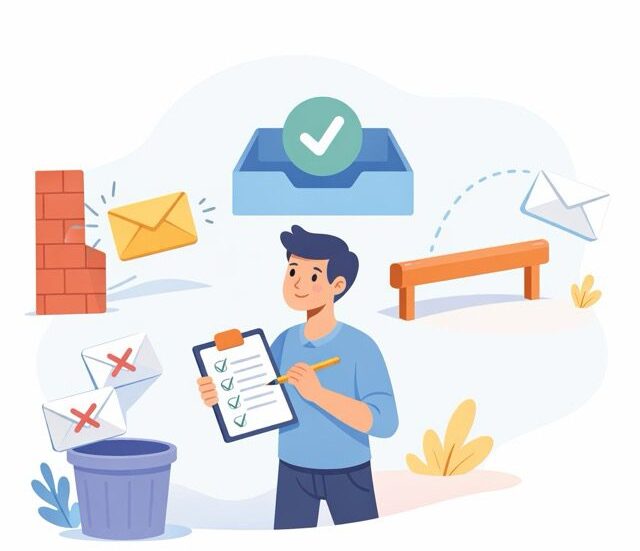

Do your e-mails really reach their destination? It may seem a naïve question, but it’s true. In B2B, deliverability remains one of the subjects least understood by marketing teams. They focus on subject lines, design and targeting, but sometimes forget the essential point: if the message doesn’t reach the inbox, all the rest is for nothing.
A good deliverability rate is between 95% and 98%. Below 90%, there’s a serious problem to be solved. And between these two thresholds, every percentage point represents lost business opportunities.
Deliverability, an underestimated B2B challenge
Let’s start by clarifying a common misunderstanding. The deliverability rate measures the percentage of e-mails that do not generate a technical error, in other words, messages that arrive somewhere on the recipient’s server. It’s not the same thing as the inbox delivery rate.
An e-mail can be “delivered” in the technical sense and end up directly in the spam folder. It may be accepted by the server and never appear in the recipient’s main mailbox. The formula is simple: number of emails delivered divided by the number of emails sent, multiplied by 100. But this formula only tells part of the story.
In B2B, the stakes are particularly high. Corporate anti-spam filters are often stricter than those used for consumer messaging. System administrators configure specific rules. Internal security policies can block certain senders without even generating an error message.
The average email open rate in 2024 reached 26.6%, according to industry studies, up on the previous year. This figure suggests that good practice pays off. But it also masks a reality: a significant proportion of emails simply never reach their destination.
The new rules of the game since 2024
February 2024 marks a major turning point. Google and Yahoo began implementing new requirements for email senders. First temporary errors on a small percentage of non-compliant messages, then increasingly systematic rejections from April onwards.
In June 2024, the one-click unsubscribe requirement became effective. In April 2025, Microsoft joined the movement with similar requirements for Outlook.com, Hotmail and Live.com. On May 5, 2025, Microsoft began directly rejecting non-compliant emails, not just sending them as spam.
In concrete terms, what has changed? For senders of more than 5,000 e-mails per day, three authentication protocols are now mandatory: SPF, DKIM and DMARC. For lower volumes, SPF or DKIM is sufficient, but it’s better to have all three.
The spam complaint threshold is set at a maximum of 0.3%. Ideally, you should aim for less than 0.1%. Beyond that, your messages risk being blocked or systematically sent as spam. Messages should also include a one-click unsubscribe mechanism, with effective processing within two days.
These rules primarily concern messaging services for the general public. But they also have an indirect effect on B2B. Best practices are becoming the norm, and senders who fail to comply are seeing their overall reputation deteriorate.
Technical authentication: SPF, DKIM and DMARC explained simply
These three acronyms strike fear into the hearts of many marketers. Yet their principle is quite simple to understand.
SPF, for Sender Policy Framework, answers a basic question: who has the right to send e-mails on behalf of your domain? It’s a list of authorized IP addresses, published in your domain’s DNS records. When a server receives an e-mail claiming to come from your domain, it checks whether the sender’s IP is on this list.
DKIM, for DomainKeys Identified Mail, adds a digital signature to each e-mail. This signature proves that the message has not been altered in transit and that it comes from the advertised domain. It’s a bit like a seal on an envelope: if the seal is intact, the contents are authentic.
DMARC, for Domain-based Message Authentication, Reporting and Conformance, combines the two and defines a policy for action. What should you do if an email fails the SPF and DKIM checks? Reject it, quarantine it or let it through? DMARC also enables you to receive reports on attempts to spoof your domain.
To check that everything is set up correctly, there are several online tools available. MXToolbox lets you test your DNS records. Most emailing platforms also offer built-in diagnostics. The most common mistake is forgetting to update SPF records when you change email service providers.
Sender reputation: IP and domain
Sender reputation works like a credit score. It builds up over time, can be damaged quickly, and takes a long time to rebuild.
Historically, this reputation was attached to the IP address used to send the message. This is still the case, but a major evolution has occurred in recent years: domain reputation is now taking over. E-mail providers evaluate all your sending activity, regardless of the IP address used.
This evolution has practical implications. Changing IP address is no longer enough to start from scratch. Conversely, using an IP shared with other virtuous senders can benefit small volumes.
Blacklists are the other side of the coin. Spamhaus is the reference in the fight against spam. If your IP or domain is blacklisted, there’s a major problem. Other lists, such as SpamCop or Barracuda, also have an impact, albeit less severe.
To check your status, check.spamhaus.org offers free consultation. MXToolbox tests your address against over 100 blacklists simultaneously. Regular checks are recommended, even if there are no apparent problems.
Removal from a blacklist takes time and explanation. First you have to identify the cause of the problem, correct it, then submit a removal request with a credible explanation. Most blacklists require guarantees of the measures taken to prevent recurrence.
The quality of the contact base, the foundation of deliverability
No technical configuration can compensate for a poor quality contact base. This is the fundamental rule of deliverability. A poorly qualified, incomplete or obsolete database leads to bounces, a loss of reputation, and ultimately a drop in deliverability.
Hard bounces signal addresses that no longer exist or never existed. A hard bounce rate of over 2% is an alarm signal. These addresses should be immediately and permanently removed from your lists.
Soft bounces, or temporary bounces, indicate a one-off problem: box full, server unavailable, message too large. They deserve one or two additional attempts, but an address that generates repeated soft bounces should be treated as a hard bounce.
Spamtraps represent a particular danger. These are addresses created specifically to trap spammers. Some are recycled addresses, once active, then abandoned and reactivated as traps. Others have never been used by real humans. Sending an e-mail to a spamtrap shows that you’re using unsolicited or poorly maintained lists.
Double opt-in remains the best protection. In B2B, it may be tempting to consider it superfluous, but it guarantees that the address is valid and that its owner really wants to receive your communications. If you want to send mass e-mails without looking like a spammer, it’s an essential prerequisite.
Regular cleaning of the database is essential. Remove addresses that have been inactive for more than six months or a year, depending on your mailing frequency. Use email validation solutions to verify new subscriptions. These investments more than pay for themselves in improved deliverability.
Email content and its impact on filtering
Spam filters analyze message content for suspicious signals. Understanding how spam filters work can help you avoid the most common pitfalls.
Certain words and expressions trigger alerts: “urgent”, “earn money”, “exclusive offer”, “click here immediately”. Used occasionally and in a legitimate context, they pose no problem. Accumulated in the same message, they increase the spam score.
The text/image ratio is also important. An e-mail consisting solely of a large image with little text will be suspect. Filters can’t read the content of images, which makes them suspicious. A reasonable balance, with visible text and complementary images, works best.
The links contained in the message are analyzed. Their reputation is checked. One link to a blacklisted or suspicious domain can be enough to make your entire e-mail spam. Avoid public URL shorteners, preferring direct links to your own domains.
The unsubscribe link must be clearly visible. Beyond the legal obligation linked to the RGPD, it’s a signal of trust for filters. A sender who makes it easy to unsubscribe is considered more trustworthy than one who hides it at the bottom of the page in small print.
The List-Unsubscribe header enables one-click unsubscribing directly from the email interface, without even opening the email. This is now a requirement for large senders, but all B2B marketers would do well to implement it.
Monitor and maintain deliverability over time
Deliverability is not a subject that can be solved once and for all. It requires continuous monitoring and regular adjustments.
The most important indicators to monitor are bounce rate, spam complaint rate, open rate and click rate. A sudden deterioration in one of these indicators signals a problem that needs to be investigated quickly. A gradual deterioration may go unnoticed if performance is not compared over time.
Regular shipments help maintain a good reputation. A sender who sends stable volumes every week or month is considered more reliable than one who alternates between periods of silence and volume peaks.
After a period of inactivity, it’s best to resume gradually. Start with your most engaged contacts, those who open and click regularly. Then increase volumes gradually over several days or weeks. This approach, sometimes called “warming up”, helps rebuild trust without triggering alerts.
In the event of a problem, a complete audit is essential. Check the technical configuration, analyze the quality of your database, examine the content of your latest campaigns. Find out what has changed recently: new sending domain, template modification, import of contacts from a new source.
Monitoring tools such as Google Postmaster Tools provide valuable information on how Gmail perceives your mailings. Other services such as Sender Score or Talos Intelligence can help you assess your overall reputation.
Frequently asked questions about B2B email deliverability
WHAT IS A GOOD B2B DELIVERABILITY RATE?
A rate between 95% and 98% is considered good. Below 90%, you need to audit your practices and correct any problems identified. Be careful not to confuse technical deliverability with inbox delivery.
ARE SPF, DKIM AND DMARC REALLY COMPULSORY?
For senders of over 5,000 emails per day to Gmail, Yahoo or Outlook, yes. For all others, it’s highly recommended. These protocols have become the standard, and their absence is detrimental to your overall reputation.
HOW DO I KNOW IF I’M BLACKLISTED?
Use tools like MXToolbox or check.spamhaus.org to check your status. Regular checks, even when there’s no apparent problem, can detect registrations before they have a significant impact on your mailings.
HOW OFTEN SHOULD YOU CLEAN YOUR CONTACT DATABASE?
A monthly clean-up of bounced addresses is the minimum. A quarterly analysis of inactive contacts is recommended. Addresses with no interaction for six months to a year should be deleted or placed in a specific reactivation segment.
DOES EMAIL CONTENT REALLY INFLUENCE DELIVERABILITY?
Yes, but less so than you might think. Modern filters are based more on sender reputation and recipient engagement than on isolated keywords. That said, content riddled with suspicious signals can tip an e-mail into spam.
CAN YOU RECOVER A BAD SENDER REPUTATION?
It can be done, but it takes time. First you have to identify and correct the source of the problem, then gradually rebuild trust by sending quality messages to committed recipients. Depending on the seriousness of the situation, this can take from several weeks to several months.
DO YOU NEED A DEDICATED IP OR A SHARED IP?
For large, regular volumes, a dedicated IP offers greater control over your reputation. For smaller volumes, an IP shared with other virtuous senders can be advantageous. As domain reputation now predominates, this choice is less decisive than it used to be.